This post contains affiliate links. Full disclosure at the bottom.
Short version: Gamma's free plan gave me a coherent, editable 10-slide lesson deck, and the math on the slides was correct. The deck and one slide redo used 23 of my 400 free credits, and those credits never refill, so the free plan covers roughly 15 to 17 decks like mine. Start there to see if it suits you. If you make slides regularly, Plus ($12 a month, or $9 a month billed annually) is worth it: it refills 1,500 credits every month, allows up to 100 slides per prompt instead of 10, and removes the "Made with Gamma" badge from exports.
Most of my slide time goes to the mechanical part. I already know what I want students to understand. Turning that into ten readable slides with an example and an activity is the slow part, and it is where I hoped Gamma could help.
We already published a step-by-step walkthrough of turning a lesson plan into slides with Gamma, so I won't repeat every click here. This post answers a different question: after testing the free plan on November 6, is it worth using, and what does it actually cost you?
What Gamma does
Gamma is an AI presentation tool. You describe what you need, and it writes an outline, builds the slides, adds images, and lets you keep editing with an AI assistant it calls the Agent. You can also edit everything by hand, the way you would in any slide program. When you finish, you can export to PDF, PowerPoint, Google Slides, or PNG images.
The AI features run on credits. A new free account starts with 400. According to Gamma's help center (checked November 8, 2026), free credits do not refresh. Once they are gone, you either earn more through referrals, at 200 credits per friend who signs up, or move to a paid plan. Paid plans refill monthly. Manual work like typing, rearranging, and picking a theme or font is free, and you can still edit your decks by hand after the credits run out.
Our test: a 9th-grade budgeting deck
I asked for a 10-slide lesson on building a first monthly budget, with a 50/30/20 example and a quick class activity. I picked that topic because I can check it. If the percentages or dollar amounts were wrong, I would know right away.
Before building anything, the Agent asked what tone I wanted and confirmed the deck style and activity. I chose conversational. It then wrote an editable 10-slide outline, and once I clicked Generate, the slides streamed into the editor one at a time. From prompt to finished deck took about three minutes, most of it in that question-and-outline stage.
The result was good. The slides followed a sensible order, included an activity with a $300-a-month scenario and a homework slide, and the 50/30/20 example was right: a student with $400 got $200 for needs, $120 for wants, and $80 for savings. The illustrations kept the same character and style from slide to slide, which matters more than you might think when students are looking at them.
The whole deck cost 20 credits. That matched the ten AI images at 2 credits each; the outline and text did not appear to add anything. My balance went from 400 to 380.
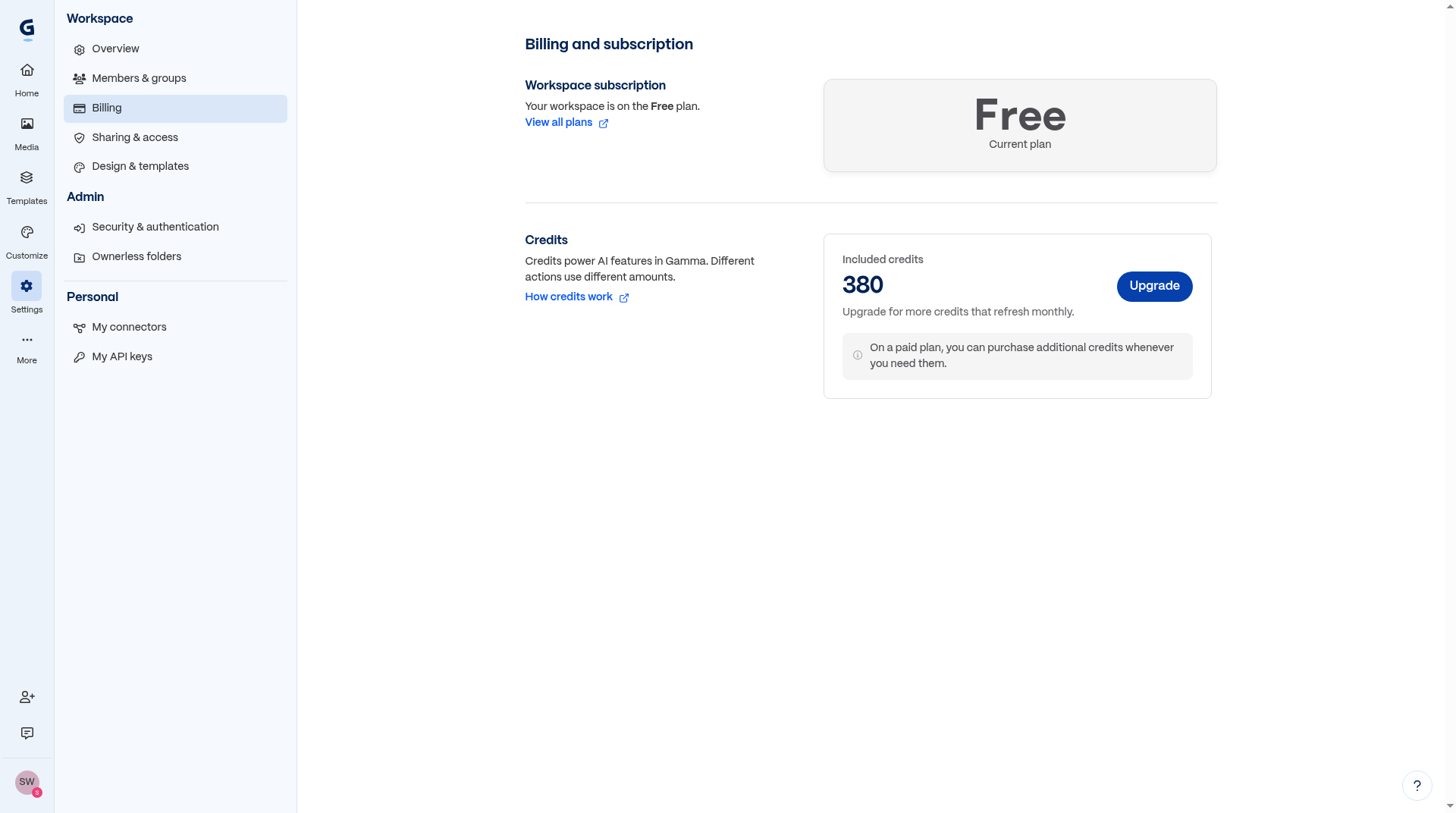
At that rate, 400 credits goes further than I expected. I would still treat that as one data point, since the help center says costs vary with the model and the length of the request.
Editing without starting over
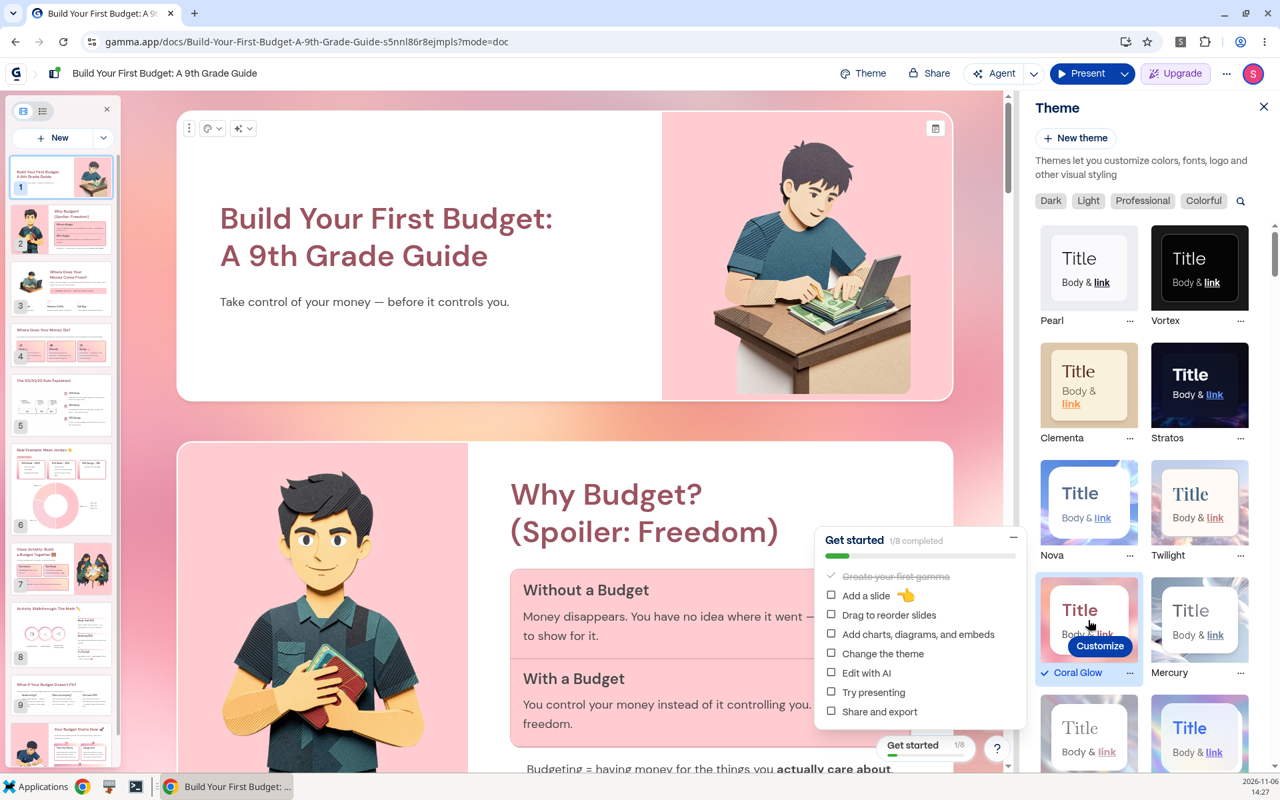
This is where Gamma earned my respect. I switched the whole deck from the default Pearl theme to Coral Glow, and every slide updated in a second or two. That cost 0 credits.
Next, I asked the Agent to regenerate slide 5, the 50/30/20 explanation, with a fresh layout and simpler wording for 9th graders. It took about fifteen seconds and cost 3 credits. Gamma showed the original and the new version side by side so I could choose which to keep, the same way I would compare two drafts of a worksheet. For the whole session, I used 23 credits and had 377 left.
Exporting, and the badge
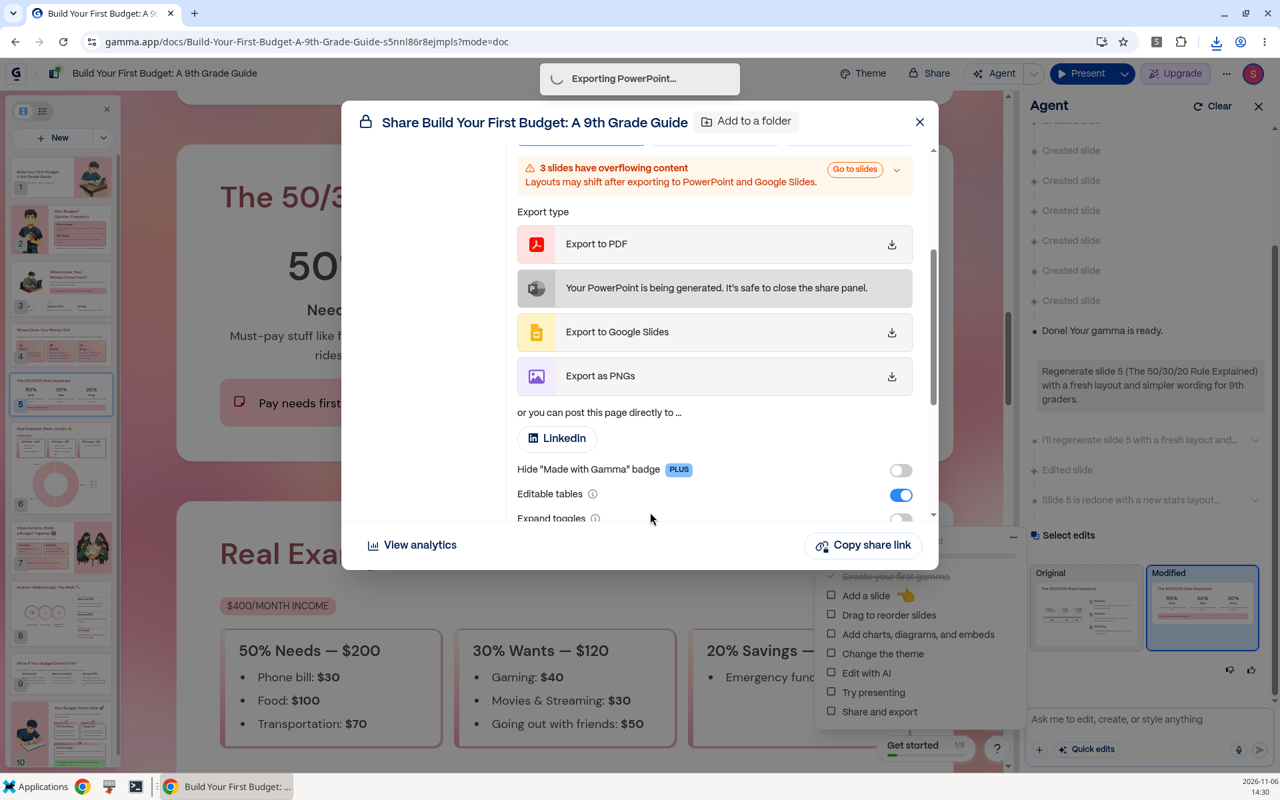
Exports are not credit-gated, and Gamma never asked for a card. My PDF came out in about fifteen seconds: 10 pages, 8.8 MB at Standard quality. The PowerPoint took a little longer and came out at 3.9 MB, with editable text and the images embedded. I checked the PowerPoint file's structure but did not open it in PowerPoint, and I didn't test the Google Slides or PNG exports.
Before exporting, Gamma warned that three slides had overflowing content and that layouts could shift in PowerPoint or Google Slides. Check those slides before you put them in front of anyone.
Every free export carries a small "Made with Gamma" badge in the bottom-right corner. The switch to hide it is locked to the Plus plan.
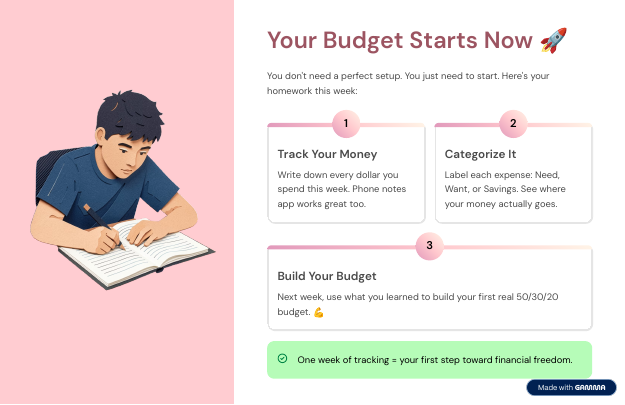
Most people won't care, and if it really bothers you, you can crop it out.
So what does getting rid of it cost? Gamma's pricing page lists Plus at $12 a month billed monthly, or $9 a month billed annually ($108 a year). Plus removes the Gamma branding, gives you 1,500 credits a month, and raises the limit from 10 slides per prompt to 100. The Free plan costs $0 and comes with 400 one-time credits and up to 10 slides per prompt.
Does a teacher need to pay? Not to try it. A 10-slide lesson fits inside the free limit, so start on the free plan and see whether you like the results. But those 400 credits never refill. Our deck used 23 credits once I counted the slide redo, so you have room for roughly 15 to 17 decks like it. If you build a deck every week, that covers most of an 18-week semester; if you make two a week, it lasts about half a semester. After that, you are either recruiting friends for referral credits or paying. For a teacher who makes slides regularly, Gamma Plus is the plan I would pick. It refills 1,500 credits every month, lets you build bigger decks with up to 100 slides per prompt, and takes the badge off your exports. Pro ($25 a month billed monthly or $18 billed annually, with 4,000 credits a month) and Ultra ($100 billed monthly or $90 a month billed annually) are priced for heavy users, and most teachers will not need them.
What I liked and what got in the way
The good parts outweigh the bad. The Agent asked sensible questions before it started. The math was correct. Editing was cheap, and theme changes were free. The before-and-after comparison on AI edits made it easy to keep the version I preferred.
The annoyances were small but constant. The first visit to Settings forced a five-step survey, and a tour and checklist covered part of the editor until I dismissed them. An Upgrade button sits in the top bar the whole time, and the export screen nudges you toward Plus. My PDF downloaded twice. The overflow warnings mean you still need to proofread the layout yourself.
Who it's for
If you build presentations occasionally and know what you want to say, the free plan is a good place to start. Teachers, small business owners, and anyone who dreads starting from a blank slide will get a usable draft fast. Give it a specific request with a grade level, an example you can verify, and the activity you want, and you'll get a better result than from a one-line prompt.
If you make slides every week, for a class or for clients, plan on moving to Plus once the free credits run low. The monthly refill and the badge-free exports are what you would be paying for.
What it can't do is decide what your audience needs to learn. That part is still your job.
My verdict
Gamma does the tedious part of making slides well. In our test, it built an accurate, editable 10-slide lesson for 20 credits, changed themes for free, and redid a weak slide for 3. To recap: start on the free plan, because 400 credits is enough to learn whether Gamma fits how you work. If it does and you make slides regularly, Gamma Plus at $12 a month, or $9 a month billed annually, is worth it for the monthly credits, the larger decks, and exports without the badge. Either way, check the layout before you present.
All pricing as of November 8, 2026, from gamma.app/pricing. Prices can change, so check Gamma's site for current rates.
Disclosure: Some of the links on this page are affiliate links. This means if you click and make a purchase, we may earn a commission at no extra cost to you. We only recommend tools we have personally tested or thoroughly researched. Our opinions are our own.
