This post contains affiliate links. Full disclosure at the bottom.
Short version: Gamma's free plan turned a 9th-grade budgeting lesson into a coherent, editable 10-slide deck in about three minutes. The Agent asked useful questions before building the outline, and the 50/30/20 example was correct. The deck used 20 of my 400 included credits, mostly for AI images. It is a practical way to make a first draft, but check the content and exported slides before using them with a class.
A lesson plan tells me what I want students to learn. It does not give me ten clean slides with readable text, useful examples, and a class activity. That mechanical part can take longer than planning the explanation, so I wanted to see whether Gamma's free plan could handle it without making the lesson generic.
For this test, I asked for a 10-slide lesson for 9th-grade personal finance: how to build a first monthly budget, with a 50/30/20 example and a quick class activity. I could check whether Gamma followed the sequence and whether the numbers made sense. More importantly, I wanted to know whether a teacher could edit the result rather than accept whatever appeared.
It asked before making the slides
I signed in with Google, and no card was requested. Getting to the settings involved a five-step onboarding survey about my role, organization, and how I heard about Gamma. A tour and getting-started checklist also appeared over the editor later. None of this took very long, but be ready to dismiss a few screens before starting the actual work.
From the creation page, I used the Agent flow and entered the lesson request. Instead of immediately producing slides, it asked what tone would work best for 9th graders. I chose Conversational and relatable, with real teen scenarios, rather than formal or gamified. It also gathered the deck style and class activity before continuing.
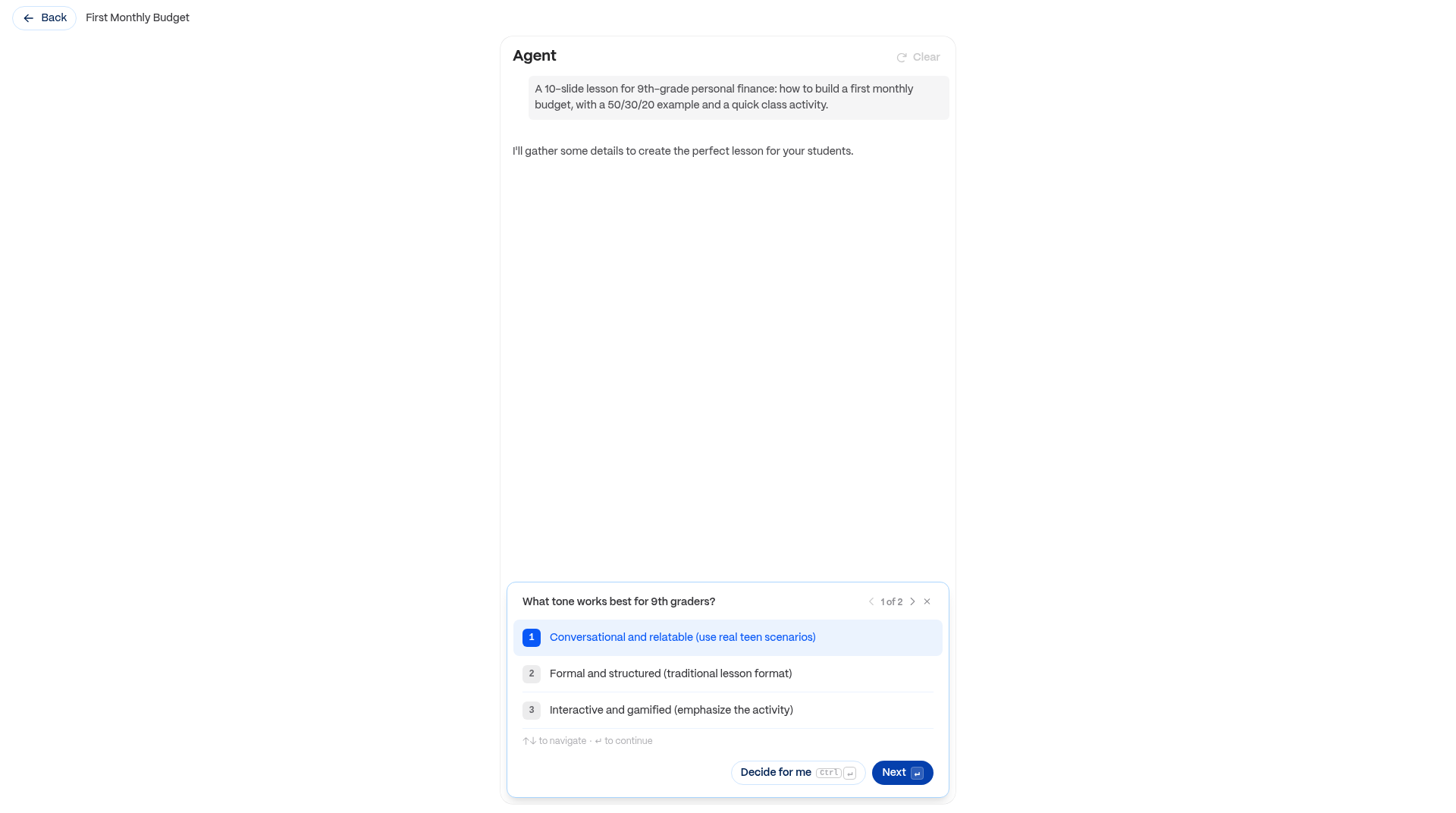
That exchange was useful. A presentation tool cannot know what a class needs from one sentence alone, and choosing the tone was closer to actual planning than picking a decorative template. The clarifying questions took about ten seconds.
Next, the Agent wrote a 10-slide outline in roughly fifteen seconds. This was not a take-it-or-leave-it result. Each slide appeared as an editable card, so I could change the lesson before spending credits on images. There were also options to merge slides and refine or preserve the outline.
The proposed sequence moved from why budgeting matters to income, expenses, the 50/30/20 rule, an example, and a class activity. The default Pearl theme was selected, AI images were set to 2 credits each, and the settings panel showed my 400-credit balance.
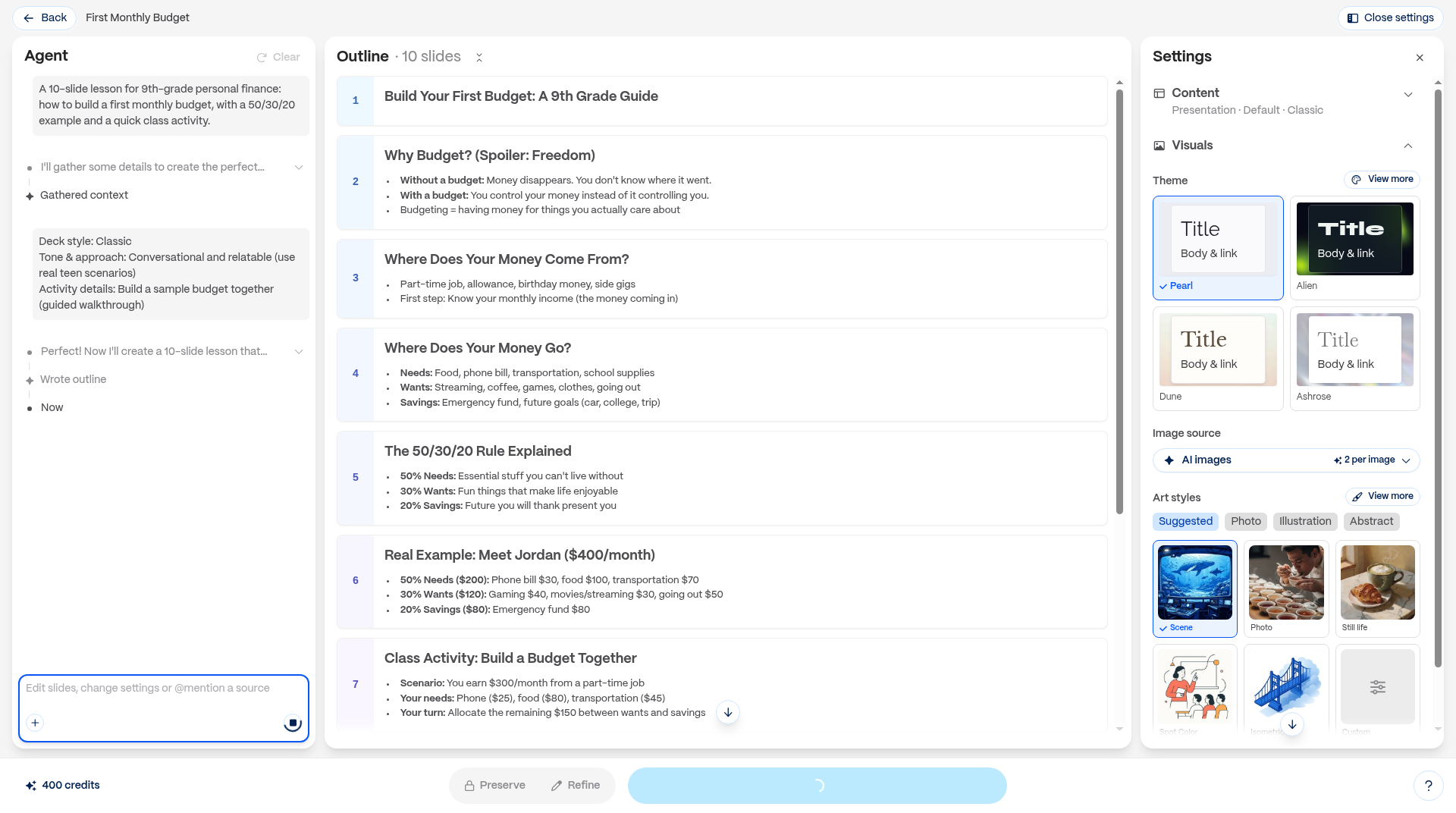
This is the best moment to make structural changes. It is easier to correct a missing explanation in an outline than to repair a presentation five minutes before class. I continued with this sequence because it matched my lesson.
The first draft took about three minutes
After I clicked Generate, Gamma opened the editor and the slides appeared one by one. It warned me not to close the tab. The text and images finished about one and a half to two minutes after Generate, or about two and a half to three minutes from my original prompt, including the questions and outline.
The result was not just a title pasted onto ten backgrounds. The deck had a consistent illustration style, cards and charts, a budget donut chart, a guided activity, a troubleshooting slide, and homework. The slides were coherent enough to edit rather than discard.

Most importantly for a math teacher, the example was right. Jordan's $400 monthly income was divided into $200 for needs, $120 for wants, and $80 for savings. That is 50 percent, 30 percent, and 20 percent, and the amounts total $400. A separate activity asked students to work with $300. I would still read every slide before teaching it, but these numbers did not need correcting.
The billing screen showed 400 included credits on the free plan. After this deck, my balance was 380, so generation cost 20 credits. The ten AI images at 2 credits each account for that charge; the outline and text appeared free in this run. The billing page did not say whether the free allowance refreshes, so I would not plan around another 400 each month.
Editing did not mean starting over
The first theme was not one I wanted to keep, so I opened the Theme panel and chose Coral Glow. It applied to all ten slides in about one or two seconds and cost nothing. The theme thumbnails were slow to appear, and my first click landed before they loaded, so wait for the panel to finish drawing.
I also asked the Agent to regenerate slide 5, The 50/30/20 Rule Explained, with a fresh layout and simpler wording for 9th graders. About fifteen seconds later, it returned a clean three-column explanation with shorter text. This edit cost 3 credits.
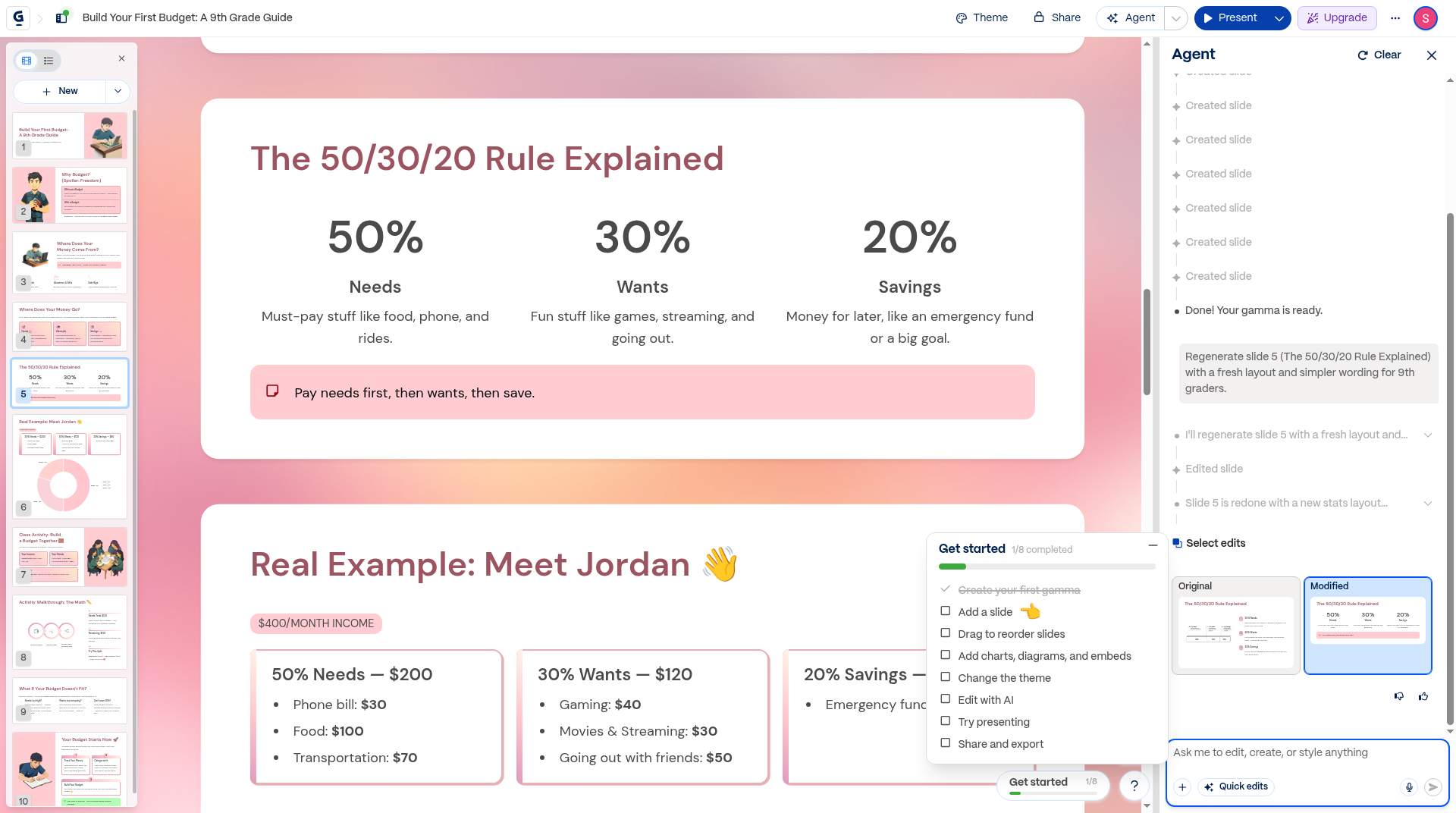
The Original and Modified toggle was the part I appreciated most. I could compare the revision with what I already had instead of losing the earlier version. That is how editing assistance should work: offer an alternative, then let the teacher decide. After the deck and this revision, I had used 23 credits and had 377 remaining.
Export the deck, then inspect it
Gamma's export dialog offered PDF and PowerPoint, along with formats I did not test. My PDF took about fifteen seconds and contained ten pages. The PowerPoint took roughly twenty to twenty-five seconds and contained ten slides with editable text and embedded images. Exporting did not require credits or a card.
Before exporting, Gamma warned that three slides had overflowing content and that layouts could shift in PowerPoint or Google Slides. Take that seriously. I did not open the PowerPoint to visually confirm its layout, so inspect that version rather than assume it matches the editor.
Free exports put a small Made with Gamma badge on every page; most people won't care, and if it bothers you, you can crop it out. My PDF was otherwise a complete copy of the lesson. One minor bug gave me a duplicate download, which was easy to ignore.
For a teacher starting with a real objective, Gamma is useful as a first-draft tool. Give it the grade level, the concept, an example you can verify, and the activity you want. Review the outline before generating, then use the Agent for weak slides instead of rebuilding the deck.
I would not ask it to decide what students should learn, or trust a generated example without checking it myself. But I am happy to let software line up text boxes and produce a starting point. In this test, Gamma's free plan handled that mechanical part in about three minutes and left the teaching decisions where they belong.
Disclosure: Some of the links on this page are affiliate links. This means if you click and make a purchase, we may earn a commission at no extra cost to you. We only recommend tools we have personally tested or thoroughly researched. Our opinions are our own.
