This post contains affiliate links. Full disclosure at the bottom.
Short version: I ran 15 ChatGPT prompts for creators on the Free plan on November 13, 2026. Every prompt got an answer, with no message cap. Most replies arrived in 8 to 25 seconds. Free was enough for this kind of text work. Watch for skipped preview text, character counts off by one, and details carried over from earlier chats. Here are the exact prompts, short excerpts from the real replies, and what I would change next time.
I built these ChatGPT prompts for creators around the free opt-in funnel we documented in our Systeme.io tutorial, so the examples would be specific instead of generic. I wanted to know whether the Free plan could handle the work a solo creator really does: titles, hooks, scripts, social posts, welcome emails, calendars, pricing, and a brand reply.
How I tested
On November 13, 2026, I signed in to a new ChatGPT account on the Free plan and sent each prompt in a new chat, from about 2:04 to 2:28 p.m. Eastern Time. The account has no model picker; the header only shows the chat title. I checked the model in the regenerate menu, which labeled every answer "6 Instant." None of the 15 prompts produced a limit or downgrade message.
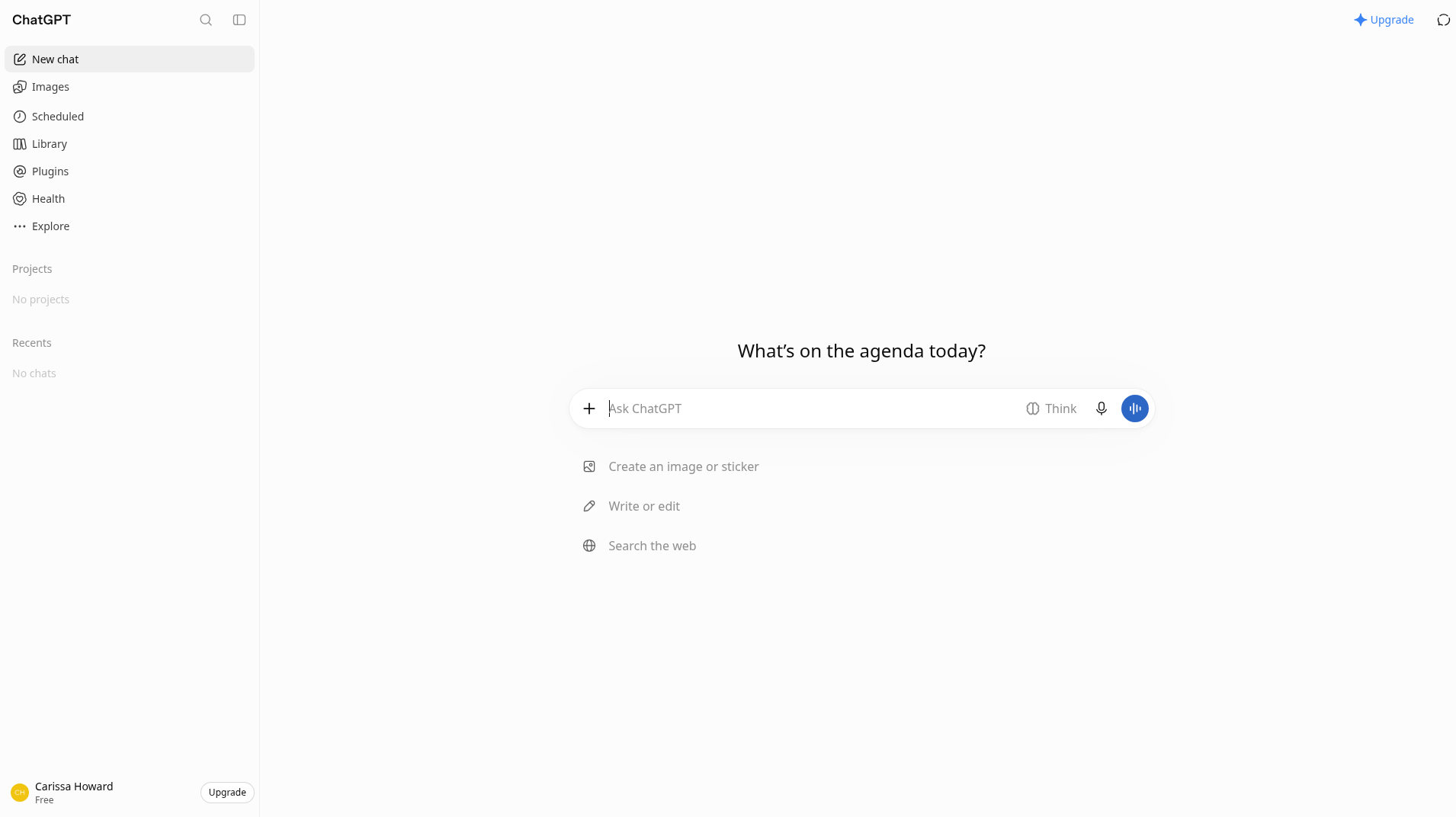
Most answers took 8 to 25 seconds. The short-form script and the pricing options took about a minute, and the weekly workflow and comment themes took about 1.5 to 2 minutes. The comment prompt showed a "Worked for 17s" note, then still labeled itself 6 Instant.
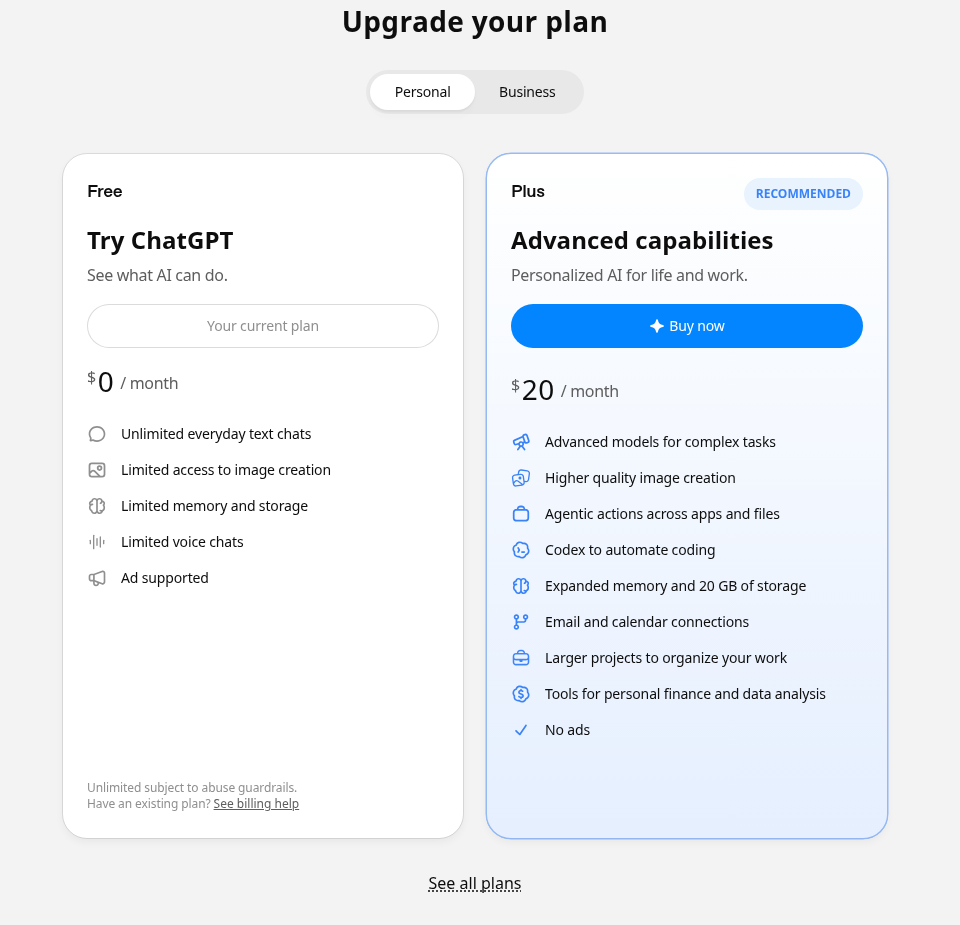
The upgrade page, opened the same afternoon, lists Free at $0 a month, with "Unlimited everyday text chats," "Limited access to image creation," and "Ad supported." Plus is $20 a month, marked Recommended, for "Advanced capabilities." The Business tab lists a Standard seat at $20 a month and a Premium seat at $100 a month. I stayed on Free. I did not need Plus for these text prompts.
Even though I started a new chat each time, some answers still reused details from earlier prompts. The content calendar borrowed a title from the hooks prompt, and the blog-ideas list leaned on Systeme.io without my asking. Have you had a fresh chat mention a detail you only used in an earlier one? If you want a clean answer, start fresh and clear memory, or tell it not to use earlier chats.
Titles, hooks, and scripts
1. YouTube titles
I used this to get 10 title ideas for a small productivity channel, with a 60-character cap and no clickbait words.
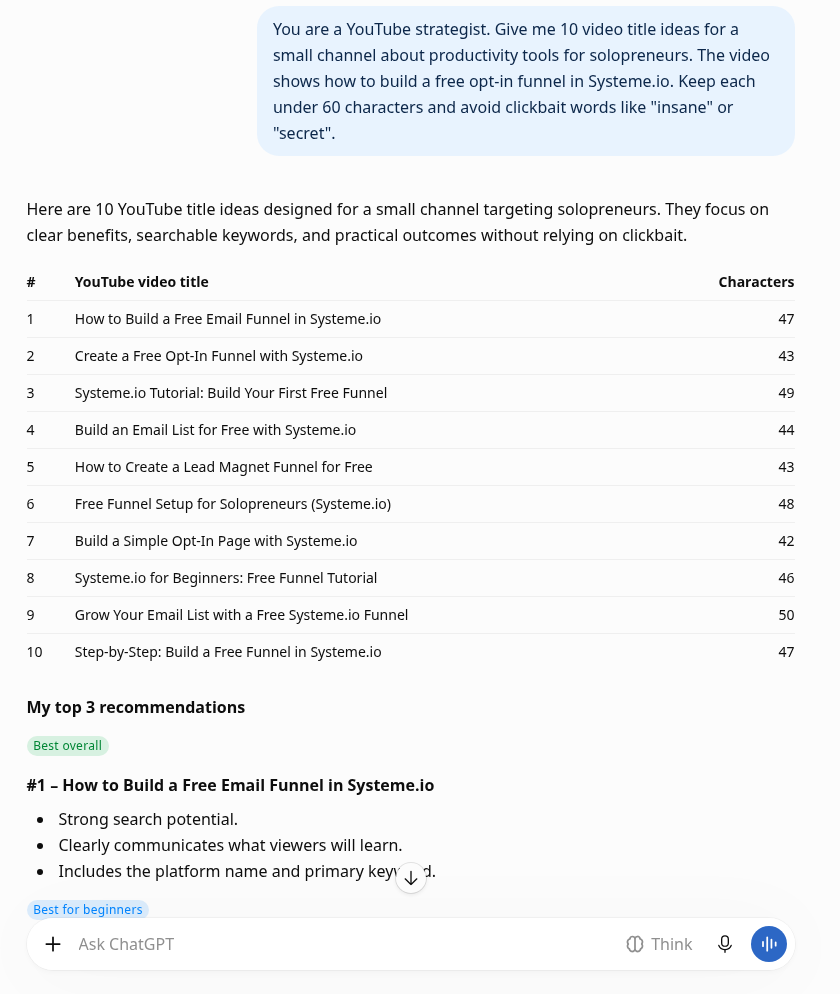
You are a YouTube strategist. Give me 10 video title ideas for a small channel about productivity tools for solopreneurs. The video shows how to build a free opt-in funnel in Systeme.io. Keep each under 60 characters and avoid clickbait words like "insane" or "secret".
It returned a table of 10 titles, all under 60 characters, and named three favorites, including "How to Build a Free Email Funnel in Systeme.io." It avoided the words I banned. Its own counts were off by one on two titles: it marked the first as 47 characters when it is 46, and the sixth as 48 when it is 47. Count them yourself before you publish.
2. Opening hooks
Three openings for the same video: a question, a surprising fact, and a mistake, each under 25 words.
Write 3 different opening hooks (under 25 words each) for a 6-minute YouTube video titled "I Built a Free Email Funnel in 7 Minutes (Systeme.io)". One should open with a question, one with a surprising fact, and one with a mistake I made.
The question hook was, "Want to build an email funnel that captures leads and grows your list without spending a dime? I'll show you how in just 7 minutes." That is exactly 25 words, not under 25. The "surprising fact" hook was not a fact; it was a product claim: "You don't need expensive funnel software to start building an email list." The mistake hook was the most usable of the three. If you need a hard word cap, say "24 words or fewer," then count.
3. A 60-second script
A four-point outline, turned into a short-form script with on-screen text in brackets.
Turn this outline into a 60-second short-form video script with on-screen text notes in brackets: 1) most creators pay for email tools too early 2) Systeme.io's free plan covers your first 2,000 contacts 3) build one opt-in page and one thank-you page 4) upgrade only when you need tagging by source.
It put the script in a "Writing" canvas and used the brackets as asked. The opening line was, "One mistake I see new creators make? Paying for expensive email marketing tools before they even have an audience." It kept the 2,000-contact detail and the note to upgrade when you need tagging by source. This one followed the outline closely.
Social posts
4. A LinkedIn post
A LinkedIn post under 150 words, with three hashtags at the end and none in the body.
I'm a solo creator. Repurpose this paragraph into a LinkedIn post (under 150 words, no hashtags in the body, 3 hashtags at the end): "I spent an evening building an opt-in funnel in Systeme.io on the free plan. It took about seven minutes once I stopped fiddling with templates. The part that surprised me was the automation rule that tags new sign-ups, which is where the paid plan starts to matter."
It added an emoji I didn't ask for. It also shifted the facts, writing "I spent more time fiddling with templates than actually building the funnel," and it added an opt-in page and a thank-you page that were not in the source paragraph. The three hashtags sat at the end, as requested. Strip the extras and check the wording against your original.
5. Five posts for X
Write 5 X (Twitter) posts from the same idea: building a free opt-in funnel in Systeme.io in about seven minutes. Each under 260 characters, different angles, no emojis.
It returned five posts with different angles (speed, budget, beginner, behind-the-scenes, and a contrarian take), no emojis, each under 260 characters. This one fully met the constraints. I could use any of them with almost no editing.
Email, SEO, and post ideas
6. A three-email welcome sequence
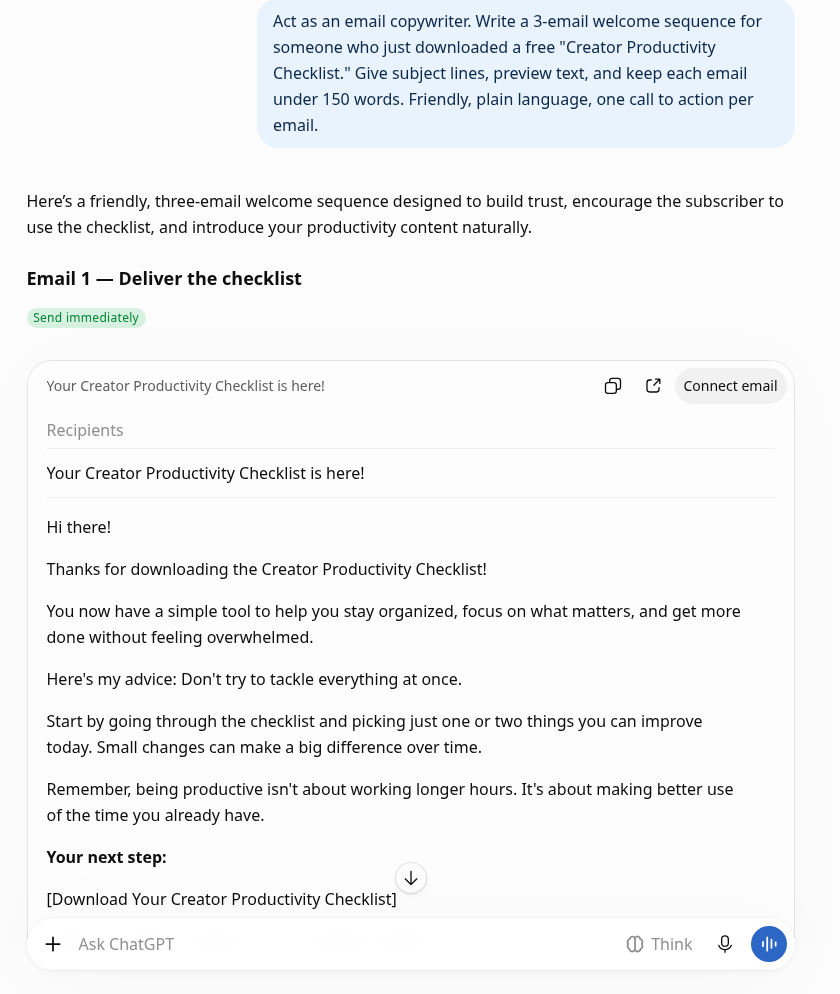
Act as an email copywriter. Write a 3-email welcome sequence for someone who just downloaded a free "Creator Productivity Checklist." Give subject lines, preview text, and keep each email under 150 words. Friendly, plain language, one call to action per email.
It wrote three emails with subject lines, a send schedule, and one call to action each. The bodies stayed under 150 words, but it skipped the preview text I asked for. The subject lines only appeared inside the email cards, and the Copy button dropped them, so I typed them back from the screen: "Your Creator Productivity Checklist is here!", "One simple habit that saves creators time," and "You don't need more hours in your day." Ask for preview text under each subject, and copy the subjects before you hit Copy.
A sequence like this belongs right after a free opt-in, the same setup we walked through in the Systeme.io funnel tutorial.
Start a free Systeme.io account and add the welcome emails once you've verified a sender on your own domain.
7. Blog post ideas
Give me 12 blog post ideas for a site that reviews productivity tools for creators and solopreneurs. For each, include the primary search keyword and whether the searcher is likely ready to buy, comparing tools, or just learning.
It gave 12 titles, each with a keyword and an intent label. It included a "2026" year in one title, and it offered a Systeme.io review and a ConvertKit vs. Systeme.io post even though I never named a tool in this prompt. That's the memory carryover again. Useful list, but treat the tool choices as suggestions, not as a brief you already wrote.
8. SEO meta descriptions
Here is my blog post title: "How to Build a Free Opt-In Funnel in Systeme.io (Step by Step)". Write 3 SEO meta descriptions under 155 characters, each including the phrase "Systeme.io funnel".
The three descriptions came in at 146, 149, and 144 characters, and each included the phrase "Systeme.io funnel." This one fully met the constraints.
Planning your week
9. A four-week content calendar
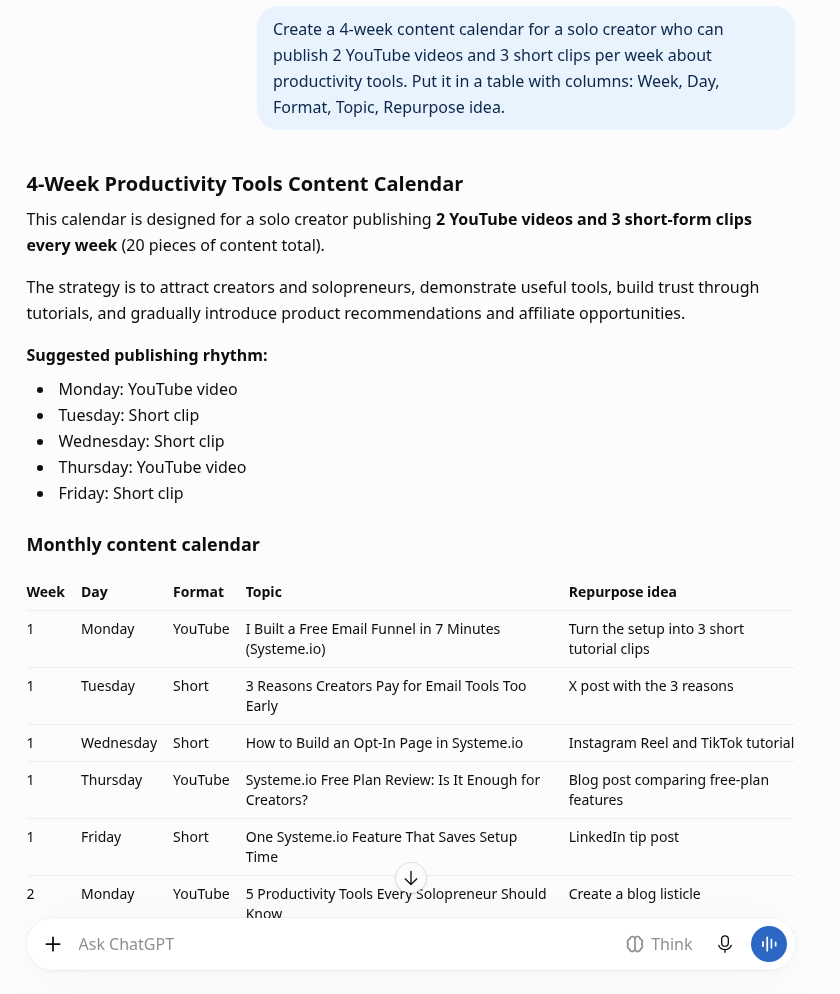
Create a 4-week content calendar for a solo creator who can publish 2 YouTube videos and 3 short clips per week about productivity tools. Put it in a table with columns: Week, Day, Format, Topic, Repurpose idea.
It built a 20-row table with the columns I asked for and a Monday-through-Friday rhythm of two videos and three short clips. The first YouTube topic was "I Built a Free Email Funnel in 7 Minutes (Systeme.io)," the exact title from the hooks prompt. I had not put that title in this chat. The calendar is usable; just replace anything it imported if you wanted a clean slate.
10. A 45-minute-a-day workflow
I have 45 minutes a day for content. Build me a realistic weekly workflow for planning, filming, editing, and posting one YouTube video plus clips. Assume I work alone and use free tools. Give time estimates per task.
It mapped 45-minute sessions, Monday through Sunday, totaling 5 hours and 15 minutes, with time estimates for planning, filming, editing, posting, and clips. It suggested free tools including Google Docs, OBS Studio, DaVinci Resolve, Canva, YouTube Studio, and Google Drive, and it attached a "Prepare my weekly content plan – Tap to set up" card. The plan is realistic enough to try; ignore the upsell card if you don't want it.
Business writing
11. A product description, rewritten
Rewrite this product description so it sounds human and specific, not like marketing copy, under 80 words: "Our revolutionary all-in-one platform empowers creators to seamlessly streamline their workflow and unlock unprecedented growth."
The rewrite was short and calmer than the original, but it stayed generic: "A simple platform that brings your everyday creator tools together, helping you organize tasks, manage your workflow, and spend less time switching between apps." It never named a real product or a specific feature. If you want specificity, put the actual product and two concrete details in the prompt.
12. Pricing a Notion template bundle
I'm pricing a digital product: a Notion template bundle for content planning. Give me 3 pricing options with reasoning (one low, one mid, one premium bundle), and the risks of each for a creator with a small email list of about 400 people.
It offered three options for a list of about 400 people: a Starter Bundle at $9–$15, a mid-tier Creator Productivity Bundle at $27–$39, and a premium Creator Operating System at $59–$89, with risks for each. It recommended launching the mid-tier at $29, and it showed a "Do you like this personality?" feedback prompt. The ranges and risks are a starting point, not a forecast of what you would earn.
13. A polite brand counteroffer
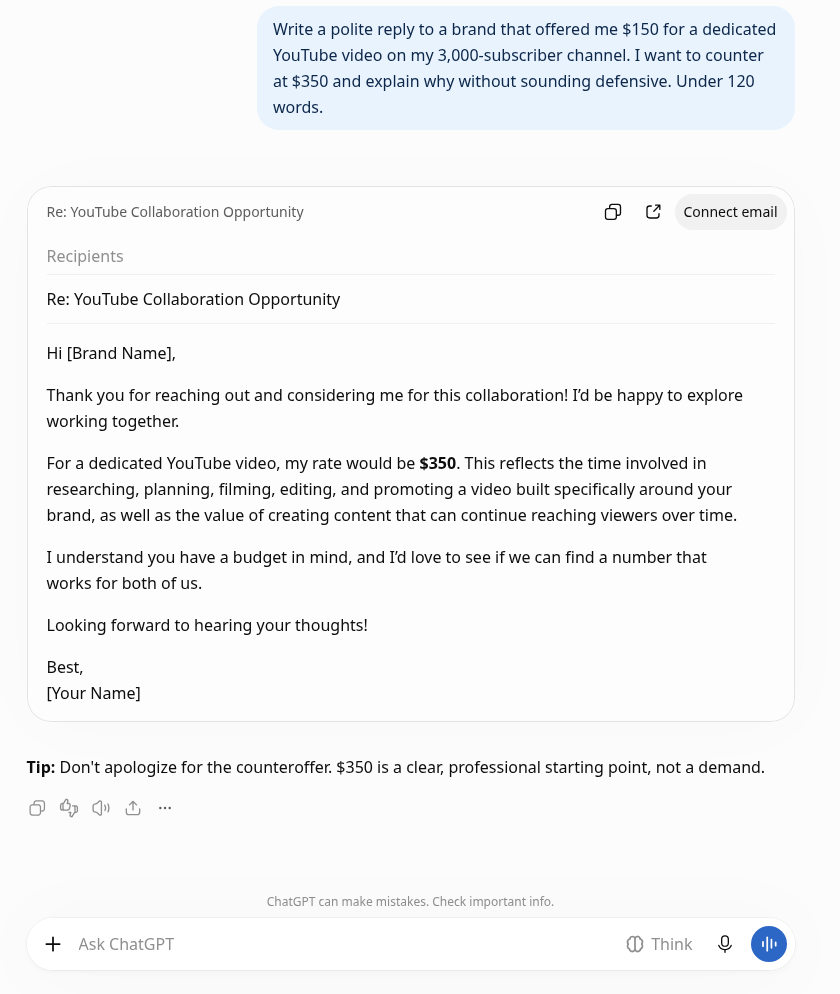
Write a polite reply to a brand that offered me $150 for a dedicated YouTube video on my 3,000-subscriber channel. I want to counter at $350 and explain why without sounding defensive. Under 120 words.
This one fully met the constraints. The email card used the subject "Re: YouTube Collaboration Opportunity" (the Copy button dropped that, too). The body came in at about 95 words, under the 120-word cap. It named the $350 rate, explained the work behind a dedicated video, and left the door open without apologizing. I would send a version of this with very little editing.
Comments and thumbnails
14. Themes from viewer comments
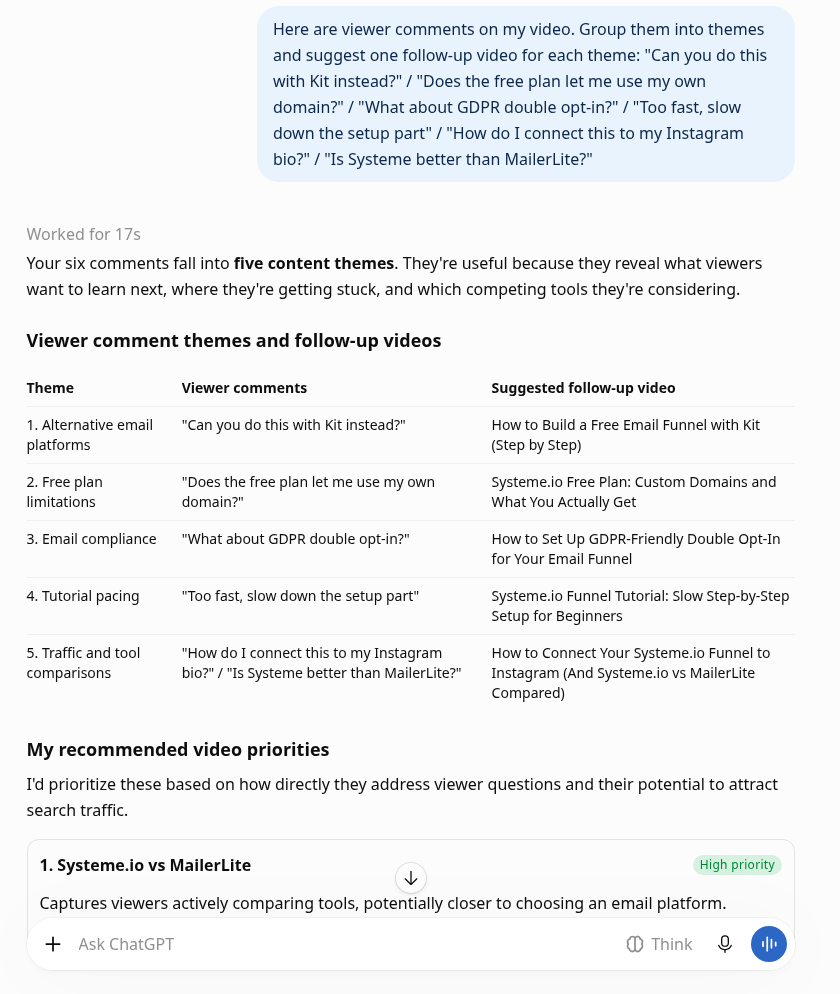
Here are viewer comments on my video. Group them into themes and suggest one follow-up video for each theme: "Can you do this with Kit instead?" / "Does the free plan let me use my own domain?" / "What about GDPR double opt-in?" / "Too fast, slow down the setup part" / "How do I connect this to my Instagram bio?" / "Is Systeme better than MailerLite?"
It grouped the six comments into five themes and suggested a follow-up video for each. It lumped "How do I connect this to my Instagram bio?" and "Is Systeme better than MailerLite?" into one theme, "Traffic and tool comparisons," and proposed a single video that tried to cover both. Those are two different videos. It also showed "Worked for 17s" and another "Tap to set up" card. Ask it to keep each question in its own theme when the topics don't belong together.
15. A thumbnail critique
Critique this YouTube thumbnail concept and suggest 3 improvements: a screenshot of the Systeme.io dashboard, my face in the corner looking surprised, and the text "FREE FUNNEL?!" in yellow. The video is for beginners who want an email list without paying.
It suggested making the benefit more specific than "FREE FUNNEL?!", zooming in on the funnel builder, and placing the face so it looks toward the screenshot. It also embedded a third-party thumbnail from lovable.dev, with the text "Sales Funnel No-Code 15 mins," that I had not asked for, and it reused the "7 minutes" title from earlier chats. Don't take the embedded image as yours. Add "do not insert example images from other sites" if you want a text-only critique.
Recap
The Free plan was enough for all 15 of these text prompts. I would keep using it for titles, scripts, emails, and planning, then edit the output. The X posts, the SEO meta descriptions, and the brand reply fully met the constraints; the rest were useful once I checked the details. I'll keep starting a new chat or clearing memory when I want a clean slate, counting characters myself, and watching for details the model invents, imports, or embeds from somewhere else.
If you want to see how other tools held up in our tests, I wrote a Gamma review after building a real deck, and the rest of the lineup is on our Tools page.
All pricing as of November 13, 2026, from chatgpt.com/pricing.
Disclosure: Some of the links on this page are affiliate links. This means if you click and make a purchase, we may earn a commission at no extra cost to you. We only recommend tools we have personally tested or thoroughly researched. Our opinions are our own.
