Last updated: October 26, 2026 · Pricing checked: October 25, 2026 · Tested by: Joel & Carissa · Hands-on testing: October 25, 2026 (free trial)
Disclosure: We don't currently have an affiliate relationship with OutlierKit, so we don't earn a commission from the OutlierKit links on this page. If that changes, we'll update this disclosure. We only recommend tools we have personally tested or thoroughly researched. Our opinions are our own.
The hardest part of growing a YouTube channel usually isn't filming. It's deciding what to make. Guess wrong and a week of work gets 200 views. OutlierKit tries to take the guessing out by showing which videos are beating their own channel's normal performance.
We're Joel and Carissa, a construction manager and a teacher who run this site together. For this review we used OutlierKit's free trial on October 25, 2026, ran its core tools on productivity topics, and checked its channel data against YouTube. We cover what it does, how credits work, pricing, real limits, and how it compares with vidIQ, TubeBuddy, and 1of10.
Quick take: OutlierKit is a focused YouTube research tool, not an all-in-one channel manager. In our testing its channel data matched YouTube and its title tool was the standout, while its outlier search returned some loosely related results. It costs more than vidIQ or TubeBuddy and has no free plan, just a 30-credit, 3-day trial.
Try OutlierKit with 30 free credits (no card) →
(Opens in a new tab.)
Signing up: OutlierKit only offered "Sign in with Google," with no email-and-password option, and asked for no card or channel connection. The account showed 30 of 30 credits with 3 days left. A referral popup appeared on first load, and a "We're live on Product Hunt" banner stayed pinned to most pages. Its X didn't dismiss it.
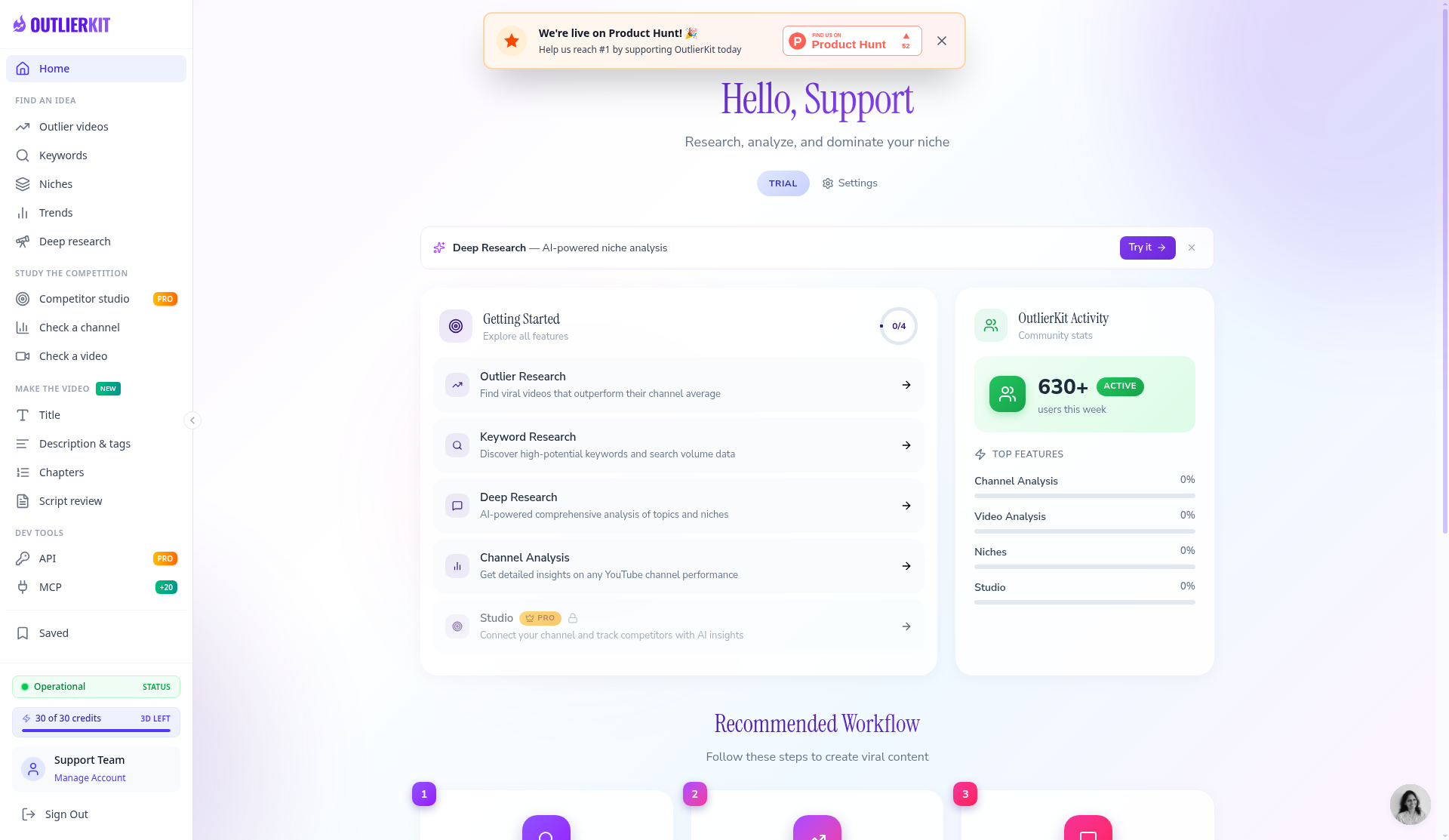
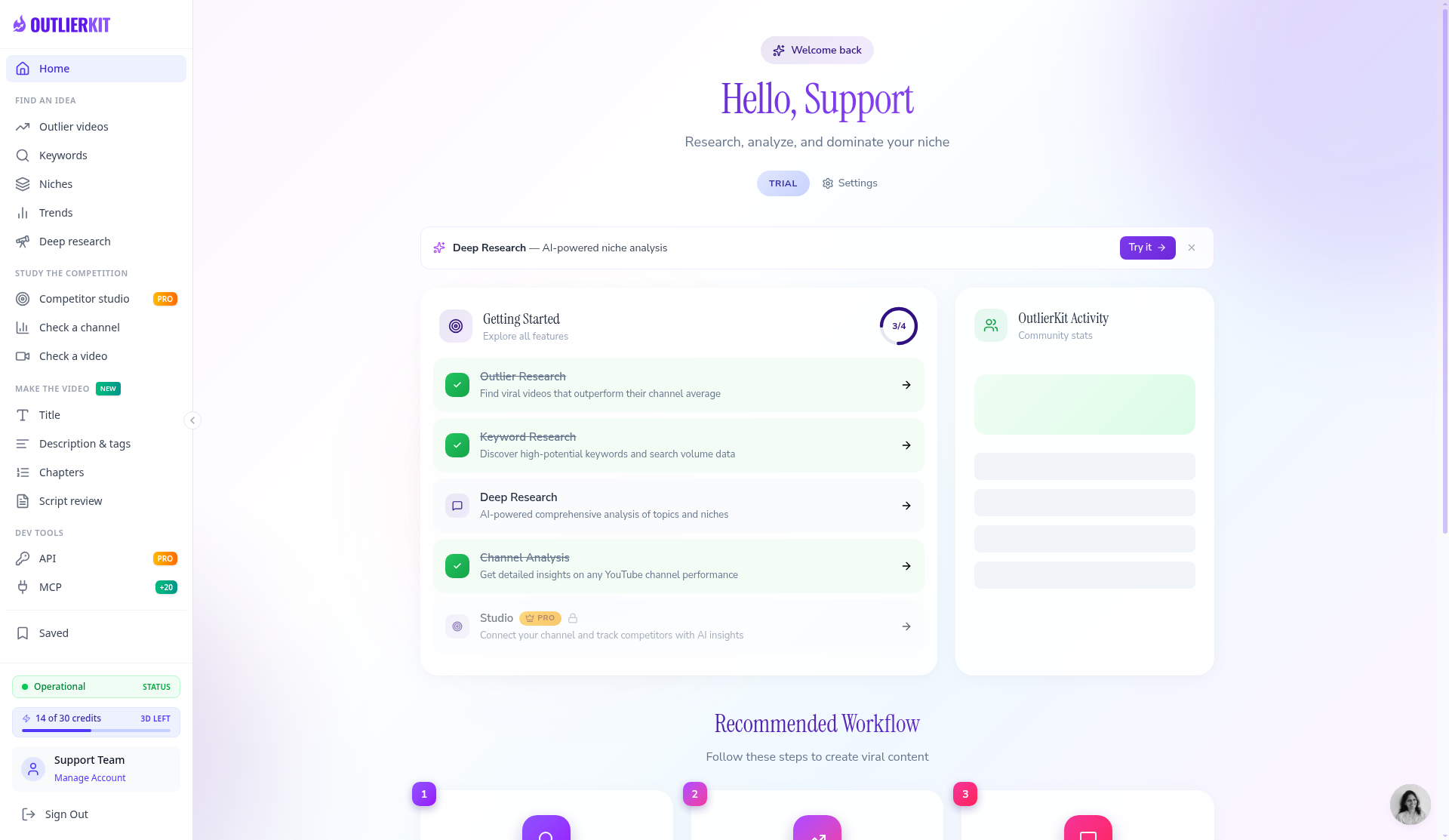
Our trial dashboard right after sign-up: 30 credits, 3 days, no card.
What Is OutlierKit?
OutlierKit is a web app (plus a Chrome extension, according to OutlierKit) that finds outlier videos: videos that got far more views than their channel usually gets. A 40,000-view video is a breakout on a channel that normally gets 4,000. Scoring each video against its own channel's baseline surfaces winning ideas from small channels, not just big ones.
It uses public YouTube data, so you don't have to connect your channel and can research any public channel. OutlierKit says it indexes more than 50 million videos and markets itself to coaches, consultants, experts, and their agencies.
Key Features
1. Outlier research (2 credits)
Search one channel or a whole topic for videos beating their channel's average. Each result shows an outlier score (the multiplier), views, and the channel's subscribers.
What we found: Searching "productivity apps" (2 credits) put 10 results on screen in about 30 seconds while it kept scanning. Several were only loosely related, like iPhone home-screen setups and a Microsoft Copilot video. Scores ran from 1.3x to 178x, and the 178x came from a channel with 144 subscribers, so tiny channels can inflate multipliers. There was no sort-by-score control. Reopening the search from history showed 0 views and 0 subscribers on the cards, which looks like a bug.
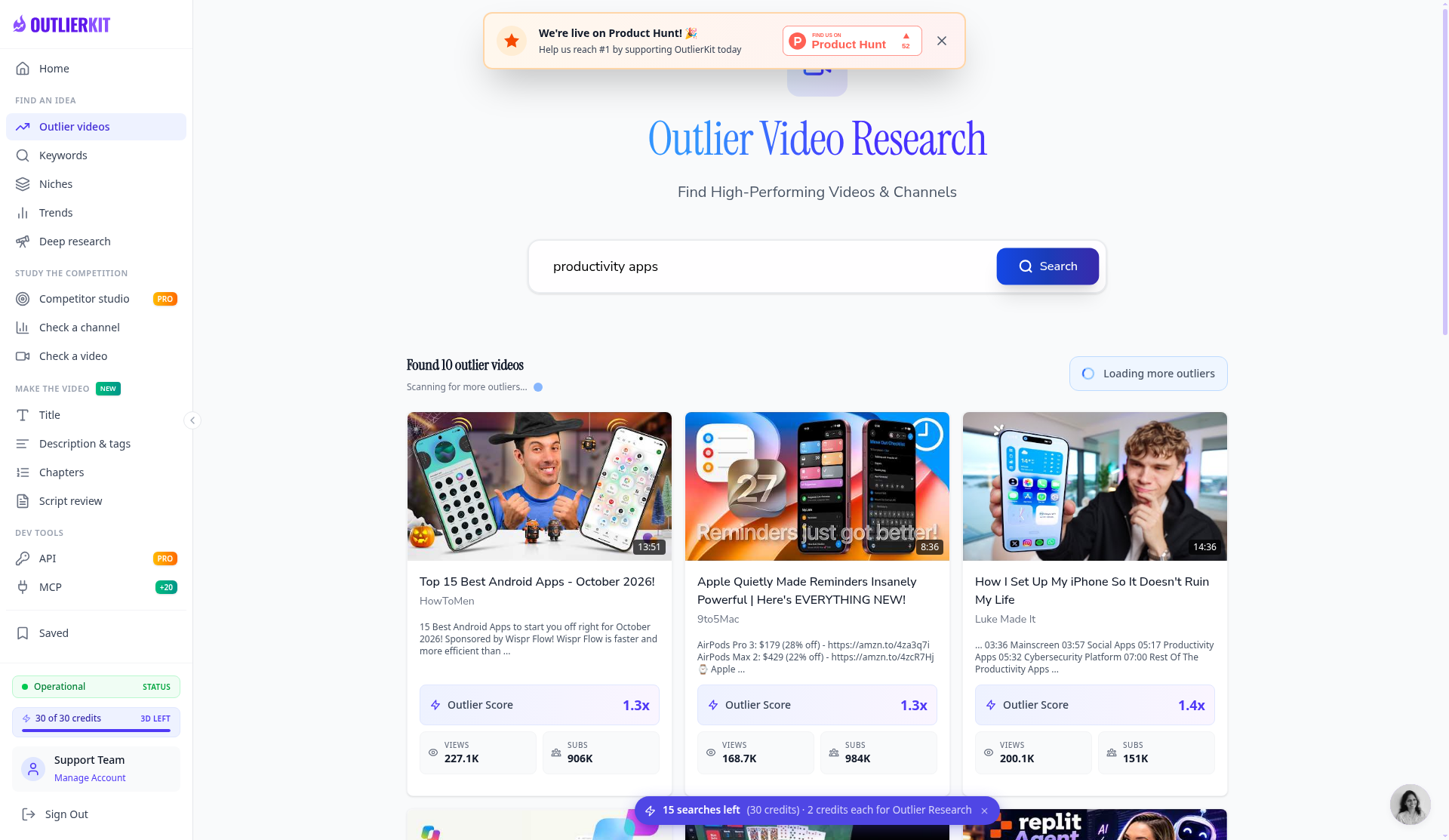
Outlier search for "productivity apps." The sidebar credit count lagged until a reload.
2. Keyword research (2 credits; advanced is 10)
Finds search terms with real demand and few strong competing videos, which is where a smaller channel has a shot.
What we found: "Productivity apps for teachers" (2 credits) returned results in about 7 seconds. All five top opportunities scored Low difficulty and 71–72 opportunity, with volumes shown as ranges (mostly 2K–5K, labeled third-party estimates). The suggestions were on topic, but near-identical scores didn't separate them much.
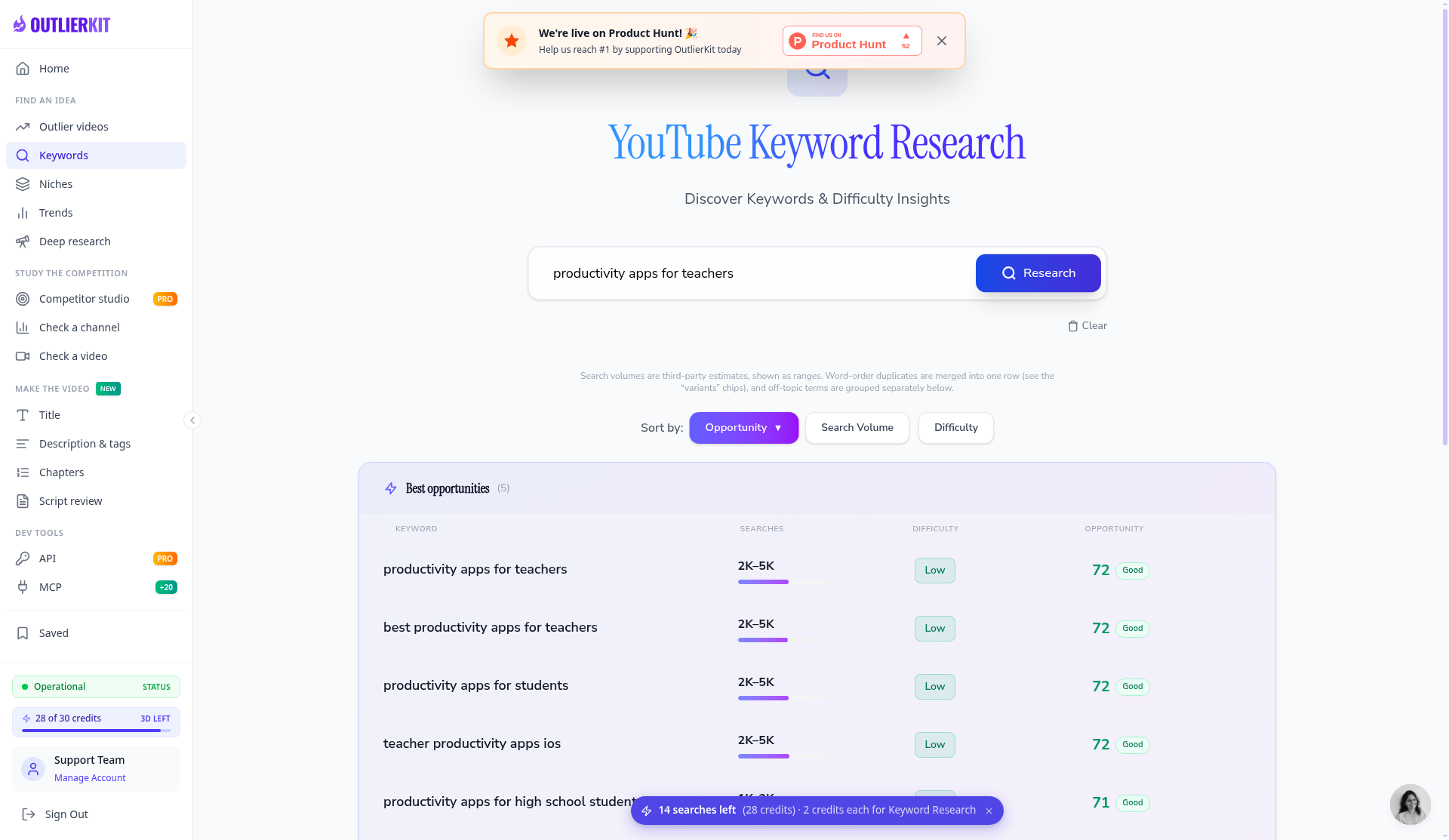
Every top keyword scored Low difficulty.
3. Channel analysis (10 credits)
A breakdown of any channel: upload frequency, format mix, median views, hit rate, and the videos that most beat its median.
What we found: We analyzed @aliabdaal (10 credits), and the main stats loaded in about 10 seconds. Checked against his YouTube channel, subscribers matched (6.7M), and so did the view counts for three videos we cross-checked (385K, 797K, and 1M). The only small gaps were the video count (1.5K vs YouTube's 1.4K) and last upload (10 days vs 9).
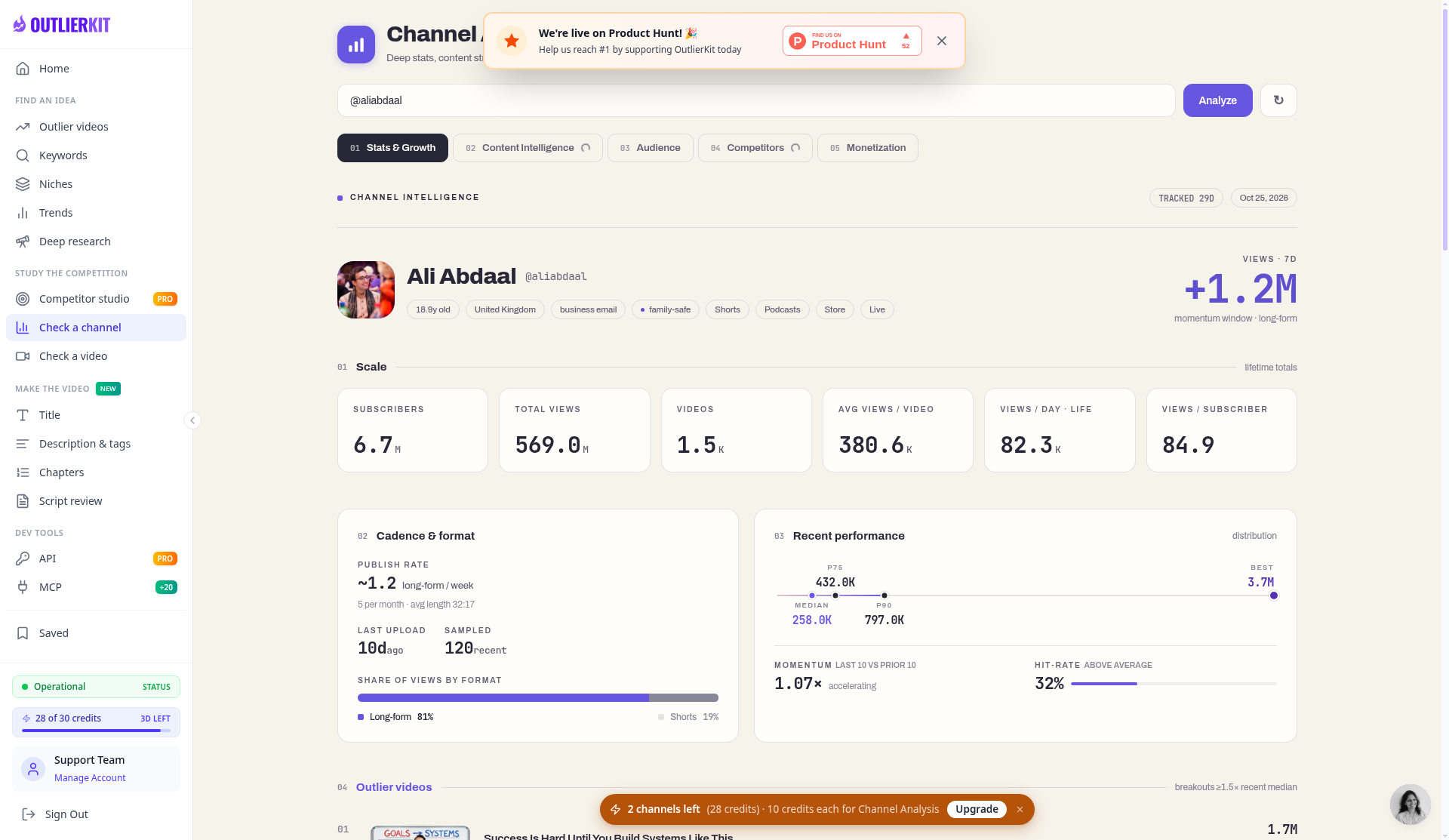
OutlierKit's channel analysis for @aliabdaal.
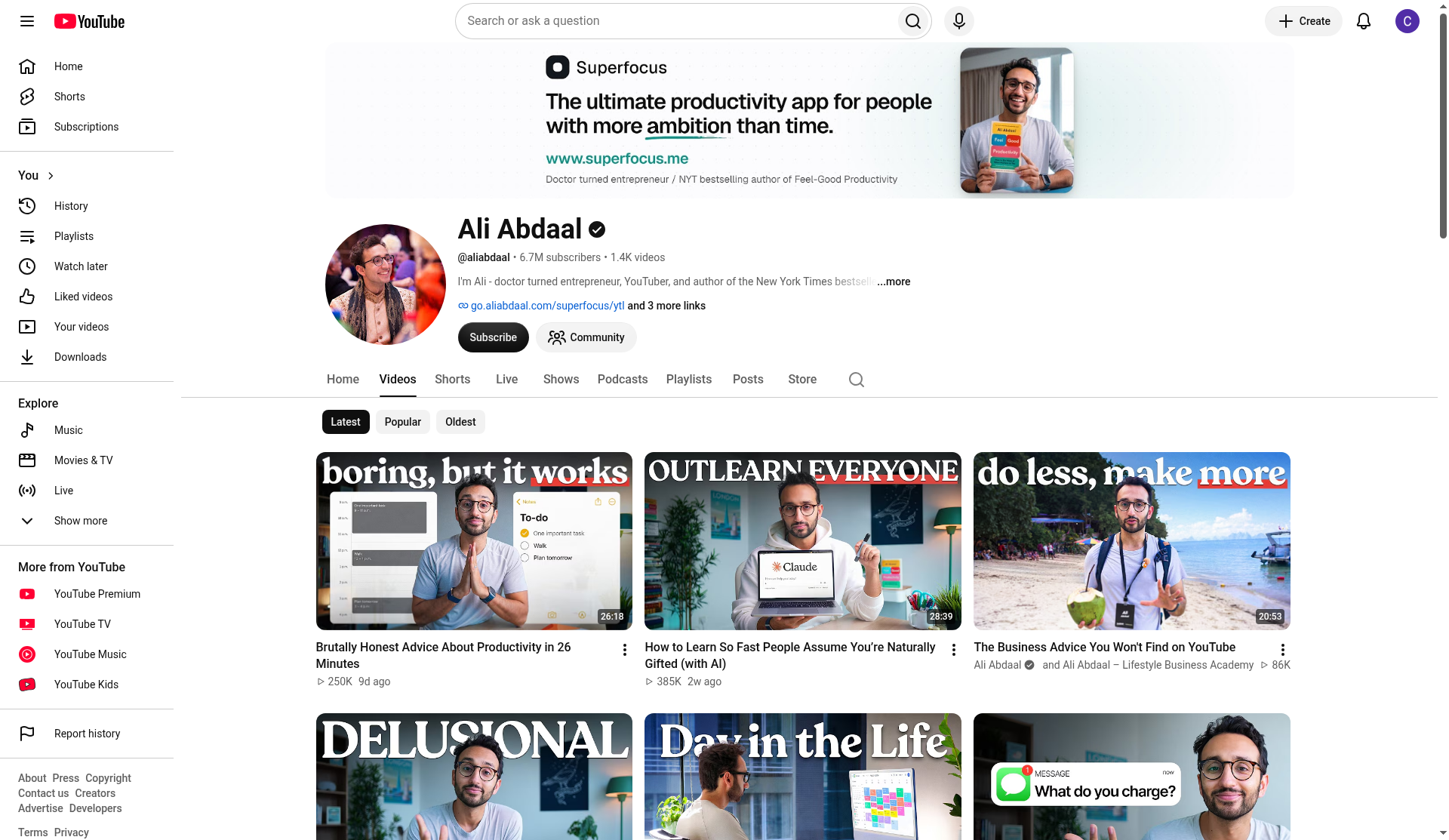
The same channel on YouTube, for our spot-check.
4. Titles, descriptions, and chapters
The title tool writes title options and ranks them against real breakout videos near your topic (2 credits). Other tools draft descriptions and chapters.
What we found: We entered "How I plan my week as a busy teacher using free tools." In about 35 seconds it returned 16 titles ranked against 12 real breakout videos, each with an angle, a score, and a reason. The top pick was "How I Plan My Teacher Week When There's Never Enough Time" (82). Our original phrasing ranked 16th (58). The order isn't strictly by score, because near-duplicate titles get pushed down, which the page explains.
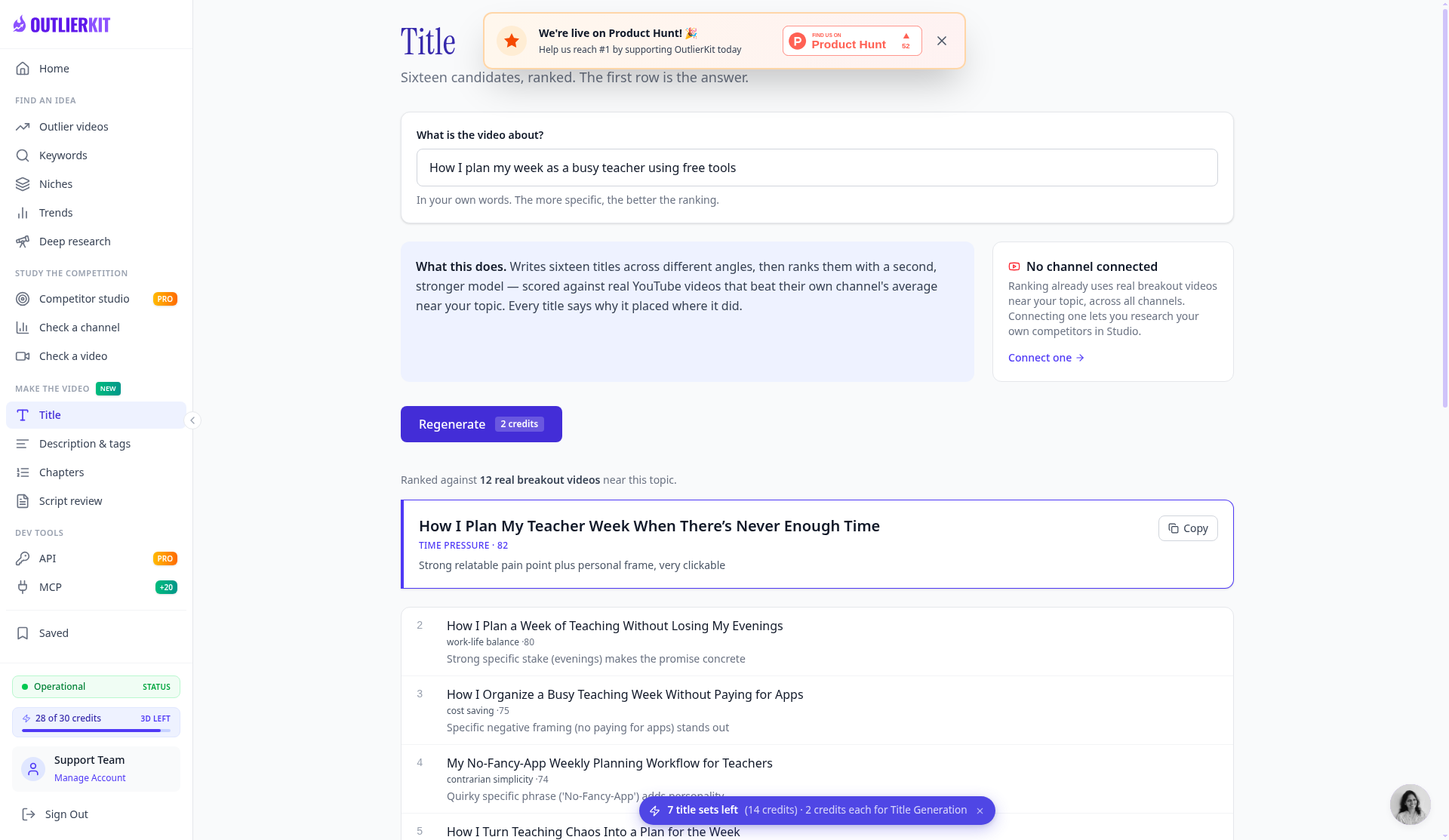
Ranked titles for our teacher-planning idea.
5. Script and hook analysis (10 credits)
Scores a published video ("Check a video") or a script you haven't filmed yet ("Script review") and suggests fixes. It doesn't write scripts. The pricing page lists this under Pro, but both tools were unlocked on our trial, matching the homepage.
What we found: We ran "Check a video" on the built-in example, a 58-second Dan Martell video. It scored seven dimensions, from hook strength and curiosity loops to promise delivery, each with a time-stamped quote and an improvement tip, plus the full transcript. The page listed 10 credits, but our balance didn't change, apparently because the example was already cached. We didn't run Script review, since we had no real script to paste.
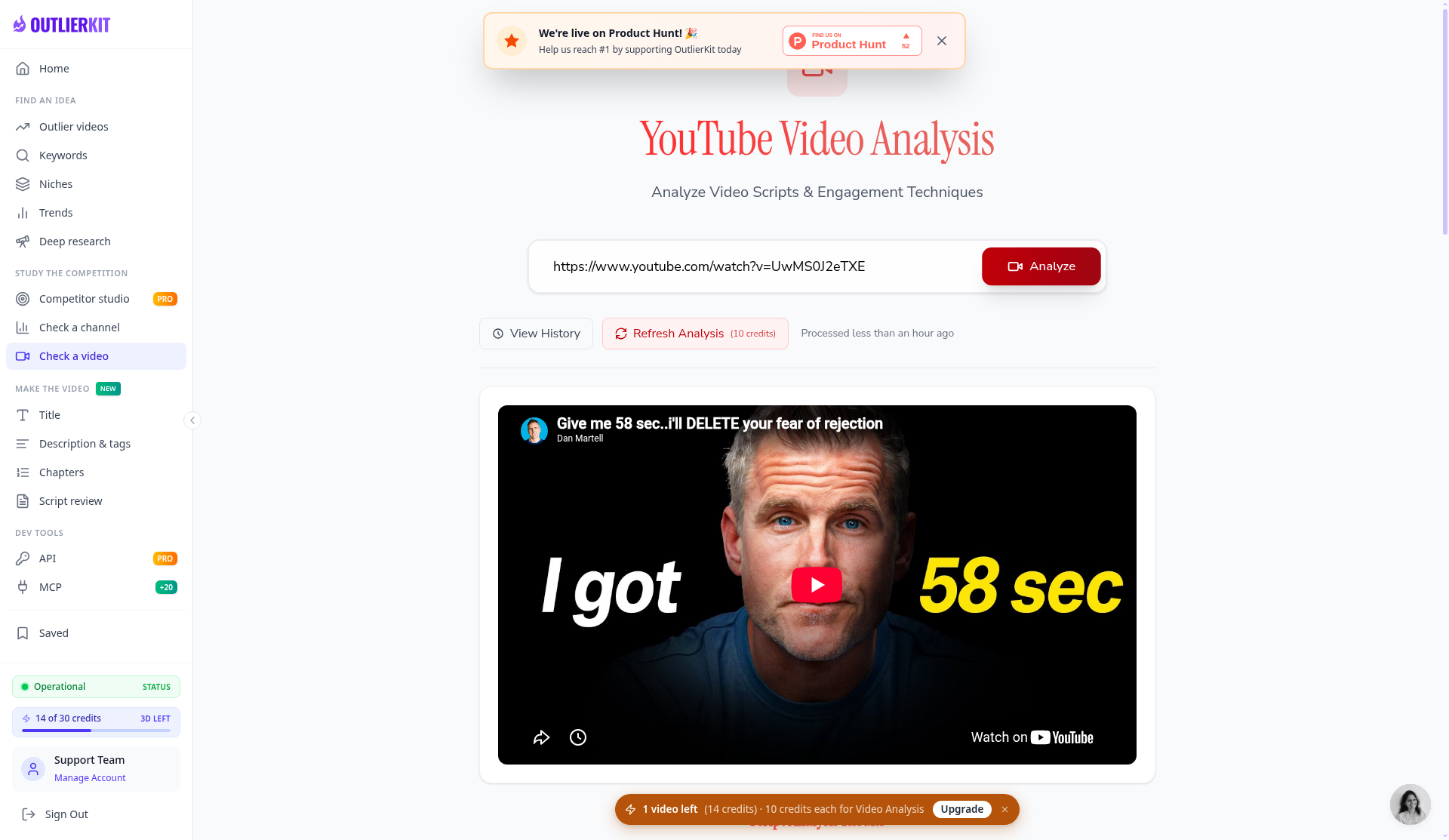
Video analysis on the built-in example; scores appear below.
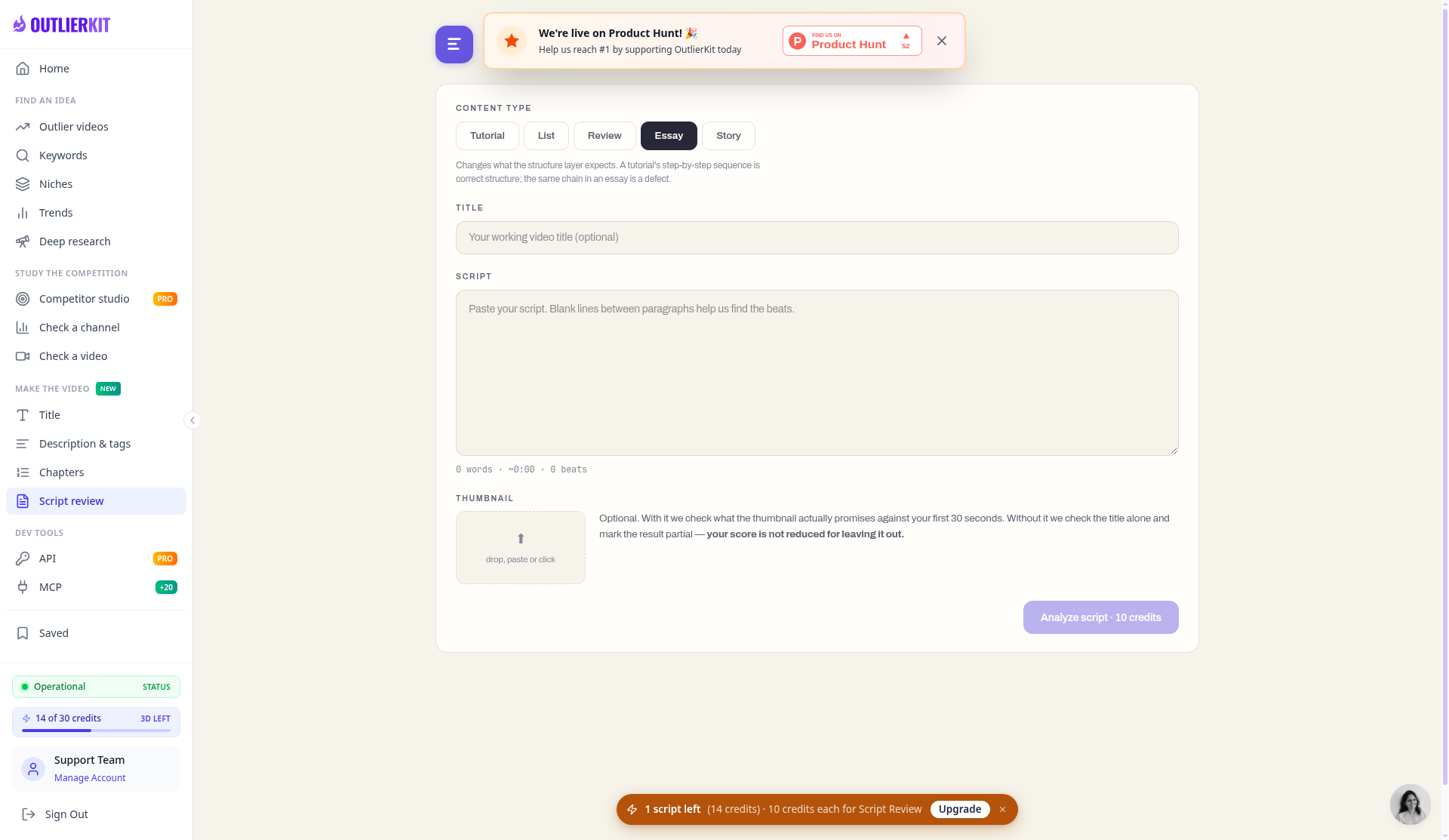
Script review was unlocked on the trial (10 credits per script).
6. Deep Research (20 credits)
Turns channel and competitor data into video ideas and a content plan. We didn't run it on the trial.
7. Competitor Studio (50 credits, Pro and Max only)
OutlierKit's headline feature maps the field around one channel: related channels, the fastest-growing ones, and outliers across the niche. Max adds sponsor and comment intelligence. It was marked PRO on our trial.
8. MCP and API (Pro and Max)
Connect OutlierKit to Claude or another MCP-capable AI assistant and pull transcripts, comments, outliers, and keywords into a chat (2 to 10 credits per call).
Pros and Cons
Pros
- Answers the right question: "what should I make next?"
- Scores videos against their own channel's average, surfacing ideas from small channels.
- Accurate channel data in our test. Subscribers and the view counts we spot-checked matched YouTube.
- A genuinely useful title tool. 16 ranked titles with reasons, in about 35 seconds, for 2 credits.
- No channel connection needed. It works on any public channel.
- Comment and sponsor research (on Max) is unusual in this category.
- Free trial with no card. 30 credits for 3 days, and script and hook analysis is included.
- Clear credit costs. Each tool shows its cost before you run it.
Cons
- Outlier results can be loose. Our topic search mixed in loosely related videos, tiny channels inflate multipliers, and there was no sort-by-score option.
- Minor bugs and clutter. A Product Hunt banner we couldn't dismiss, a sidebar credit counter that lagged until reload, and a history view that showed 0 views.
- No free plan. vidIQ, TubeBuddy, and 1of10 all have free tiers. OutlierKit only has a 3-day, 30-credit trial.
- Pricier than the big names. $49/month (or $24.92/month yearly) vs $19/month for vidIQ Boost.
- Credits take managing. Deep Research (20) and Competitor Studio (50) burn through them. Top-ups are $19 per 100.
- The best feature needs Pro. No Competitor Studio on Hobby or the trial.
- YouTube only.
- It doesn't make anything for you. No thumbnail design, video generation, A/B testing, or mobile app, by OutlierKit's own account.
- Little independent review evidence yet. ConfidencePilot notes inconsistencies in OutlierKit's documentation, and we found one too (script analysis is listed under Pro, yet the trial includes it).
- Annual plans aren't refundable after the trial, per OutlierKit's FAQ.
OutlierKit vs vidIQ vs TubeBuddy vs 1of10
Prices are from each company's official pricing page (US), checked October 25, 2026.
| OutlierKit | vidIQ | TubeBuddy | 1of10 | |
|---|---|---|---|---|
| Main job | Research: what to make next | YouTube SEO and channel growth tools | Channel management, SEO, A/B tests | Outlier research plus AI creation tools |
| Free option | 3-day, 30-credit trial (no card) | Free plan | Free plan | Free plan (60 credits/month) |
| Cheapest paid plan | Hobby, $49/mo or $299/yr | Boost, $19/mo or $199/yr | Pro, $15/mo or $144/yr* | Basic, $15/mo billed $180/yr |
| Outlier detection | Core feature, across a whole field | Yes | Yes | Core feature |
| Whole-field competitor mapping | Yes (Competitor Studio, Pro and up) | No | No | Not the main focus |
| Comment and sponsor research | Yes (Max) | No | No | No |
| Script and hook scoring | Yes | No | No | No |
| Creates assets | Titles, descriptions, chapters | AI title and idea tools | Title and thumbnail tools | AI thumbnails, AI video editor, titles |
| A/B testing | No | No | Yes (Legend) | No |
| Works inside Claude (MCP) | Pro and Max | Yes, all plans | No | Pro and up |
| Refunds | Annual non-refundable after trial | See vidIQ terms | 30-day refund policy | 7-day money-back guarantee |
*TubeBuddy US prices, checked October 25, 2026: Pro $15/mo or $144/yr; Legend $32.99/mo or $316.68/yr. TubeBuddy prices vary by country.
The short version: - vs vidIQ: vidIQ is cheaper, has a free plan, and is better for optimizing each upload. OutlierKit is better for deciding what to make. - vs TubeBuddy: TubeBuddy is a channel-management toolkit with bulk editing and A/B testing, a different job. - vs 1of10: The closest rival. It's cheaper, has a free plan, and adds AI thumbnails. OutlierKit goes deeper on keywords, script scoring, and competitor mapping.
Who OutlierKit Is For (and Who It's Not For)
OutlierKit is a good fit if you are:
- A coach, consultant, teacher, or expert who wants data behind each topic choice.
- A creator stuck at a plateau guessing at topics.
- An agency or freelancer researching niches for clients. Max is built for 50+ channels.
- Someone planning a new channel or a pivot who wants to see what works in a niche first.
OutlierKit is probably NOT for you if:
- You only want SEO and tag help. vidIQ or TubeBuddy do that for less.
- You need a free plan long-term, or $24.92–$49/month is a stretch right now.
- You make same-day trend content. OutlierKit says Trends data isn't real-time.
- You want thumbnails, scripts, or videos made for you.
- You publish mainly on TikTok, Instagram, or podcasts. It's YouTube only.
- You're brand new with almost no videos. OutlierKit's FAQ says tiny channels give thin results, though you can research bigger channels in your niche.
OutlierKit Pricing (Checked October 25, 2026)
From outlierkit.com/pricing. All plans use credits that refresh monthly.
| Plan | Monthly billing | Annual billing | Credits/month | What it adds |
|---|---|---|---|---|
| Free trial | $0 | n/a | 30 (one-time, 3 days) | Core tools incl. script analysis; no Competitor Studio |
| Hobby | $49/mo | $299/yr (about $24.92/mo) | 100 | Outlier and keyword research, titles, single-channel analysis |
| Pro | $99/mo | $599/yr (about $49.92/mo) | 500 | Competitor Studio, Deep Research, MCP and API |
| Max | $399/mo | $1,999/yr (about $166.58/mo) | 2,000 | 50+ channels, sponsor and comment intelligence, on-demand data refresh, priority API |
Monthly prices are from OutlierKit's review page (Oct 13, 2026) and match the "was" prices on its pricing page.
What a credit buys (same on every plan): keyword research 2 · outlier research 2 · script analysis 10 · single-channel analysis 10 · advanced keyword research 10 · Deep Research 20 · Competitor Studio 50. Top-ups: $19 per 100 credits.
Lifetime deals: Hobby $899, Pro $1,499, Max $4,999. Weigh the risk that the company changes or shuts down before paying upfront.
What 100 credits gets you: about 50 outlier searches, or 10 script analyses, or 5 Deep Research runs.
Our trial in practice: Our test pass (outlier search, keyword research, channel analysis, and titles) used 16 credits, leaving 14 of 30. That was enough to judge the core tools, but one more channel analysis (10 credits) would have used most of the rest, so plan your trial runs.
Our advice: Use the free credits first. If you want Competitor Studio, skip Hobby for Pro, and pay annually only once you're sure.
After our test pass: 14 of 30 credits left.
Final Verdict: Is OutlierKit Worth It?
Worth it if you publish on YouTube regularly and your biggest problem is choosing topics and titles. In our testing, the channel analysis matched YouTube's numbers, and the title tool ranked 16 options against real breakout videos in about 35 seconds. Script and hook scoring is on the trial too. For coaches, educators, and agencies, that can replace hours of browsing.
Not worth it if you post occasionally, only need SEO help, or want a free tool. vidIQ, TubeBuddy, and 1of10 have free plans and cheaper entry prices. OutlierKit's topic-wide outlier search also gave us some loosely related results with no sort-by-score option, and we hit a few minor bugs. Start with the free trial on your own niche.
Strong title ideas and accurate channel stats, but the outlier search results were hit-or-miss with no way to sort them, and the best features sit behind the $99/mo Pro plan. Worth a trial, but check that it fits your budget.
Our rating: 3.5/5
Ready to Try OutlierKit?
You can test the core research tools with 30 free credits over 3 days. You sign in with Google, and no credit card or channel connection is needed.
Get 30 free OutlierKit credits →
(Opens in a new tab.)
Disclosure: We don't currently have an affiliate relationship with OutlierKit, so we don't earn a commission from the OutlierKit links on this page. If that changes, we'll update this disclosure. We only recommend tools we have personally tested or thoroughly researched. Our opinions are our own.
Sources We Checked (October 25, 2026)
- OutlierKit official homepage (features, plan availability, FAQ, vendor comparison table): https://outlierkit.com
- OutlierKit official pricing (annual prices, credits, credit costs, top-ups, trial, lifetime FAQ): https://outlierkit.com/pricing
- OutlierKit's own review page (monthly prices, lifetime prices, stated limitations; updated Oct 13, 2026): https://outlierkit.com/blog/outlierkit-review
- Product Hunt, OutlierKit (5.0 from 13 reviews): https://www.producthunt.com/products/outlierkit-2
- ConfidencePilot, OutlierKit Review 2026 (independent): https://confidencepilot.com/reviews/outlierkit-review
- vidIQ official pricing: https://vidiq.com/pricing/
- TubeBuddy official pricing: https://www.tubebuddy.com/pricing
- 1of10 official pricing: https://1of10.com/pricing
