This post contains no affiliate links. Full disclosure at the bottom.
Short version: I tested Canva AI YouTube thumbnails on the Free plan on November 15, 2026. I signed in with Google, and nobody asked for a card. A Magic Design prompt gave me one thumbnail, which I edited to "FREE EMAIL FUNNEL in 7 MIN," and I downloaded a PNG at no charge. Magic Media returned 4 images, and Magic Write ran as well; neither showed a limit message. Resize is Pro-only, so I could not turn that thumbnail into a square Instagram post. I made a new 1080×1080 design instead. Size above 1x, Quality, and Transparent background are also locked. I couldn't test Background Remover, Magic Eraser, or Magic Grab this session. For one thumbnail and a simple social graphic, Free was enough.
On November 15, 2026, I wanted to know whether Canva's free plan could make a YouTube thumbnail and a matching social graphic for a solo creator, without paying. I used the same video idea from our ChatGPT prompts for creators post: a short video about building a free email funnel.
Canva AI YouTube thumbnails, on the Free plan
I signed in with Google. Canva did not ask for a card. The home screen opened on Templates, with YouTube Thumbnail in the template row and a "Try it free for 30 days" button in the corner. I stayed on Free and did not start the trial.
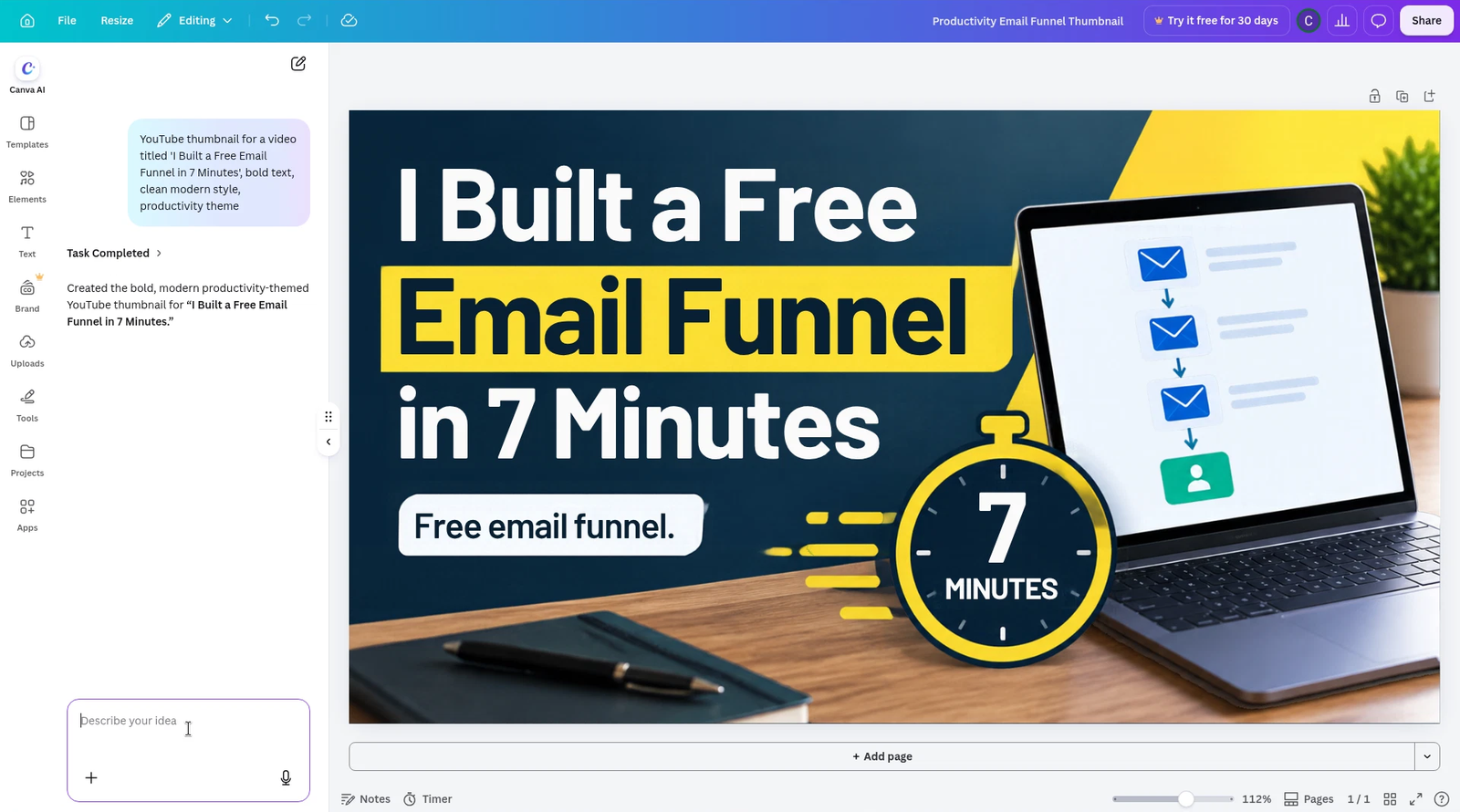
I opened a YouTube Thumbnail design and used Canva AI (Magic Design) with this prompt:
YouTube thumbnail for a video titled 'I Built a Free Email Funnel in 7 Minutes', bold text, clean modern style, productivity theme
It was free, and it gave me 1 design. I didn't see a quota counter. The result was a navy and yellow thumbnail with the full title, a laptop showing a simple email-funnel graphic, and a stopwatch that said "7 MINUTES." Canva marked the task complete and named the file Productivity Email Funnel Thumbnail.
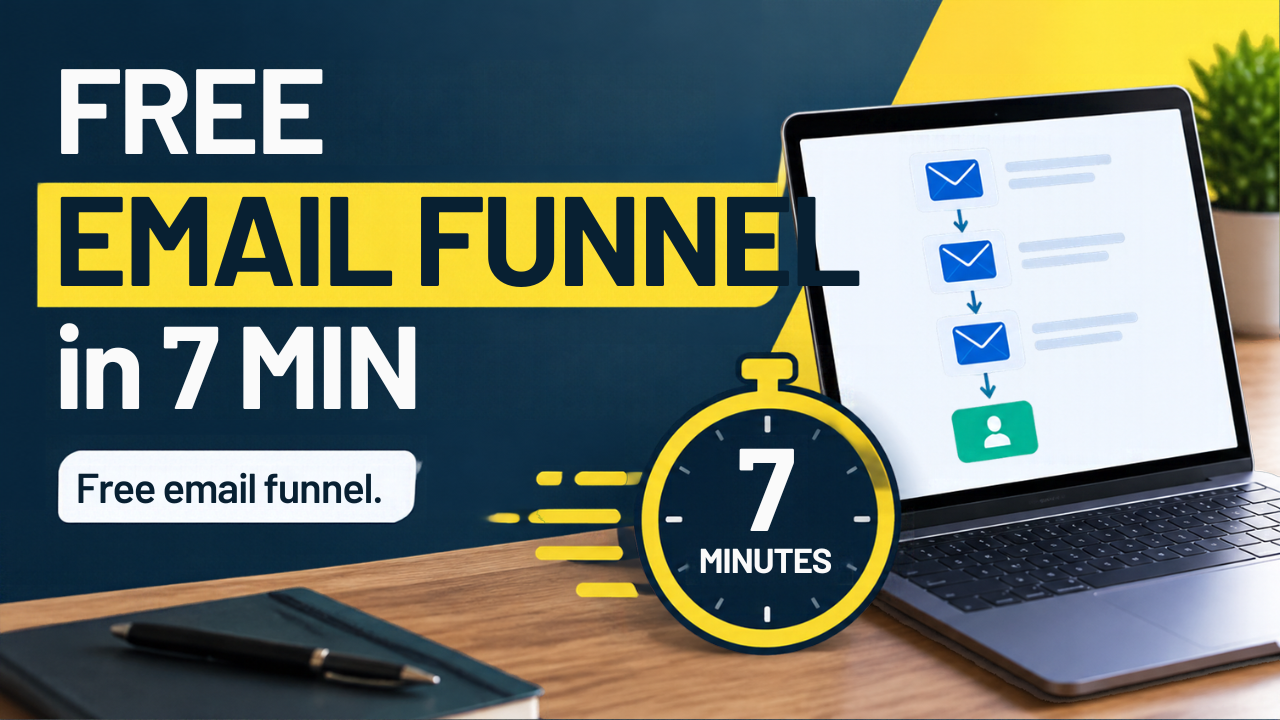
The title was readable, but it was long for a thumbnail. A viewer scrolling YouTube on a phone would have to work to take it all in. I edited the text by hand to "FREE EMAIL FUNNEL in 7 MIN," which fits the same idea in fewer words. I left the stopwatch, the laptop, and the small "Free email funnel." badge in place. That edit was ordinary text editing, not another AI pass, and it took only a minute.
Magic Media and Magic Write
I also tried two other AI tools in the same file.
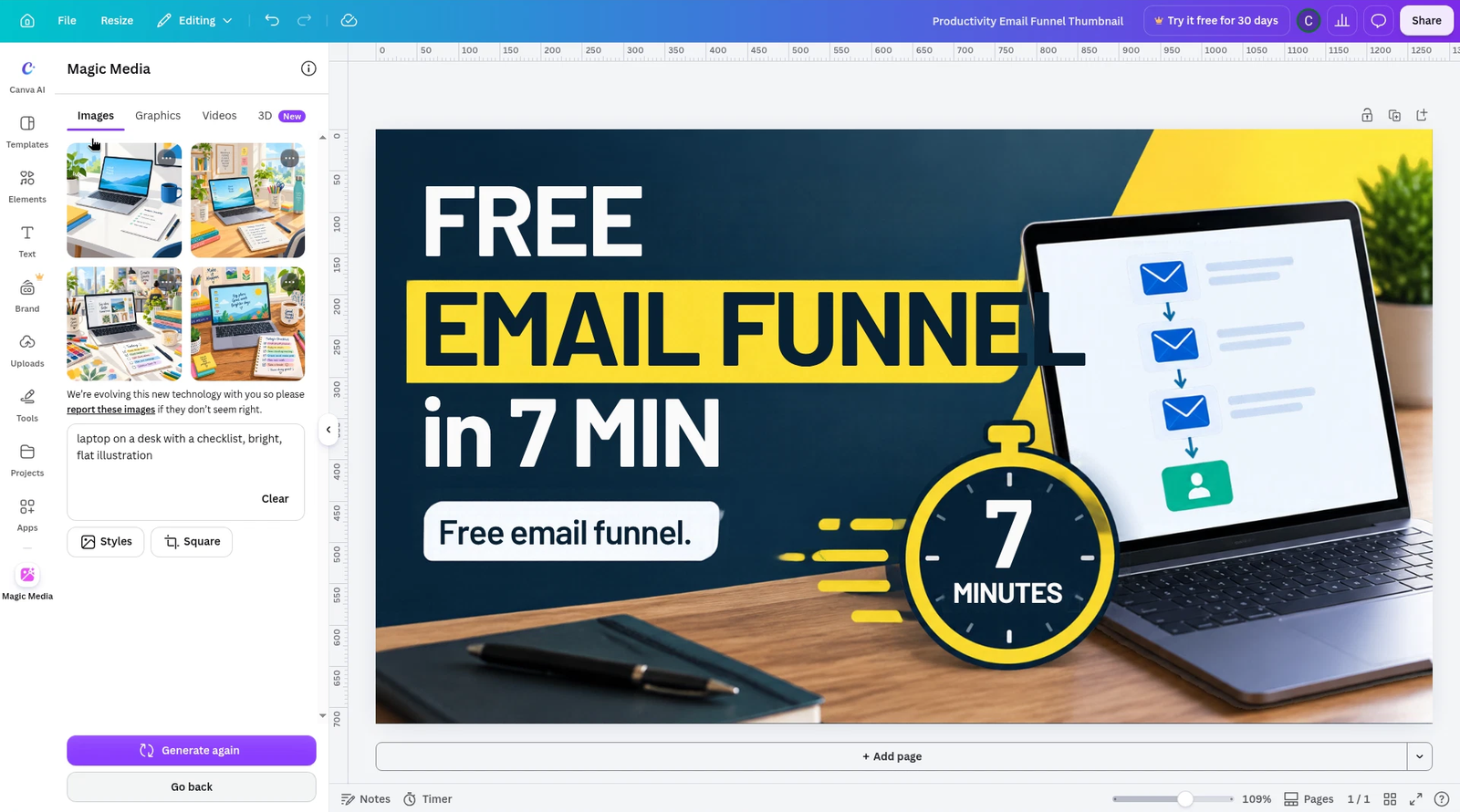
In Magic Media I asked for "laptop on a desk with a checklist, bright, flat illustration." It returned 4 image options in a grid, with a Generate again button, and no limit message. The Images tab was selected; Graphics, Videos, and 3D were also listed. There was a note asking users to report images that don't seem right. I didn't replace the thumbnail photo with one of the four results. I only wanted to see whether the tool would run on Free. It did.
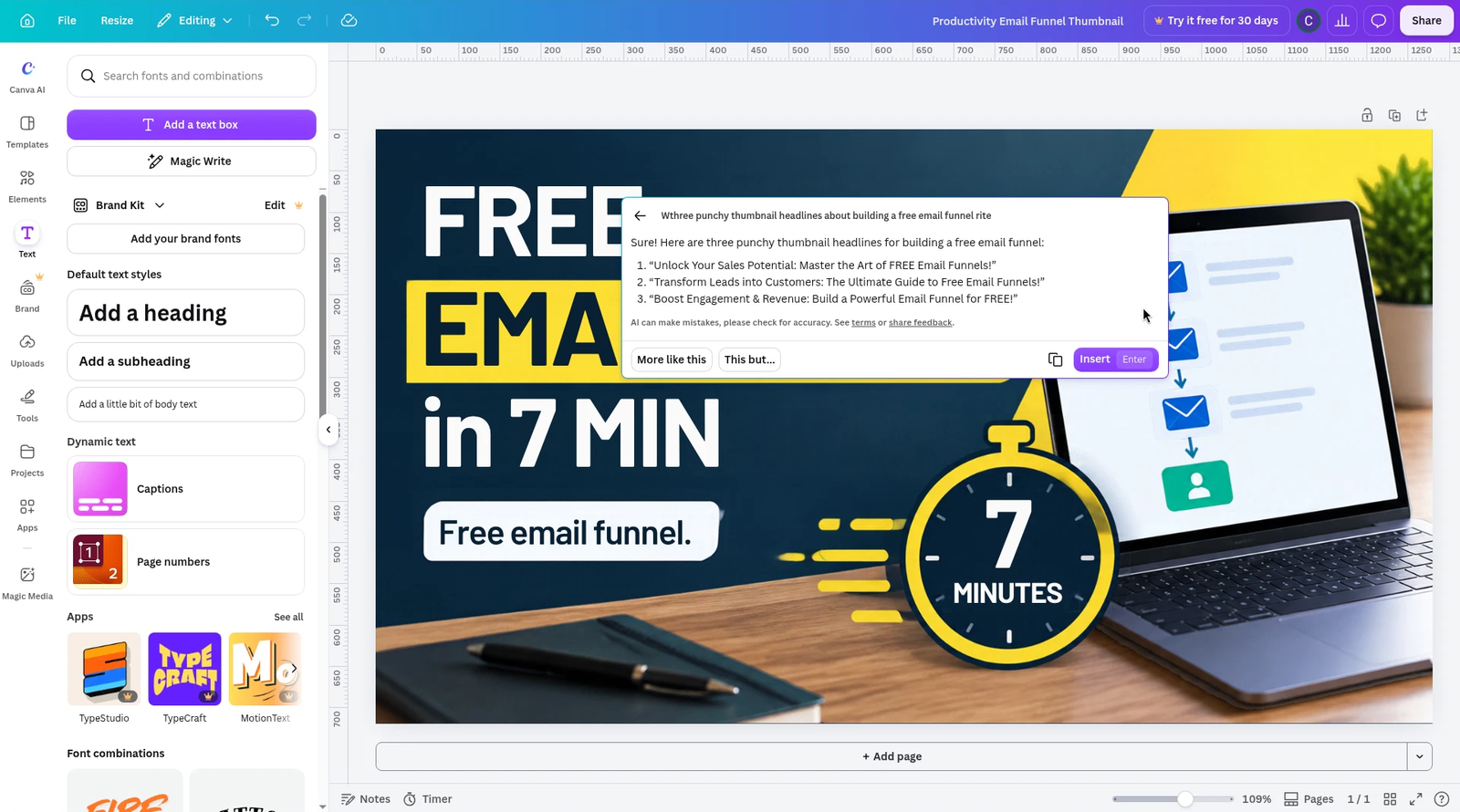
Then I used Magic Write, from the Text panel, to ask for three punchy thumbnail headlines about building a free email funnel. The first word of the prompt was clipped in the results panel, so I won't quote that prompt letter for letter. It ran on Free, with no limit message, and returned:
- "Unlock Your Sales Potential: Master the Art of FREE Email Funnels!"
- "Transform Leads into Customers: The Ultimate Guide to Free Email Funnels!"
- "Boost Engagement & Revenue: Build a Powerful Email Funnel for FREE!"
They are punchy, and they are also generic. I kept the shorter line I had already edited by hand. I would not drop one of these on a thumbnail without tightening it.
The tools I couldn't test
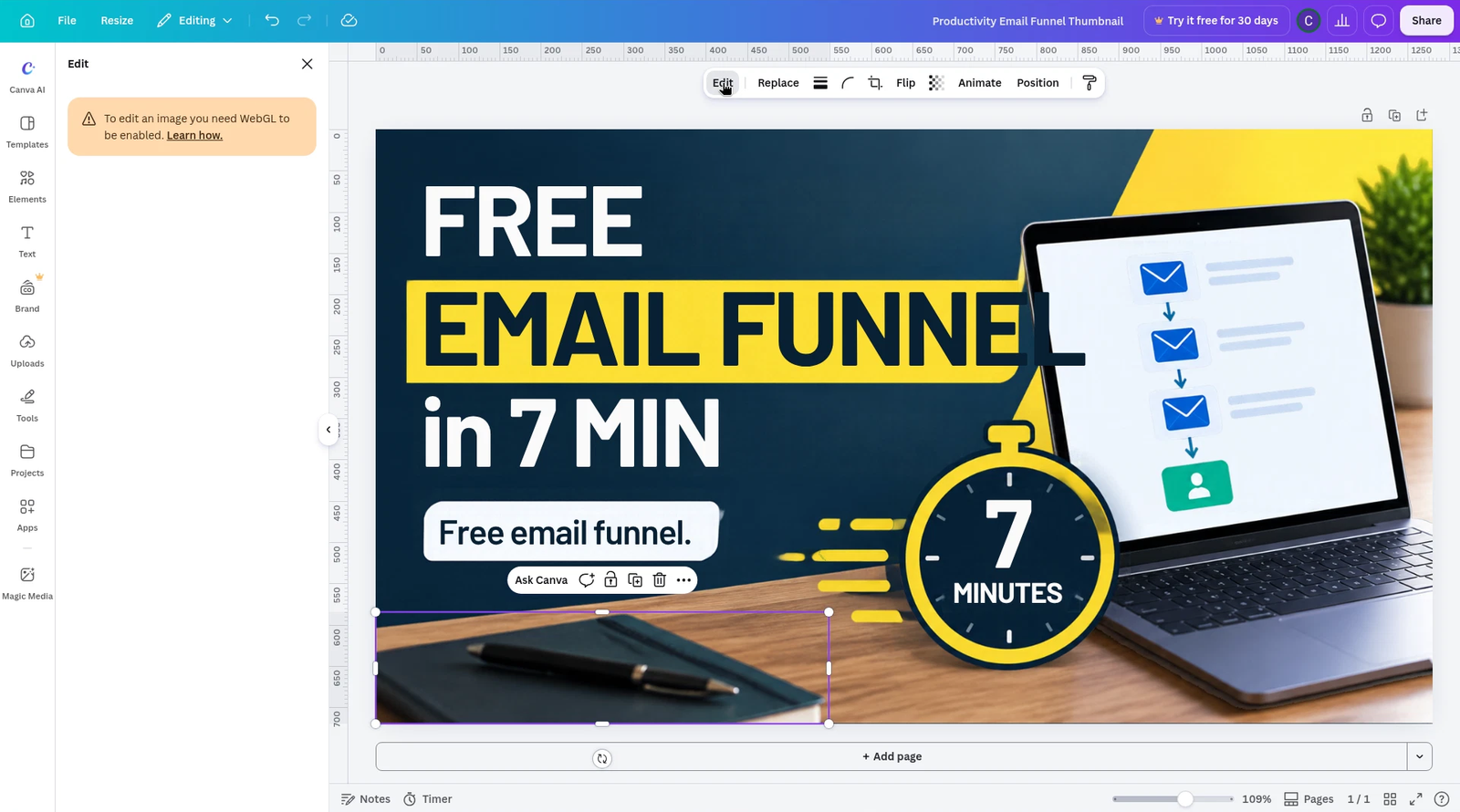
I wanted to try Background Remover, Magic Eraser, and Magic Grab. When I selected part of the image and opened Edit, Canva showed this warning: "To edit an image you need WebGL to be enabled." On the machine I used for this session, I couldn't turn that on, so I couldn't test those three tools. I won't guess whether they are free or Pro.
Resize is Pro, so I started over for Instagram
Have you ever finished a thumbnail and then needed the same graphic as a square post? That is where the free plan stopped me.
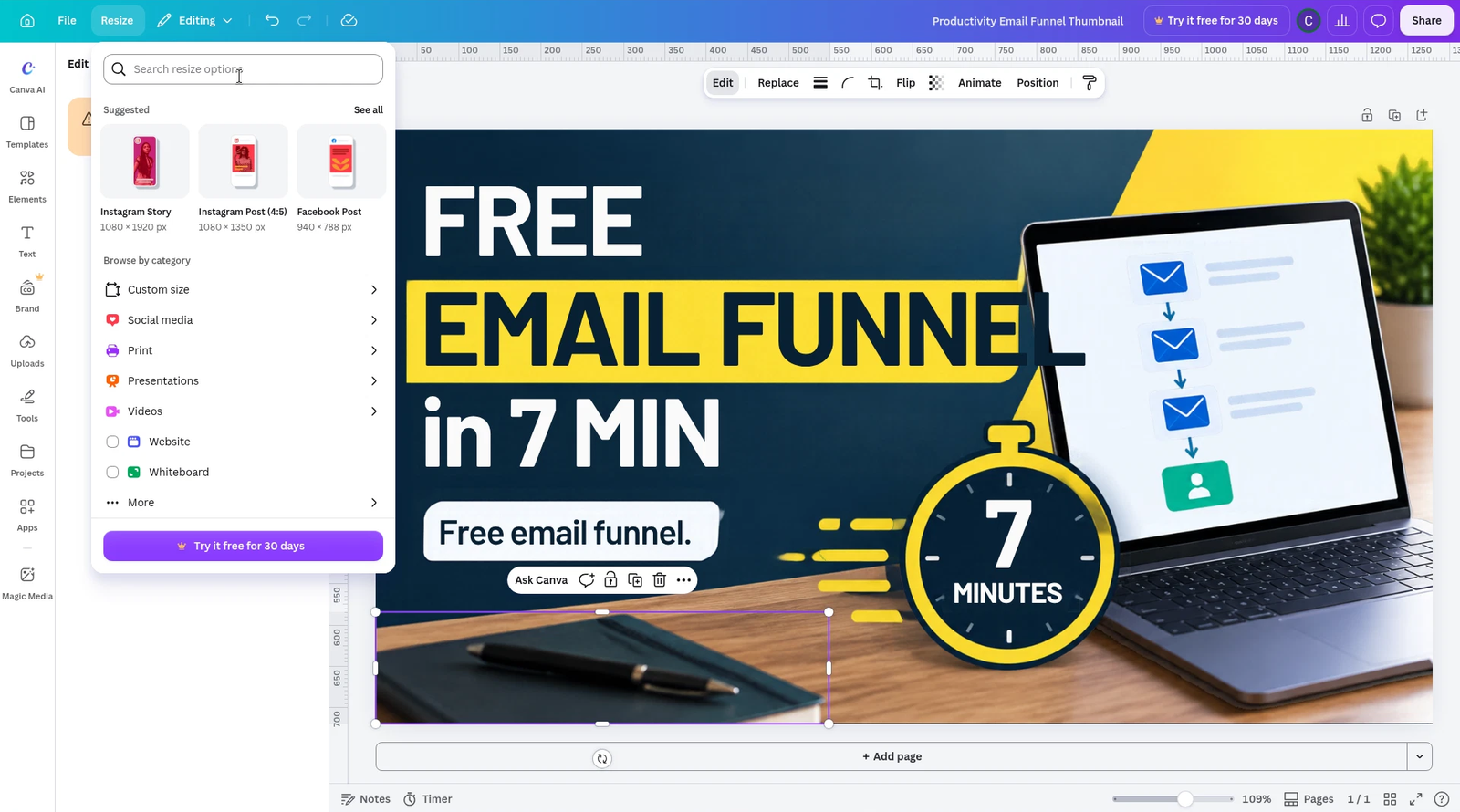
Resize is Pro-only. The Resize menu and the resize-options panel both showed a "Try it free for 30 days" button. The suggested Instagram Post size in that panel was 4:5 (1080×1350), not a square. I didn't start the trial.
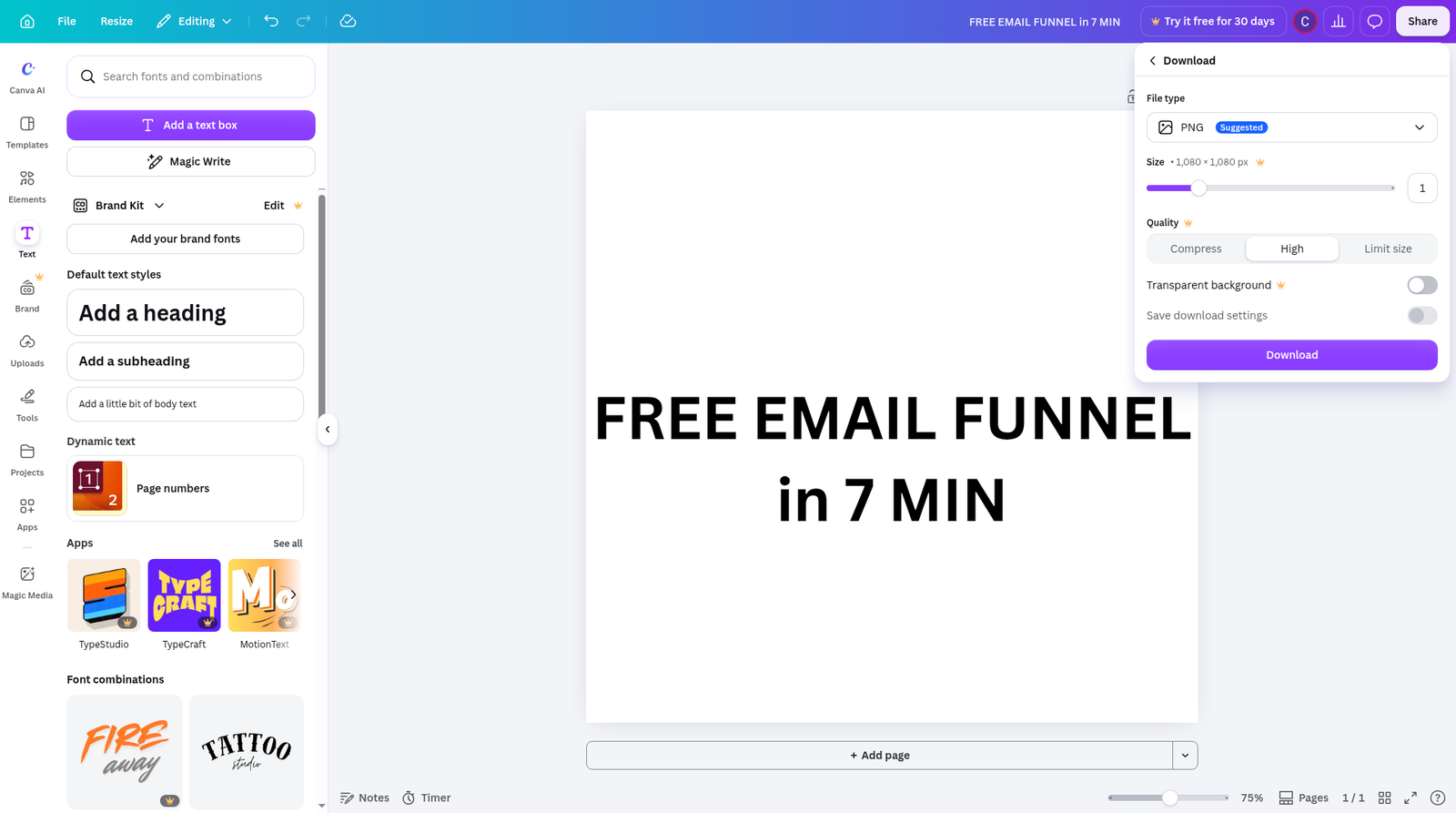
To get a 1080×1080 Instagram graphic, I went to Create and set a custom size. Going straight to the Instagram Post template is the obvious move, but that template also defaults to 4:5 (1080×1350), so I would have ended up with a tall post, not a square. Custom size was the way to get 1080×1080. Typing in those fields was a little laggy; they behave like spinbuttons. From about 9:28 to 9:43 a.m. Eastern Time, I built a new file and added the heading "FREE EMAIL FUNNEL in 7 MIN" as ordinary text, not with AI. I couldn't carry over the thumbnail's laptop and stopwatch without Resize, so the Instagram version is just the words on a white square. It is usable as a placeholder. It is not the same graphic.
What you can download on Free
I downloaded both files as PNG on the free plan: the thumbnail at 1280×720 and the Instagram graphic at 1080×1080. PNG itself is free. In the download panel, Size above 1x, Quality, and Transparent background each had a crown and were locked. If you need a transparent background or a higher-than-1x export, that is a Pro feature I could see, but not use, on this account.
Pricing
On Canva's pricing page the same day, Free was $0. Pro was $18 a month, or $144 a year, with a "Save from 16%" label on the yearly toggle. Business was $25 a month, or $250 a year, per person. I didn't open the Education tab or start a trial.
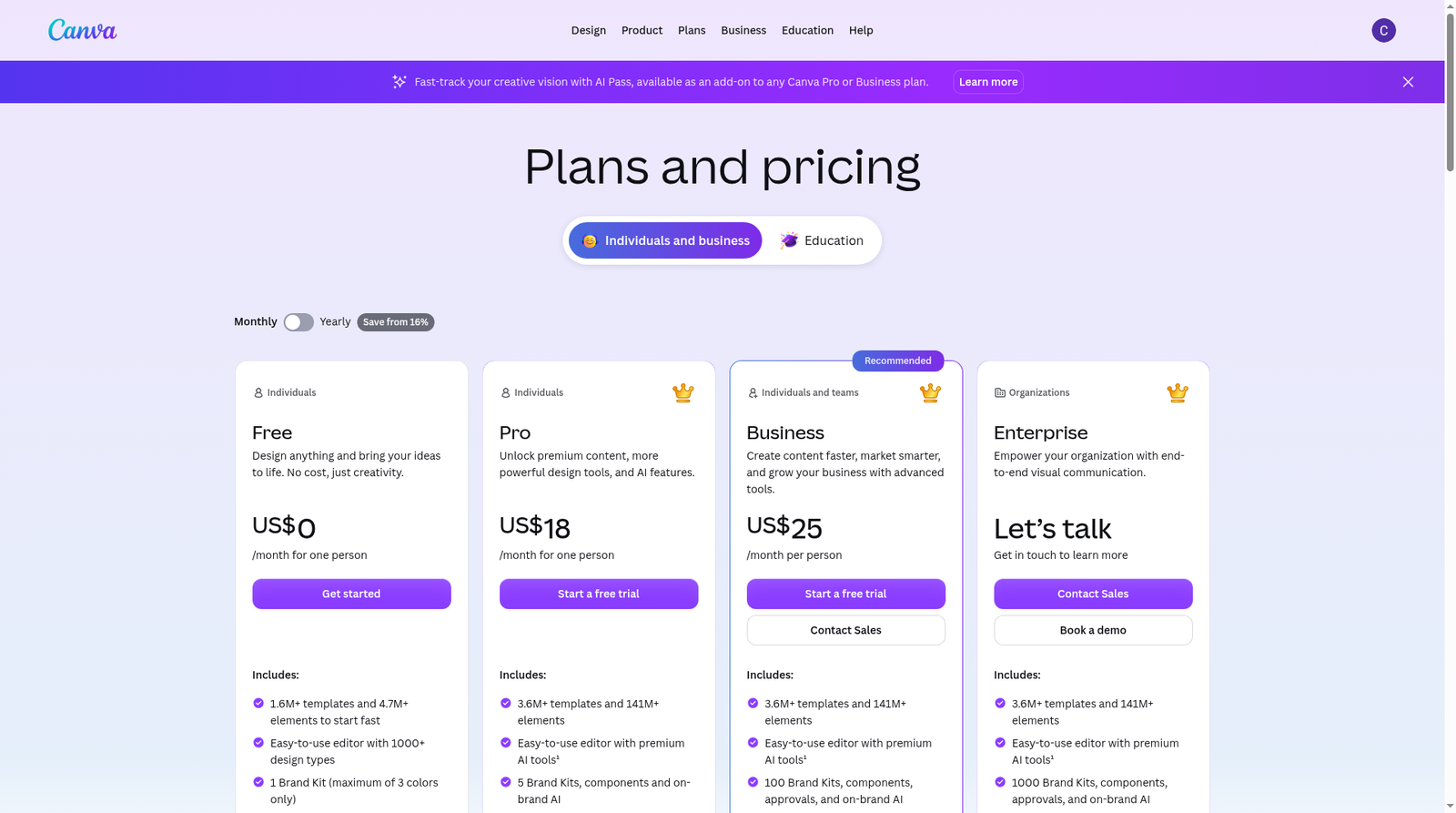
The same page describes Free AI as "Limited access to Standard and Premium AI," and Pro as "10x more AI than Free," with a footnote that Standard, Premium, and Ultra AI tools share a monthly AI allowance that varies by plan. I never saw a remaining-quota counter in the editor, so I can only report the wording, not how many generations you get. A banner also offered AI Pass as an add-on for Pro or Business. I didn't test that.
Pros and cons
What worked on Free:
- Google sign-in, with no card.
- Magic Design gave me a usable thumbnail from one prompt, and I could edit the text.
- Magic Media and Magic Write ran without a limit message.
- PNG downloads at 1x are free.
What got in the way:
- Resize is Pro, so a second size means starting a new design.
- The Instagram Post template defaults to 4:5, not 1080×1080.
- Size above 1x, Quality, and Transparent background are locked.
- I couldn't test Background Remover, Magic Eraser, or Magic Grab this session, because image editing required WebGL.
The verdict
For Canva AI YouTube thumbnails, the free plan was enough. I got a design I would use after shortening the text, and I downloaded it as a PNG without paying. If you only need one size at a time, I would start on Free and stay there until Resize or a transparent background becomes the thing that slows you down.
That is a real limit for a creator who posts the same video to YouTube and Instagram. On Free, you can still make both graphics. You just cannot resize the first one into the second, so you rebuild. I would rather know that before I count on a single file doing both jobs.
If you regularly turn one thumbnail into several social sizes, Pro is the upgrade that would have saved me the extra custom-size file. At $18 a month, or $144 a year, that is the honest trade. I would not pay only for Magic Design, Magic Media, or Magic Write, based on this session. Those ran on Free.
If you want more of the same kind of test, I ran 15 ChatGPT prompts for creators on its Free plan, and I wrote a Gamma review after building a real deck. The rest of the lineup is on our Tools page.
All pricing as of November 15, 2026, from canva.com/pricing
Disclosure: We don't have an affiliate relationship with Canva, so we don't earn a commission from the Canva links on this page. If that changes, we'll update this disclosure. We only recommend tools we have personally tested or thoroughly researched. Our opinions are our own.
