This post contains affiliate links. Full disclosure at the bottom.
Short version: I ran this MailerLite free plan review on November 15, 2026, by signing up with Google, publishing a lead-magnet page, and wiring a welcome email. Nobody asked for a card, and a 14-day premium trial started on its own. The free plan is $0 a month for up to 250 subscribers and 2,500 emails a month. After I confirmed the test signup, the welcome email arrived at 10:42 a.m. Eastern Time, in Gmail's inbox, from the name Level Up Productivity. The tighter limits are the 250-subscriber cap, the logo, and no custom domain. Start free, use the trial, and consider a PO box for the address MailerLite puts in every email footer.
Try MailerLite free (no card needed) →
MailerLite's free plan is aimed at beginners who need one opt-in page and a welcome email, without paying on day one. I wanted to know what that plan can actually do for a creator or solopreneur, so on November 15, 2026, I signed up and built one.
Signing up: no card, a required address, and a 14-day trial
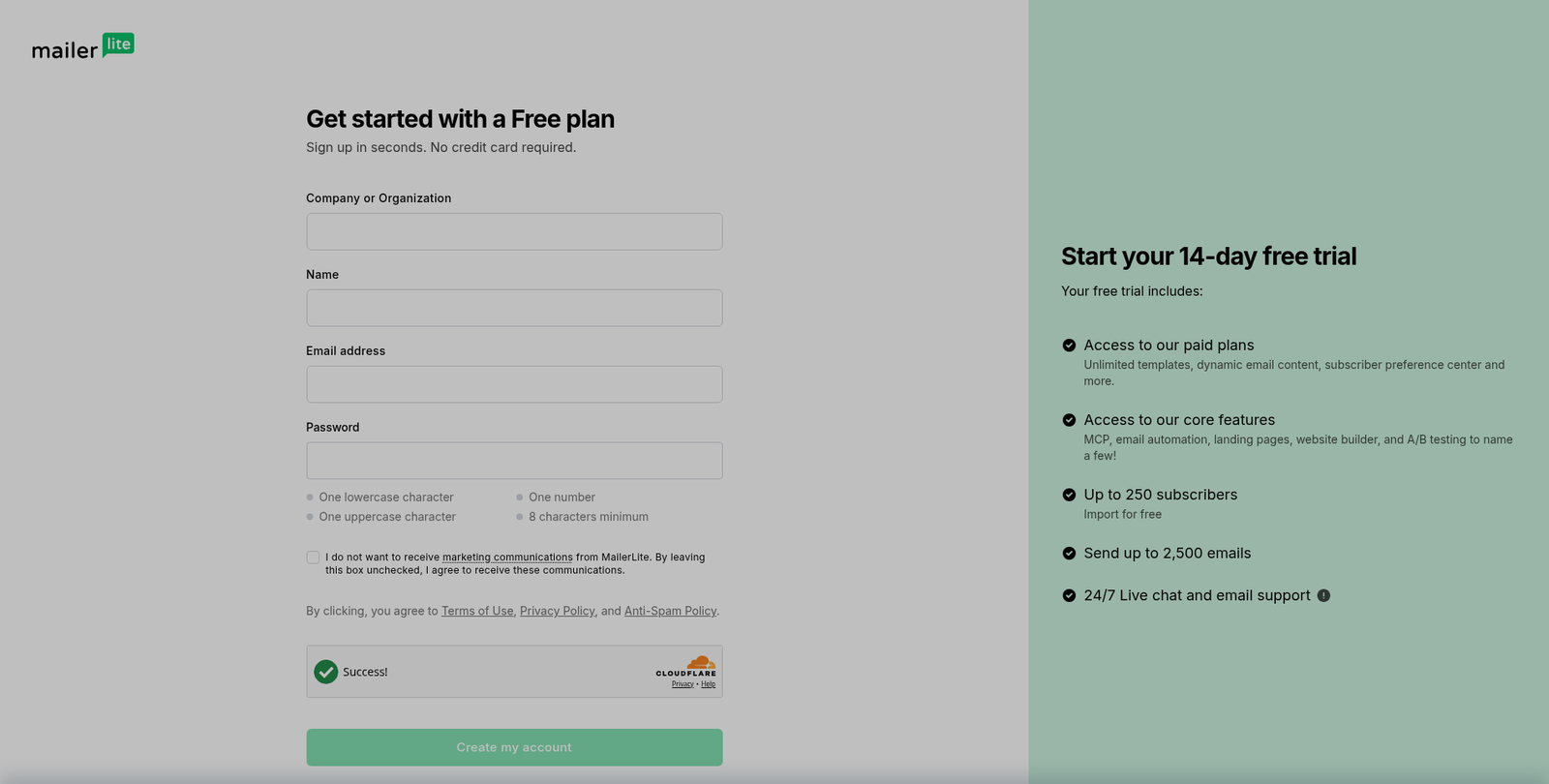
Signing up took two short sessions, about four and a half minutes and then about two and a half more. I used Google. Nobody asked for a credit card, and I didn't hit an approval hold.
MailerLite did require a mailing address. That address goes in the footer of every email you send. Do you want a home address sitting at the bottom of a welcome email to every new subscriber? If not, use a PO box, or another address you're comfortable publishing, before you start sending.
A 14-day premium trial started automatically. The dashboard showed "14 days left." I still saw the account listed as Free in Plan and Billing, at $0, with up to 250 subscribers and 2,500 emails. I didn't enter a card, and I didn't upgrade.
Building the landing page
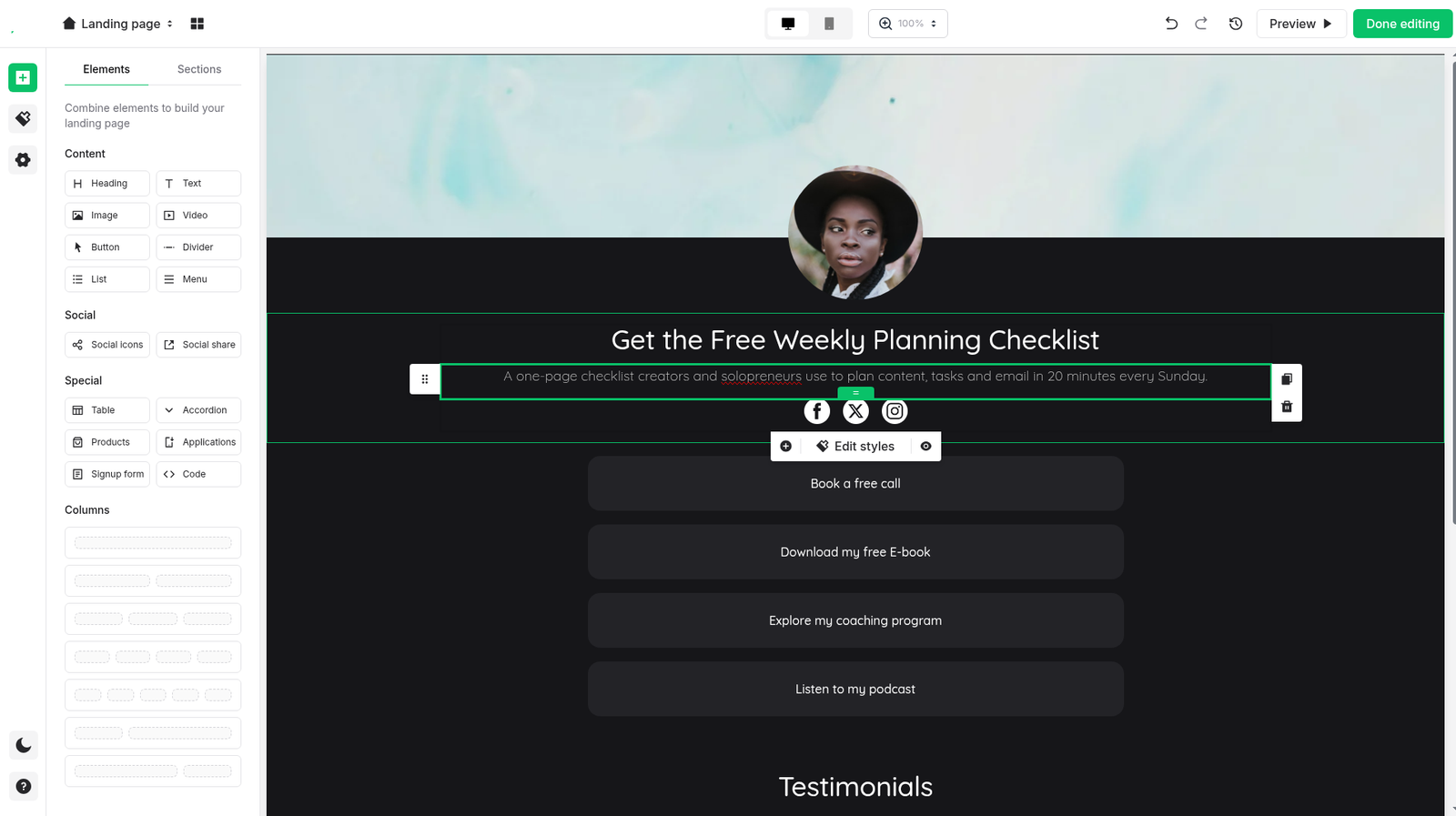
From there I built a Free Weekly Planning Checklist page, the same kind of opt-in a solo creator would use. I started from MailerLite's "Life coach link in bio" template. That template arrived with a lot of extra pieces: a profile image, four call-to-action buttons, testimonials, social icons, and empty sections. I had to pull those off one by one. Deleting a block often left an empty dotted space, so the cleanup was moderately laborious.
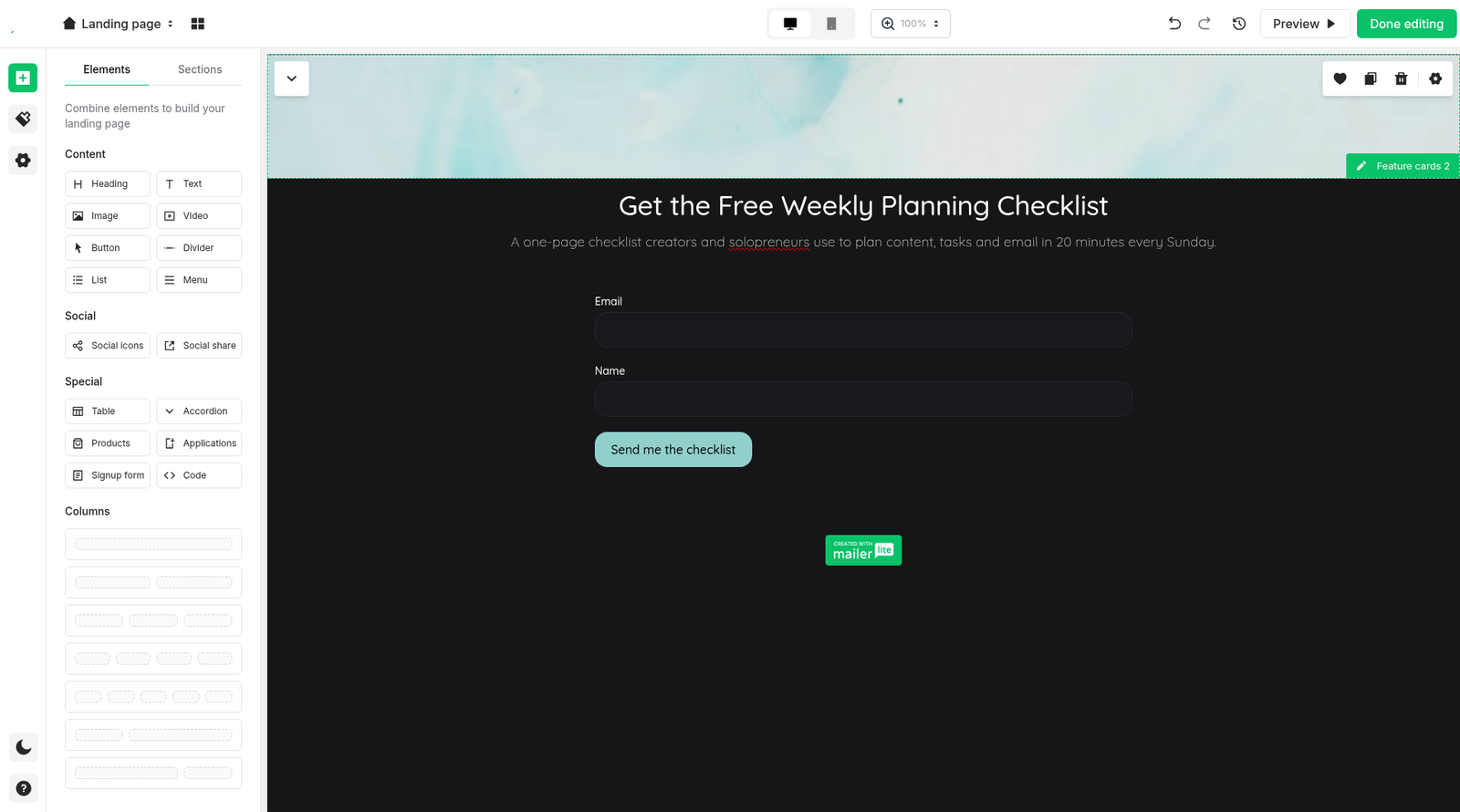
The editor is drag-and-drop, with a side panel for the form. I added a Name field, kept Email, and set the button to "Send me the checklist." Both fields showed on the live page.
I had the page published in about nine to ten minutes, timed from opening the template to hitting publish.
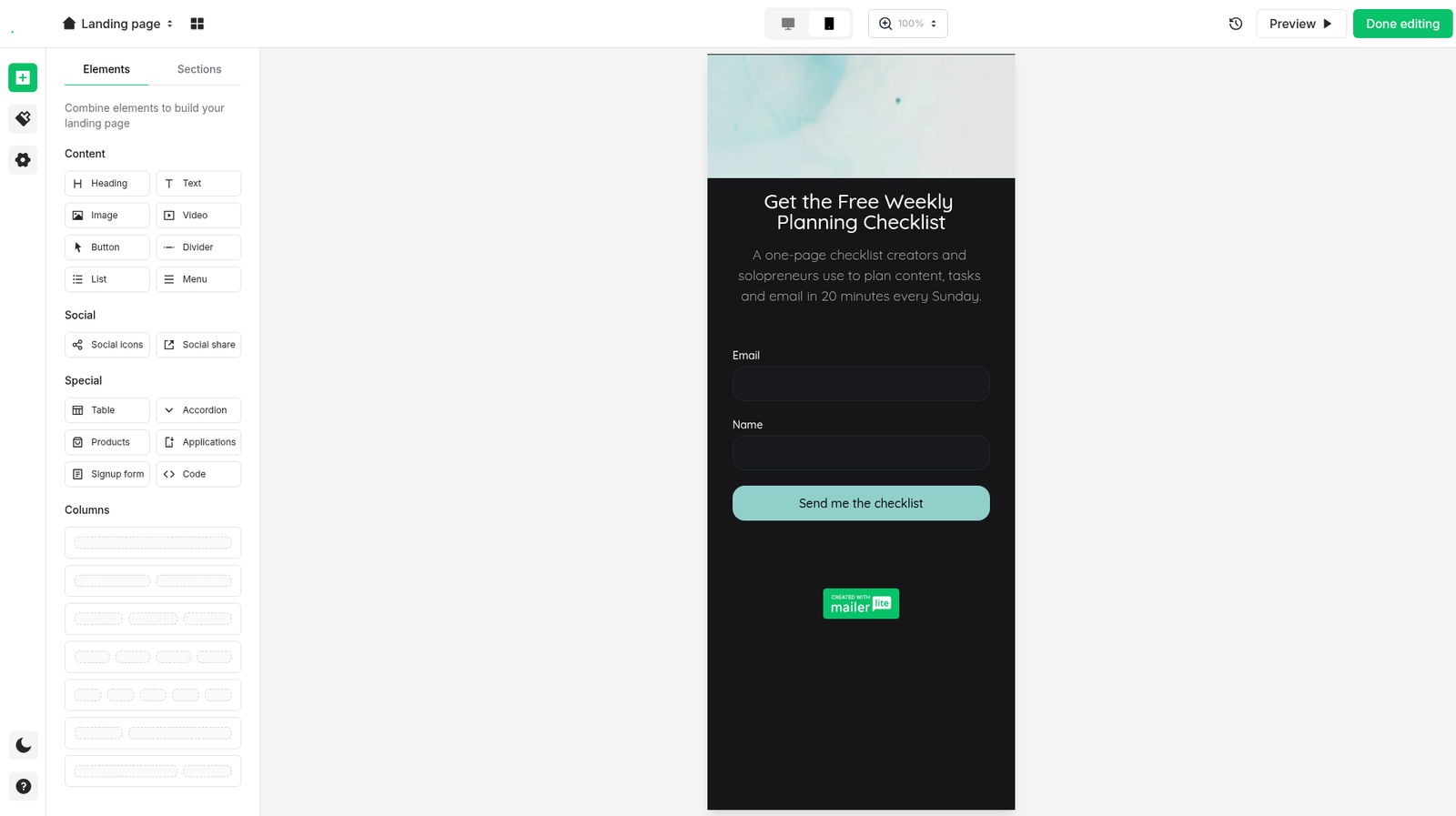
The mobile preview opened in a phone frame and stacked cleanly: headline, short subhead, the two fields, the button, and the badge at the bottom. "Created with MailerLite" is visible in the editor and in that mobile preview. I didn't see the badge in the public-page screenshot I captured, which may have been a viewport issue. Removing the logo is a paid-plan feature, so I would plan on visitors seeing it.
Double opt-in and the test emails
Double opt-in was on by default. The confirmation email's subject was "Confirmation email," and the From name was Level Up Productivity, the business name from signup.
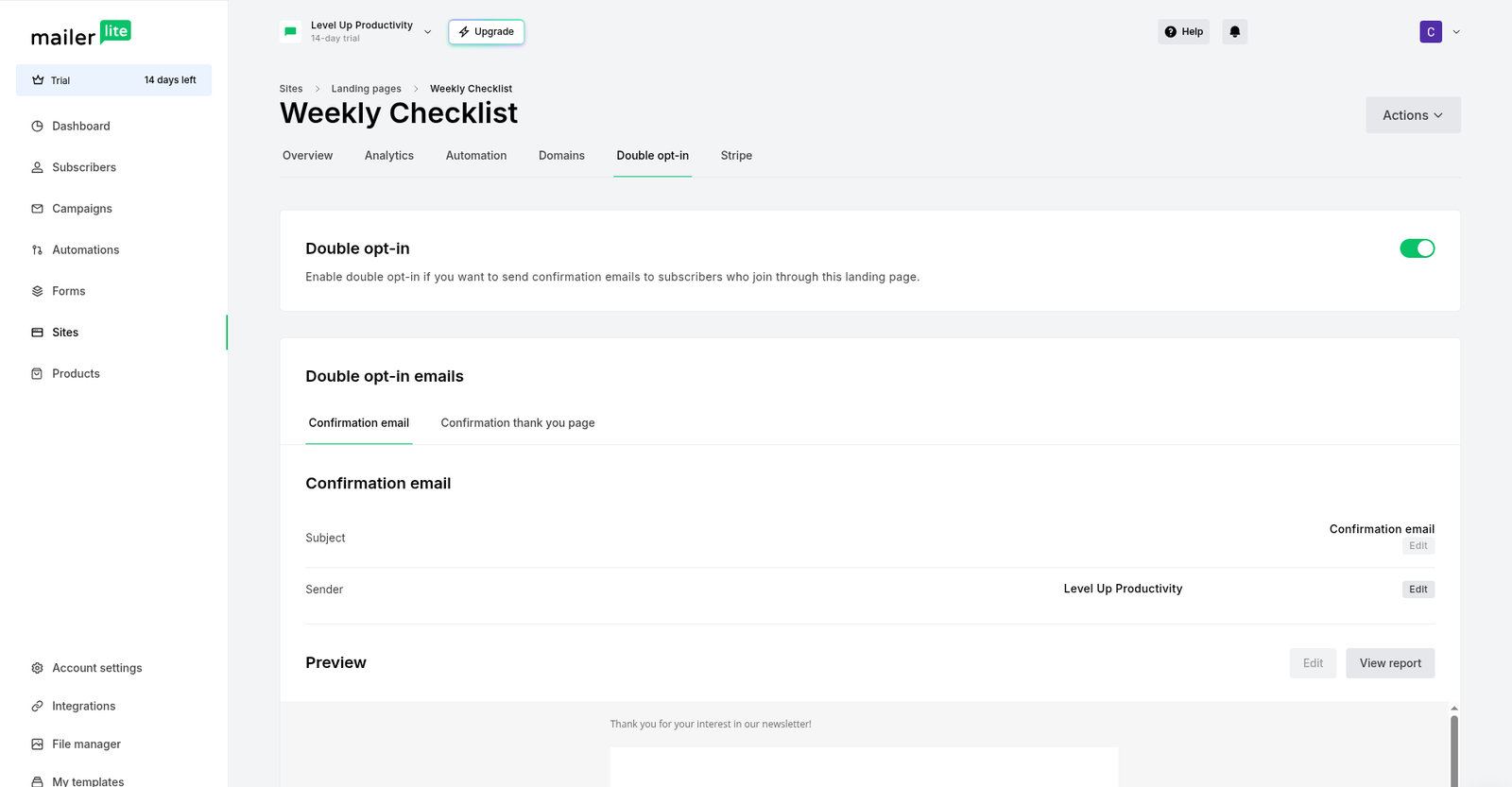
I submitted a test signup on the live page at 10:33 a.m. Eastern Time. MailerLite showed a "Thank you for subscribing!" message. The confirmation email arrived four seconds later, at 10:33 a.m. Eastern Time, in Gmail's inbox, on the Updates tab. The From name was Level Up Productivity, which is clearer than the raw Gmail address Kit used by default in the same test.
I clicked the confirm link at 10:42 a.m. Eastern Time. The welcome email, "Your Weekly Planning Checklist is here," arrived at 10:42 a.m. Eastern Time. It also landed in the inbox, on Gmail's Promotions tab, not in Spam. In our Kit test, the welcome email with the same subject landed in Spam. This is one test on one day, not a deliverability guarantee, but the contrast was clear.
A welcome automation, with a delivery warning
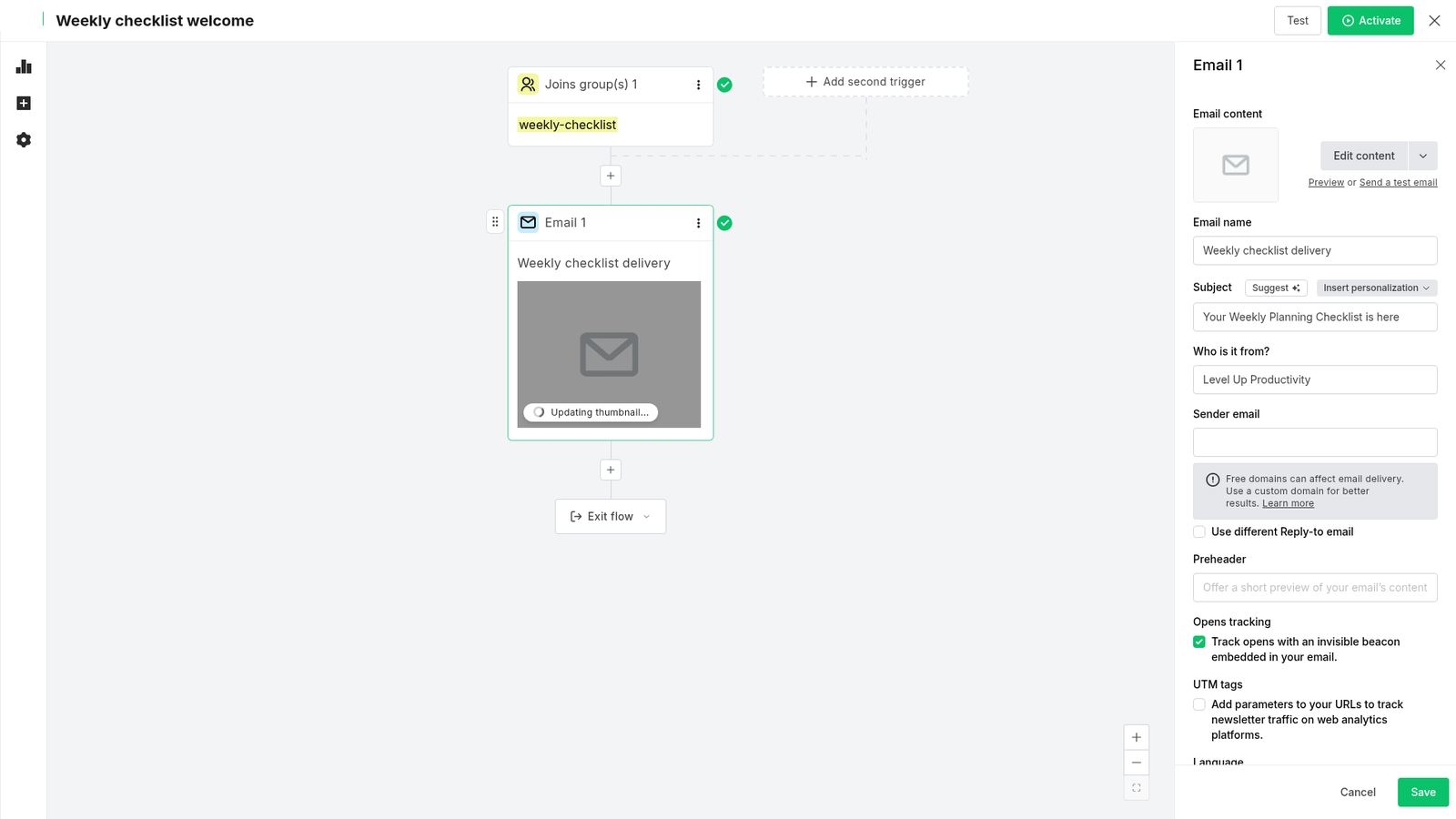
Next I built the flow I needed: when someone joins the weekly-checklist group, send one email. I created the automation from scratch, named it Weekly checklist welcome, set the subject to "Your Weekly Planning Checklist is here," and set the From name to Level Up Productivity.
That automation took about six to seven minutes. I did not have to add DNS records or verify a sending domain to turn it on. MailerLite did show a notice in the editor: "Free domains can affect email delivery. Use a custom domain for better results." Custom domains are not available on the free plan. I saw that limit in the site settings, worded as "Custom domain is not available in Free plan."
The template gallery also marked some workflows as Premium, including "Advanced welcome email." I built the simple Joins group to Send email flow instead, and it activated without an upgrade wall.
The MailerLite free plan limits
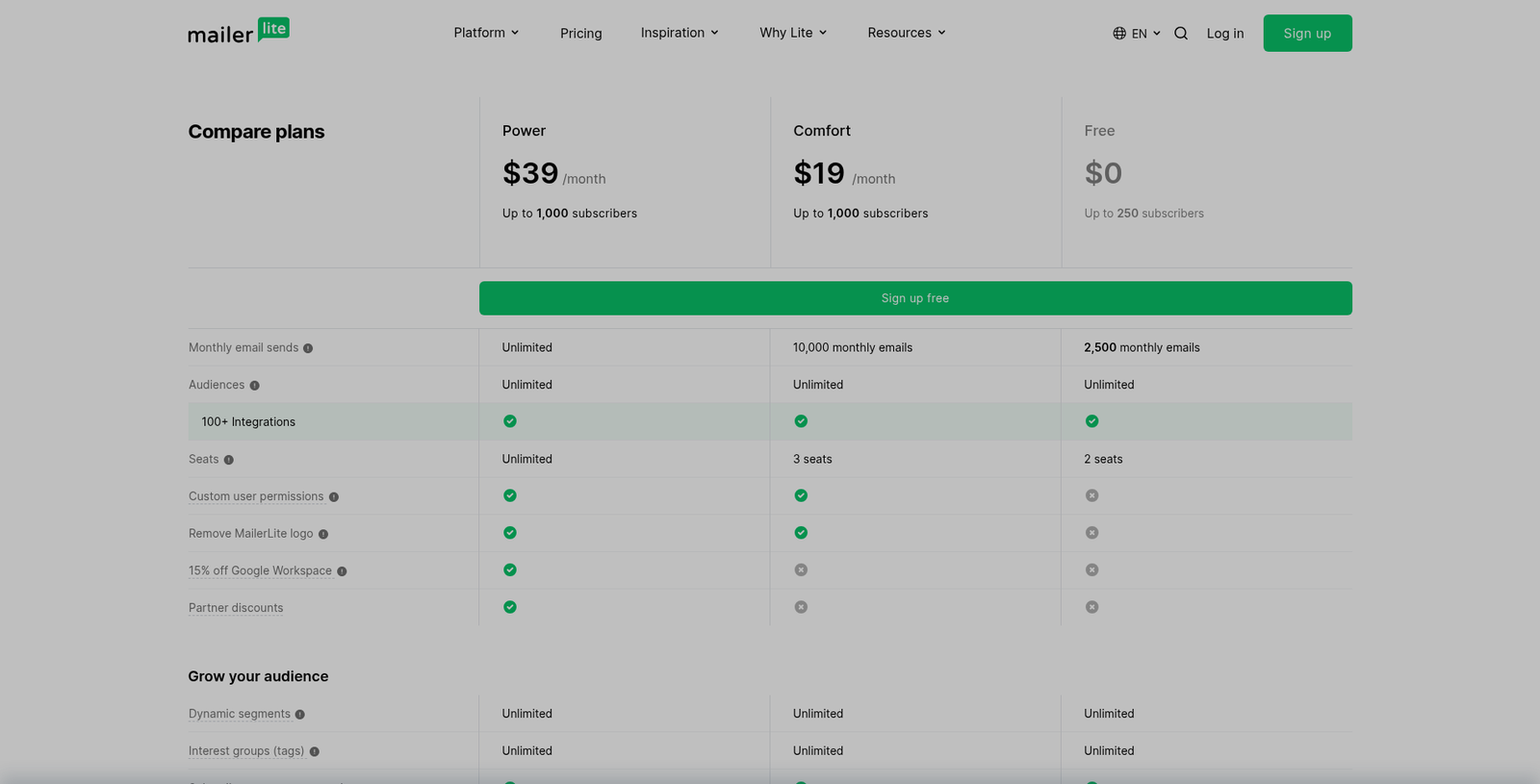
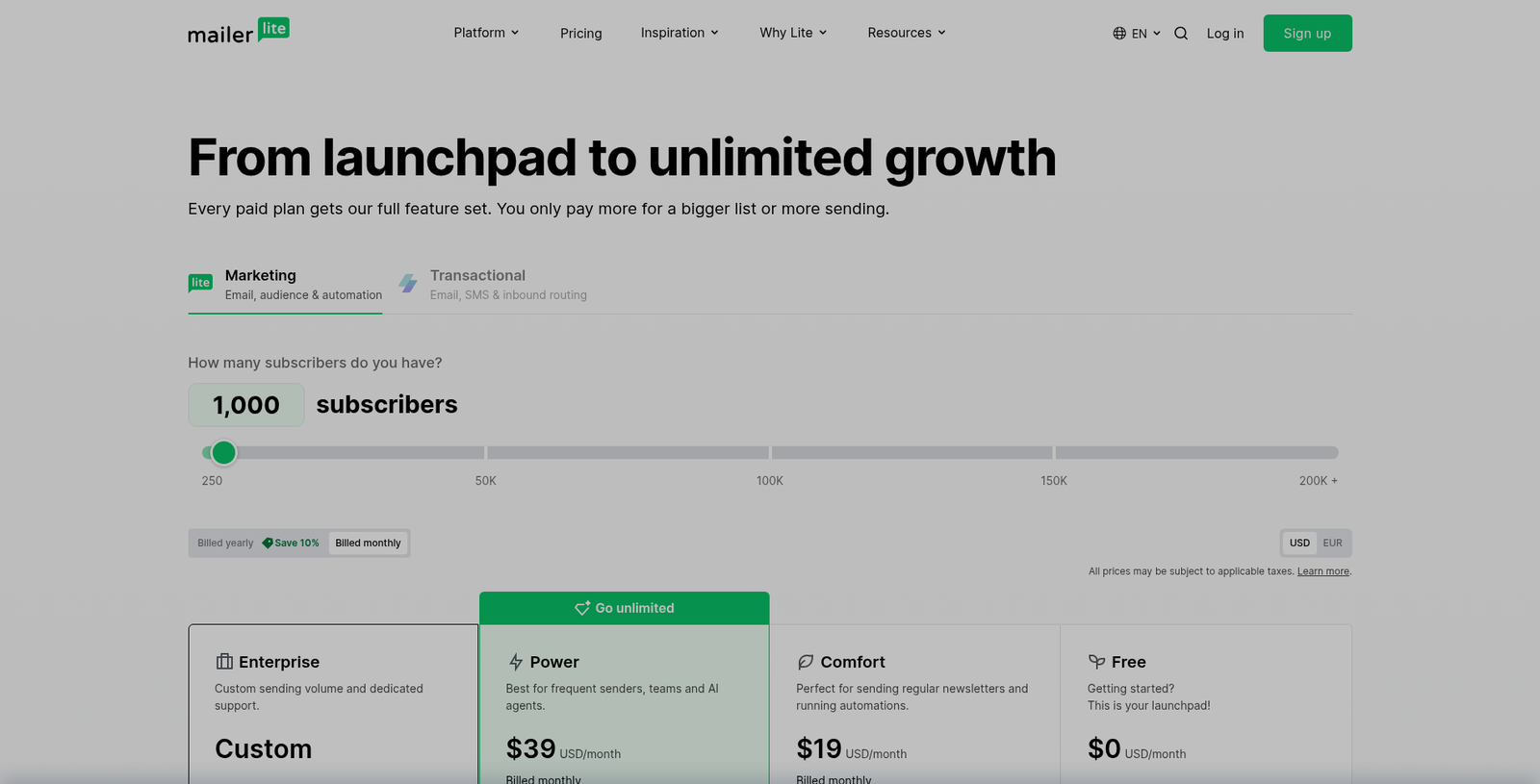
On mailerlite.com/pricing, the free plan is $0 a month, with up to 250 subscribers and 2,500 emails a month. It allows 3 active automations, 5 automation steps, 1 website, and 1 landing page. You can't add a custom domain, turn on auto-resend, use multiple automation triggers, or remove the MailerLite logo. Newsletter templates are listed as limited.
Here is how that compared with Comfort and Power on November 15, 2026, from the public pricing page, with the subscriber slider set to 1,000:
| Limit | Free | Comfort | Power |
|---|---|---|---|
| Price at 1,000 subscribers | $0/mo | $19/mo, or $17.10/mo billed yearly | $39/mo, or $35.10/mo billed yearly |
| Subscribers | Up to 250 | Priced by list size | Priced by list size |
| Monthly emails | 2,500 | 10,000 at 1,000 subscribers | Unlimited |
| Remove MailerLite logo | No | Yes | Yes |
| Auto-resend campaigns | No | Yes | Yes |
| Multiple automation triggers | No | No | Yes |
| Websites and landing pages | 1 website and 1 landing page | 10 | Unlimited |
I didn't test auto-resend, multiple triggers, or logo removal on a paid plan, so those are limits from the pricing page, not results from a paid account.
Where you'll hit the paywall
You will probably hit the 250-subscriber cap first. That is not a huge list, and a creator who shares one freebie in a few places can reach it sooner than they expect.
The other reasons to consider a paid plan, from this test, are trust. The "Created with MailerLite" logo is on the page in the editor and the mobile preview, and you can't remove it on free. You also can't send from a custom domain, and MailerLite itself warns that free domains can affect delivery. If you care how the page and the From line look to a new subscriber, Comfort starts to make sense. At 500 subscribers, that was $12 a month, or $10.80 a month billed yearly, when I checked on November 15, 2026.
I would still start free and use the 14-day trial. I built the page and the welcome automation without paying, and I didn't hit an upgrade wall on that first flow. 3 automations and 5 steps is enough room for a simple welcome, which is more headroom than some free email tools give you for automations. The catch is the list size, the logo, and the domain, not a hidden fee on day one.
If you want a similar opt-in walk-through in a different tool, we built one in Systeme.io as well.
Pros and cons
What worked in this session:
- Google signup, no credit card, and no approval hold.
- A 14-day premium trial started automatically, and I could still use the account at $0.
- The drag-and-drop editor and the side form panel were straightforward, and the mobile preview stacked cleanly.
- Email and Name both appeared on the live page.
- Double opt-in was on by default and easy to find.
- The Joins group welcome automation activated without an upgrade wall, and I didn't have to set up DNS first.
- The From name used our business name, not a raw email address. The confirmation email arrived in four seconds, and both the confirmation and the welcome landed in Gmail's inbox.
What got in the way:
- A mailing address is required, and it goes in every email footer.
- The "Life coach link in bio" template needed a fair amount of cleanup, and deleting blocks left empty dotted spaces.
- The "Created with MailerLite" badge is visible in the editor and mobile preview, and removing it is paid-only.
- Custom domains are not available on the free plan, and MailerLite warns that free domains can affect delivery.
- 250 subscribers and 2,500 emails a month is a tight ceiling once a list starts to grow.
- Some automation templates, including "Advanced welcome email," were marked Premium.
The verdict
For a beginner who needs one lead magnet and one welcome email, it did the job, and I would start there. Signup was easy, the first funnel went live in one sitting, and in this test the welcome email reached Gmail's inbox instead of Spam.
The catch is not a surprise charge. It is that you only get 250 subscribers, you can't remove the logo, and you can't add a custom domain. If your list is going to grow past that, or if the logo and the sending domain matter for how you show up, I would budget for Comfort. I would still start free, use the trial, pick a mailing address you're willing to publish, and send a test signup to a fresh address, including Gmail's other tabs, before you share the page.
You can find the other tools we use on our Tools page.
Start a free MailerLite account →
All pricing as of November 15, 2026, from mailerlite.com/pricing
Disclosure: Some of the links on this page are affiliate links. This means if you click and make a purchase, we may earn a commission at no extra cost to you. We only recommend tools we have personally tested or thoroughly researched. Our opinions are our own.
