This post contains affiliate links. Full disclosure at the bottom.
Short version: On November 15, 2026, I built the same Weekly Planning Checklist opt-in and a one-email welcome in MailerLite and Kit, both on free plans, with no card. MailerLite's welcome email landed in Gmail's inbox. Kit's landed in Spam. MailerLite also collected a name on the live form; Kit's live form still showed email only. The tradeoff is room to grow. Kit's free plan allows up to 10,000 subscribers, with 1 basic Visual Automation and 1 email sequence. MailerLite's free plan stops at 250 subscribers and 2,500 emails a month, though it allows 3 automations. Start free on either one. If you need a second welcome flow, budget for a paid plan.
Try MailerLite free (no card needed) →
Try Kit free (no card needed) →
Which free email plan should a beginner pick? I get asked that a lot, usually as a choice between MailerLite and Kit. Feature lists will not settle it. On November 15, 2026, I gave both tools the same job a creator or solopreneur actually needs: one lead-magnet page and a welcome email that delivers a checklist.
This post is the head-to-head. The full walk-throughs are in our MailerLite free plan review and our Kit free plan review, and the click-by-click Kit build is in the landing page tutorial.
The same job, on two free plans
I signed up for both without entering a card. Kit never started a trial. MailerLite opened a 14-day premium trial on its own, while Plan and Billing still listed the account as Free, at $0, with up to 250 subscribers and 2,500 emails a month.
Each landing page used the same offer and the same button label, "Send me the checklist." Each welcome email used the same subject, "Your Weekly Planning Checklist is here," and the same 22-word body from Joel. I submitted a test signup on each live page and confirmed the subscription, then checked Gmail, including Spam and the other tabs.
Here is how the two free plans compared, using our test accounts and the vendors' public pricing pages as of November 22, 2026. Kit's one-automation and one-sequence limits come from the in-app plan page we captured on November 15, 2026, where the free tier is labeled Newsletter.
| Limit | MailerLite Free | Kit Newsletter (Free) |
|---|---|---|
| Price | $0/mo | $0/mo |
| Subscribers | Up to 250 | Up to 10,000 |
| Monthly emails | 2,500 | No sending limit listed |
| Automations | 3 active automations, 5 steps | 1 basic Visual Automation |
| Email sequences | Built as automations | 1 |
| Landing pages | 1 website and 1 landing page | Unlimited landing pages and forms |
| Custom domain on free | Not available | Listed as a customizable domain; we did not test it |
| Branding | Can't remove the MailerLite logo | "Built with Kit" appeared on the page and in the email |
| Users | 2 seats | 1 user |
MailerLite also requires a mailing address at signup, and that address goes in the footer of every email you send. If you do not want a home address there, use a PO box or another address you are comfortable publishing.
One form collected a name. The other did not.
Both pages went live in under ten minutes. The cleanup felt very different.
MailerLite's "Life coach link in bio" template arrived with a profile image, four extra buttons, testimonials, social icons, and empty sections. I had to delete those pieces one by one, and removing a block often left an empty dotted space. After that work, though, the form was straightforward. I added a Name field in the side panel, kept Email, and both fields showed on the published page.
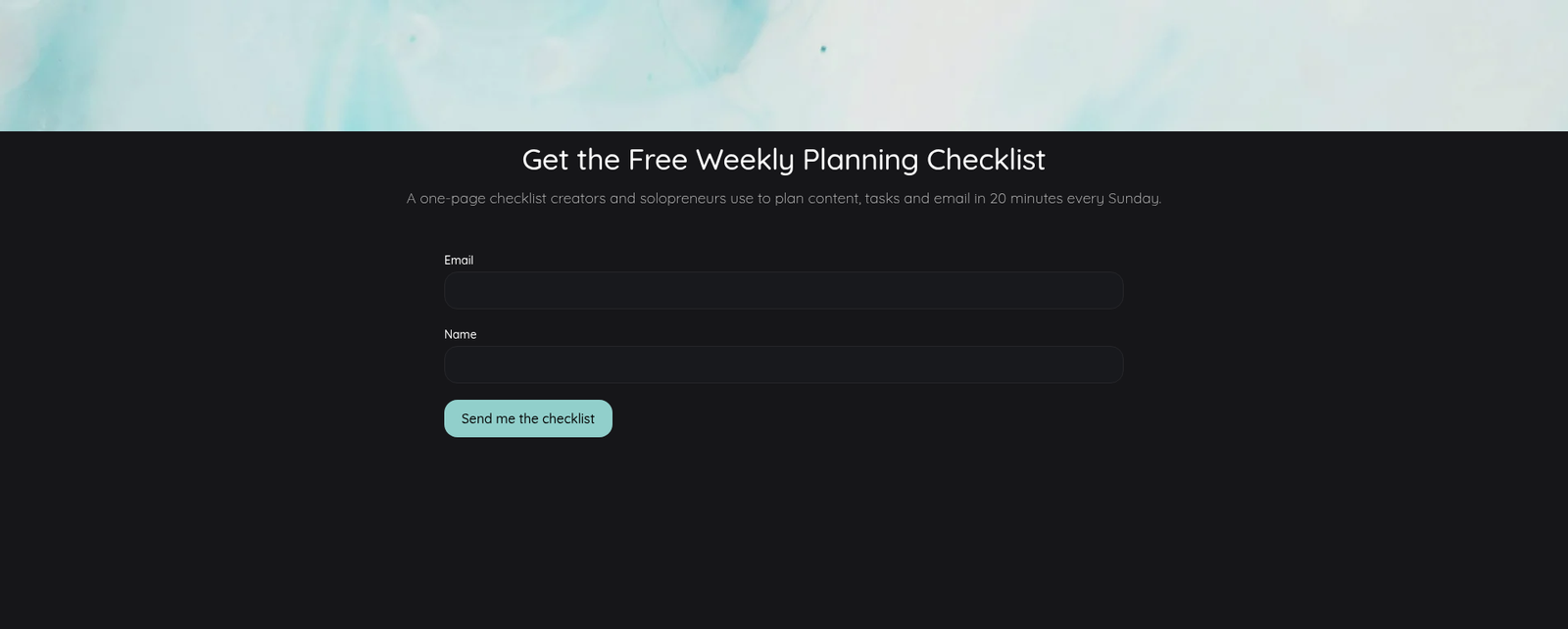
Kit's Beacon template was already a compact one-screen layout, so there was less to strip away. Editing happens on the canvas, with a style panel on the right. The friction showed up later. I added an optional First name field in the editor, and the form-fields list showed it, but the live page still had only an Email box. I could not collect a first name on that form.
If you need a name, open the public URL before you share the page. The editor is not always enough.
What happened to the welcome emails
This is the difference I would not want a beginner to miss.
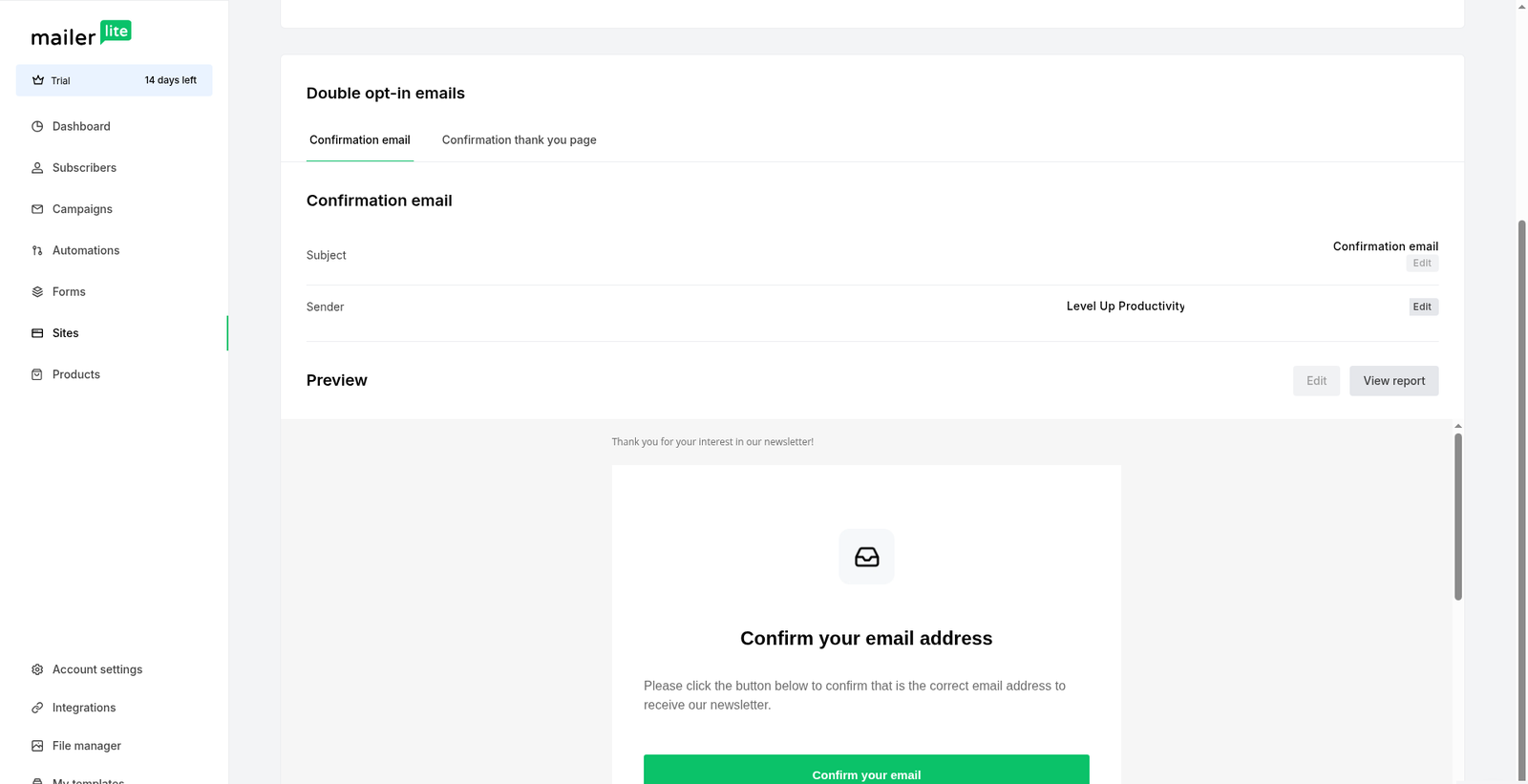
On MailerLite, I submitted the test signup at 10:33 a.m. Eastern Time. The confirmation email arrived four seconds later, in Gmail's inbox, on the Updates tab. The From name was Level Up Productivity, the business name from signup. I clicked the confirm link at 10:42 a.m. Eastern Time. The welcome email arrived at 10:42 a.m. Eastern Time, also in the inbox, on Gmail's Promotions tab, not in Spam.
On Kit, I submitted the test signup at 9:22 a.m. Eastern Time. The confirmation email arrived about six seconds later, in Gmail's Forums tab, not the primary inbox. The default From name was the raw Gmail address I used to sign up. I clicked the confirm link at 9:26 a.m. Eastern Time. The welcome email arrived at 9:27 a.m. Eastern Time. It was also marked as Forums, and this one landed in Spam. I had not set a display name or authenticated a domain.
That is one test on one day, not a deliverability guarantee. Still, the contrast was clear: the same subject line, sent the same morning, reached the inbox from MailerLite and Spam from Kit.
If you only check the primary inbox, you can miss a confirmation that already arrived. Look in Spam and in Gmail's other tabs. Before you send real traffic to a Kit page, set a sender name and authenticate your domain. MailerLite also warned, in the editor, that "Free domains can affect email delivery," and custom domains are not available on its free plan. I would still rather start from a named sender than from a raw Gmail address.
Automations: how much room you really get
Both tools let me publish a basic welcome flow on free, with no upgrade wall.
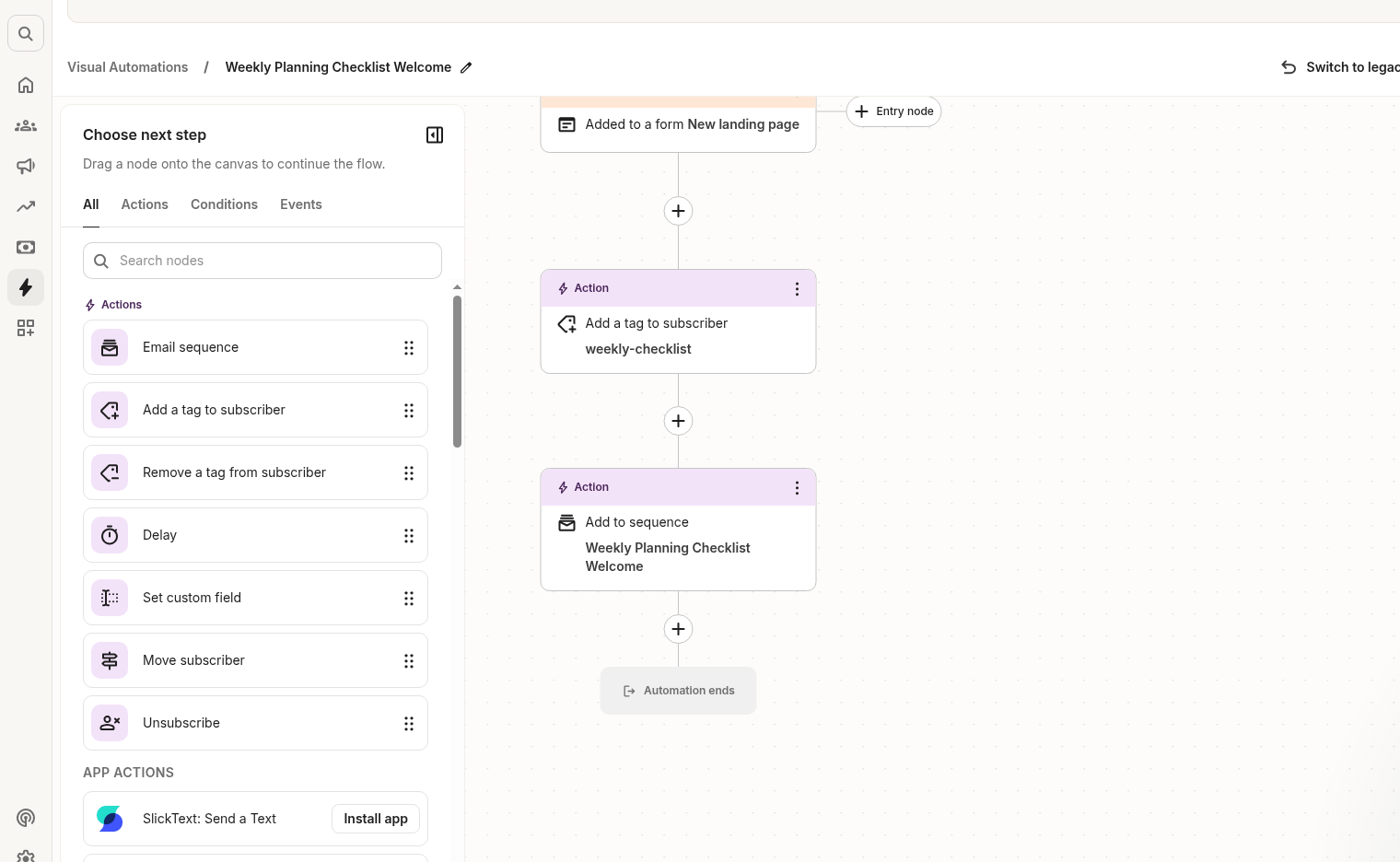
In Kit, I built a Visual Automation that tagged the subscriber weekly-checklist and added them to a one-email sequence. The review screen said "Plan level - Included on your plan." It also warned, in those words, "First email goes out immediately." Read that before you turn the automation on, especially if people are already on the form. The tighter limit is not the 10,000-subscriber cap. It is that you get only 1 basic Visual Automation and 1 email sequence, so a second lead magnet with its own welcome does not fit.
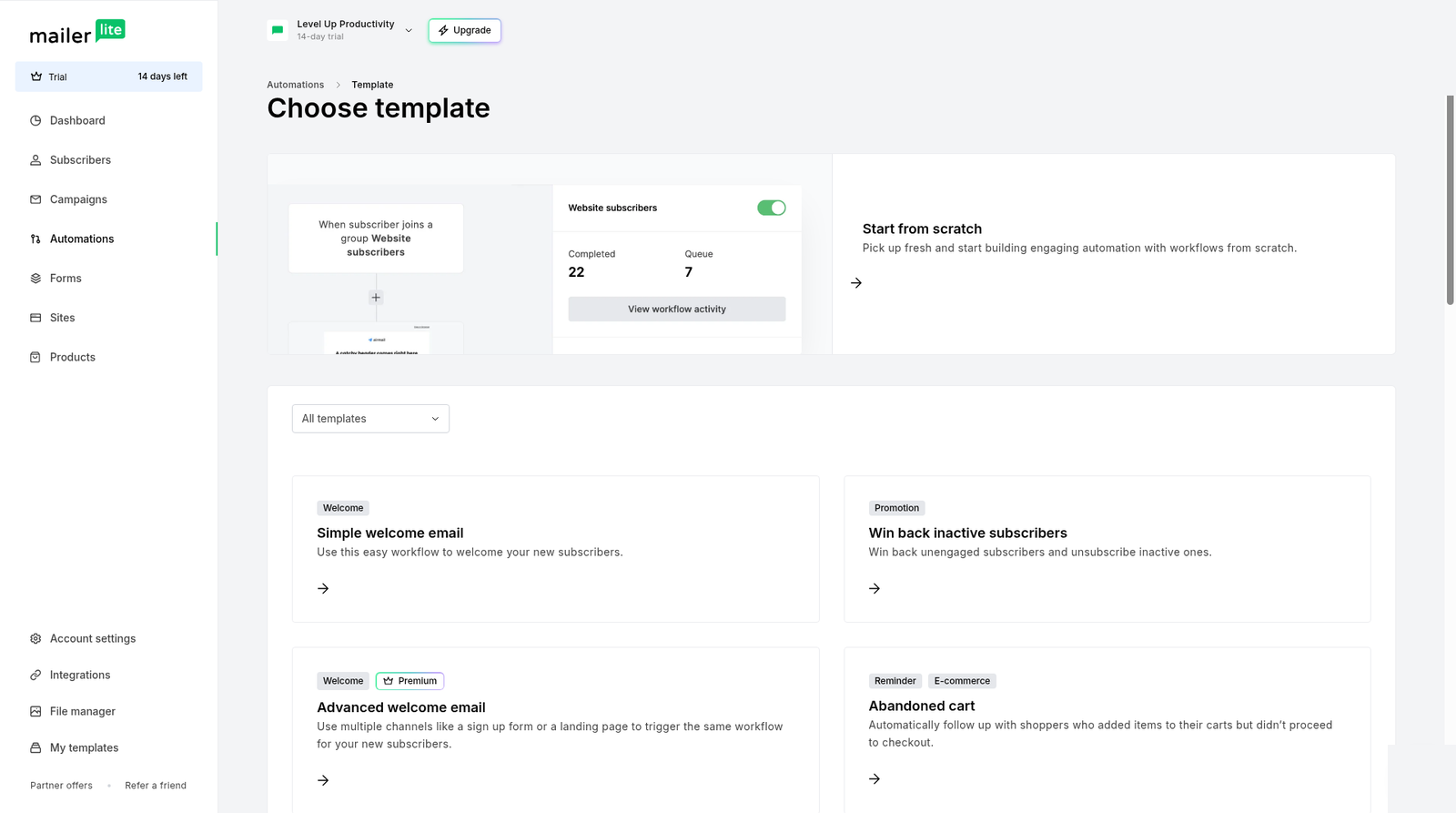
In MailerLite, I built the flow from scratch: when someone joins the weekly-checklist group, send one email. It activated without any DNS work. The public comparison table we captured on November 15, 2026, lists 3 active automations and 5 automation steps on Free, which is more room than Kit for a second simple flow. Some gallery templates are still marked Premium, including "Advanced welcome email," which is described as using more than one signup channel as a trigger. I used "Start from scratch" instead, and that worked.
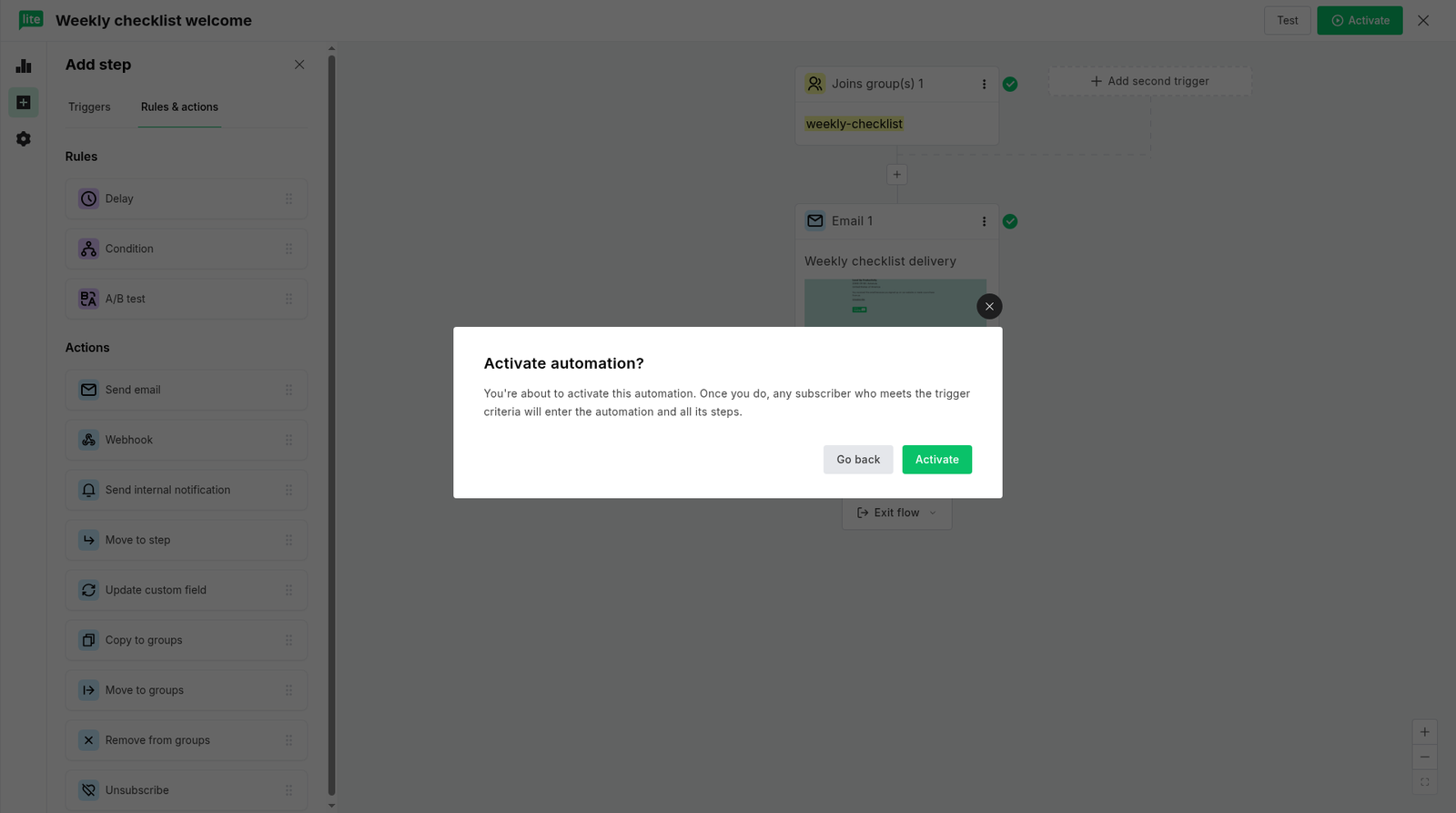
When I went to activate the MailerLite automation, the confirmation said that any subscriber who meets the trigger criteria will enter the automation and all its steps. The canvas also showed an "Add second trigger" control. Multiple automation triggers are listed as a Power-plan feature, not Free or Comfort, and I did not test adding a second trigger.
Where the paywall shows up
You can do this first funnel on either free plan. The paid plan starts to make sense at different points.
On Kit, you will probably hit the single sequence and the single basic automation before you hit 10,000 subscribers. That is the honest reason to look at Creator: a second freebie, a longer nurture sequence, or a second login. Creator was $39 a month for up to 1,000 subscribers on the monthly view, or $33 a month billed yearly ($390 a year), on Kit's in-app plan page on November 15, 2026. On kit.com/pricing on November 22, 2026, the monthly Creator price at 1,000 subscribers was still $39, with a time-limited offer of 50% off for the first 3 months, at $20 a month, then $39 a month, ending December 1. I would treat $39 as the regular price, not the sale. I did not start a trial or enter a card.
On MailerLite, the tighter limits are the 250-subscriber cap, the 2,500-email cap, the logo, and the lack of a custom domain. Comfort is the first paid plan that removes the logo and raises those caps. On mailerlite.com/pricing on November 22, 2026, Comfort was $12 a month at 500 subscribers, or $10.80 a month billed yearly ($129.60 a year), and $19 a month at 1,000 subscribers, or $17.10 a month billed yearly ($205.20 a year). Yearly billing is 10% off. Inside the app, the plan picker I opened showed Comfort and Power, not a Free card. The prices at those list sizes matched the public page.
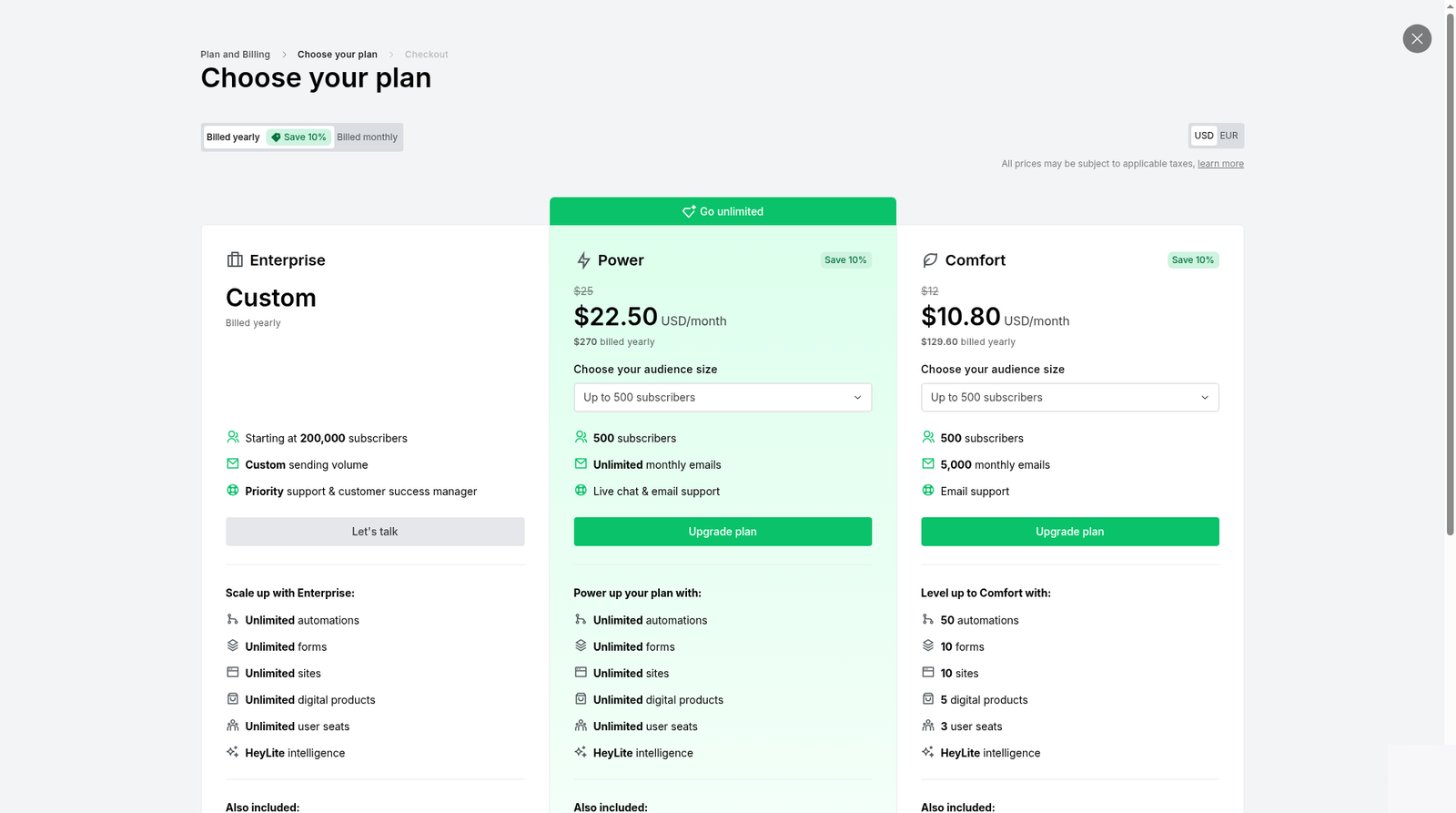
I did not test logo removal, a custom domain, or auto-resend on a paid MailerLite plan, and I did not test Creator extras on Kit, so those are limits from the pricing pages, not results from a paid account.
Which I would pick
If I needed the first welcome email to reach a Gmail inbox on day one, without touching DNS, I would start with MailerLite. In this test, the From name was already the business name, the name field appeared on the live page, and the welcome landed in the inbox. I would still put a publishable address in the footer and plan for the 250-subscriber cap.
If I expected the list to grow past a few hundred people while I stayed on a free plan, I would start with Kit. The 10,000-subscriber cap is the more generous of the two, and one lead magnet with one welcome sequence fit. I would set a sender name, authenticate the domain, and test the live form, including the name field and Gmail's Spam folder, before sharing the page.
Either way, I would start free and try the actual opt-in from a fresh address. The paid plan is worth budgeting for when you need a second welcome flow, or when MailerLite's 250-subscriber cap is no longer enough.
You can find the other tools we use on our Tools page.
Start a free MailerLite account →
All pricing as of November 22, 2026, from kit.com/pricing and mailerlite.com/pricing. Kit's Newsletter automation limits and yearly Creator rate were confirmed in-app on November 15, 2026.
Disclosure: Some of the links on this page are affiliate links. This means if you click and make a purchase, we may earn a commission at no extra cost to you. We only recommend tools we have personally tested or thoroughly researched. Our opinions are our own.
