Short version: On November 22, 2026, I built a Notion AI content calendar on the free plan, with no card. I added a Table view and a Calendar view by hand, then used the Notion AI trial to brainstorm ideas, write an outline into a page, autofill one summary, and ask what was scheduled for the week. Those four jobs ran. When I asked autofill to run on every page, Notion offered a 14-day Business trial for Agents. I dismissed it. Free and Plus only include a limited trial of Notion AI. If you just need the calendar, the free plan is enough. If you want AI to run across the whole calendar, Business is the plan.
The title of this post asks whether the Notion AI add-on is worth it for a content calendar. I wanted a practical answer for a creator or solopreneur who already plans, writes, and publishes the work. What I found is that Notion AI is not a simple add-on you turn on for Plus. On Free, and on Plus, it is listed as a limited trial. The plan that includes Custom Agents, AI Meeting Notes, and a recurring credit allowance is Business.
I signed up for a free Notion account, entered no card, and started no trial. I built the calendar by hand first, so I would know what the tool was adding.
Building the calendar without AI
I created a database called Content Calendar, with a Table view and a Calendar view. The properties were Name, Status, Platform, and Publish date. I added our actual week: this post on November 23, a MailerLite vs Kit comparison on November 24, 7 Gamma Tricks on November 26, and Best Free Email Marketing Tools on November 28, plus a Descript review on November 30 and three repurposing items for YouTube, Instagram, and LinkedIn.
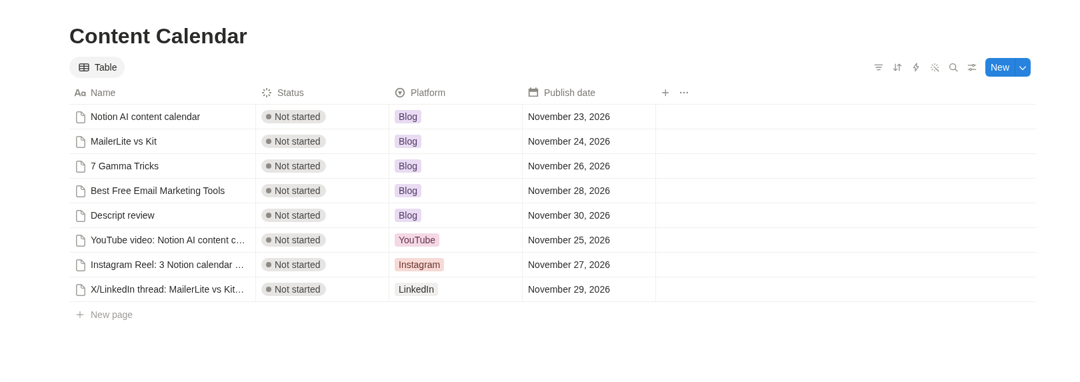
It took about 25 minutes, and most of that was typing the rows. You do not need Notion AI to get a working calendar. If you only want a list of posts and a month view, the free plan already does that.
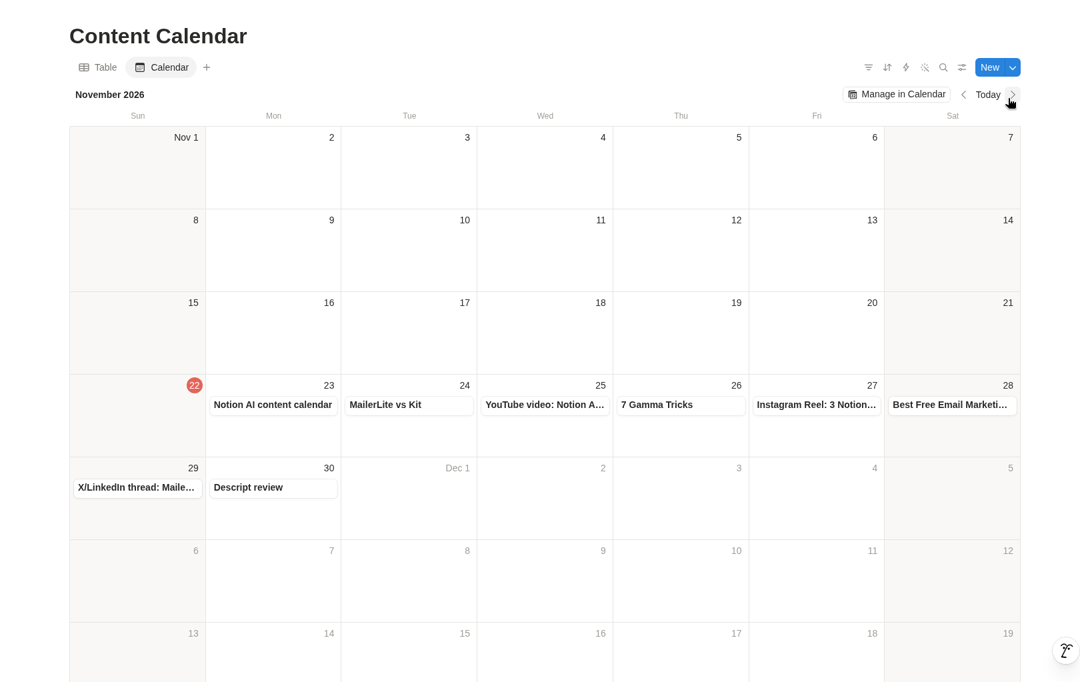
Brainstorm, outline, autofill, and Q&A
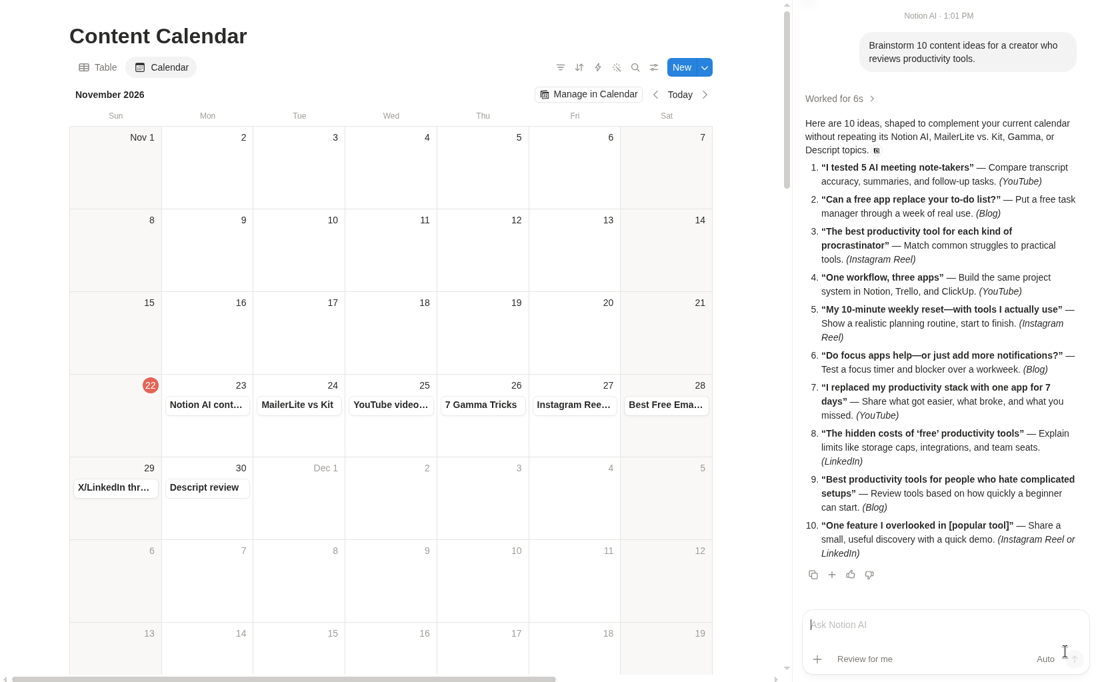
I started in the chat panel with a straightforward request: "Brainstorm 10 content ideas for a creator who reviews productivity tools." It ran on the free trial, worked for 6 seconds, and returned 10 ideas. It even tried not to repeat the Notion AI, MailerLite vs Kit, Gamma, and Descript topics already on the calendar, and it suggested a platform for each idea, such as YouTube or an Instagram Reel. That is useful first-pass thinking. I would still pick and rewrite the ideas myself.
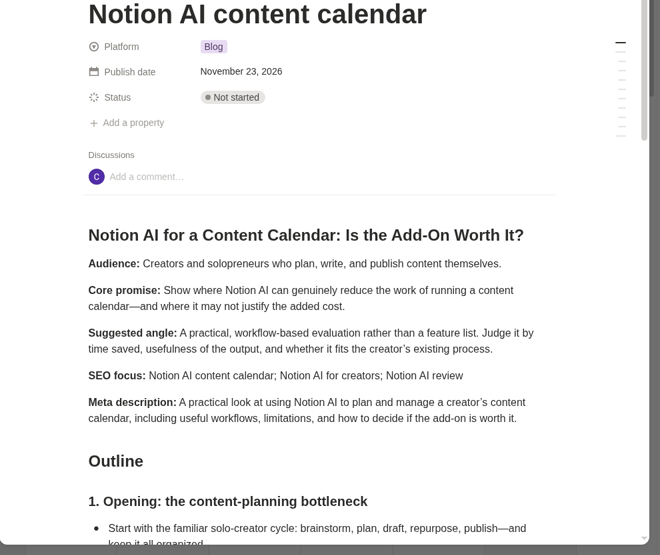
Next I asked it to draft a blog post outline for the November 23 entry, using this post's title, for creators and solopreneurs. It worked for 20 seconds and wrote the outline into the page itself, not only into the chat. The page then held an audience line, a core promise, a suggested angle, SEO notes, a meta description, and the start of an outline. That is the part that felt different from a regular chatbot: it edited the database page.
I did not time a full writing session, and I did not use that outline as the structure of this article. I treated it as a first draft to inspect, not as a finished plan.
I then added a Summary property and used AI Autofill. The instructions were to read the page and summarize it in one sentence. It filled the first row, and a message said "Started filling 1 row." The preview sentence was a fair one-line description of this post.
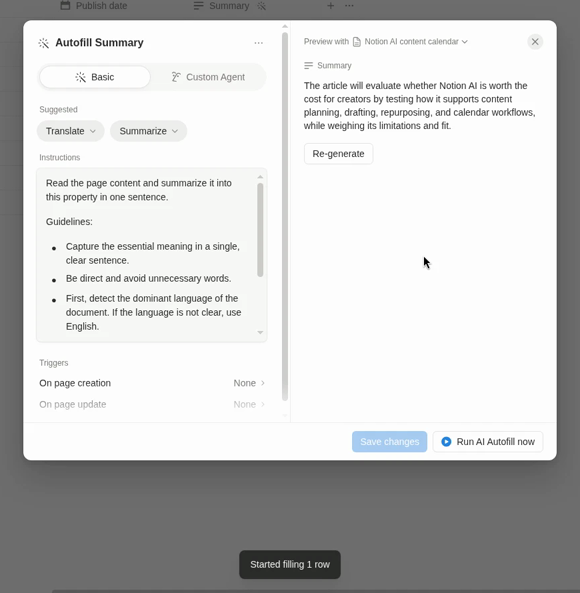
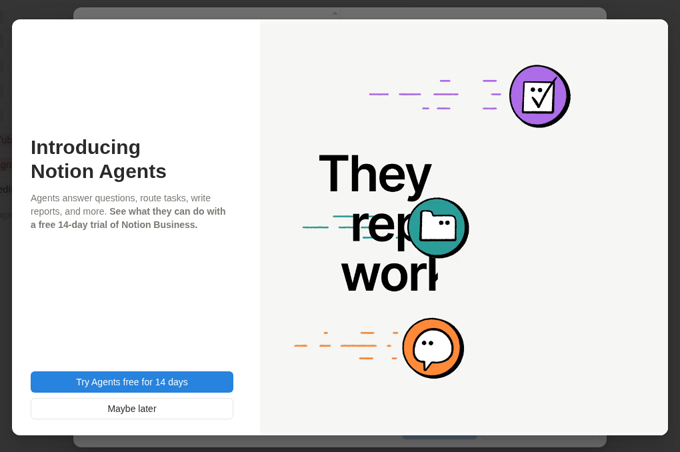
When I chose "Run on all pages," Notion did not fill the rest of the calendar. It opened an "Introducing Notion Agents" window, with a button to "Try Agents free for 14 days" and a "Maybe later" option. The window said this was a free 14-day trial of Notion Business. I chose Maybe later. One-row autofill ran on the trial. Bulk autofill did not.
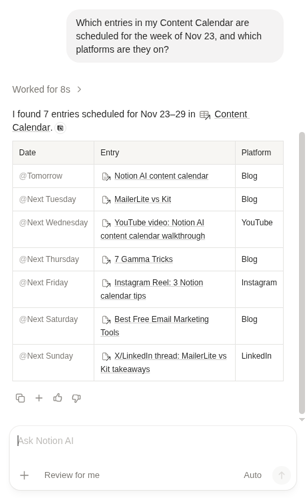
The last job was a question: "Which entries in my Content Calendar are scheduled for the week of Nov 23, and which platforms are they on?" It worked for 8 seconds and answered from the database. It found 7 entries from November 23 to 29, with dates, titles, and platforms, and it correctly left the November 30 Descript review out of that week. For someone who already keeps the calendar in Notion, that kind of question is the most naturally useful of the four.
The free-plan limit, and where the paywall appears
No on-screen "X of Y" counter or hard-block message appeared while I used these features. That does not mean the trial is unlimited. The in-app plan page lists Notion AI on Free as "Trial of Notion AI," and the comparison table lists Standard Credits on Free and Plus as a "Limited Trial." That is a one-time trial, not a monthly allowance. I cannot tell you how many prompts I had left, because Notion did not show me a count during this session.
The clearer wall was the bulk action. If you want AI to fill a Summary, or a similar property, across the whole calendar at once, you are looking at a Business trial, not at a leftover free allowance.
What it costs
Here is what the in-app Explore plans page showed on November 22, 2026, per member. Yearly billing was labeled "Save up to 20% with yearly," and the yearly prices below are the per-month rates on that toggle. I was on Free, with no card.
| Plan | Monthly | Yearly | Notion AI |
|---|---|---|---|
| Free | $0 | $0 | Trial of Notion AI; Standard credits a Limited Trial |
| Plus | $12 | $10 | Still a Limited Trial |
| Business | $24 | $20 | 1,500 Standard and 500 Select credits per seat per month |
| Enterprise | $35 | $28 | Custom credit amounts; labeled Limited in-app |
Plus, on that page, added blocks for collaboration, charts, custom sites and forms, guests, and offline mode, not a recurring AI allowance. Business added Custom Agents, AI Meeting Notes, search across tools with AI, and SAML SSO, along with those monthly credits.
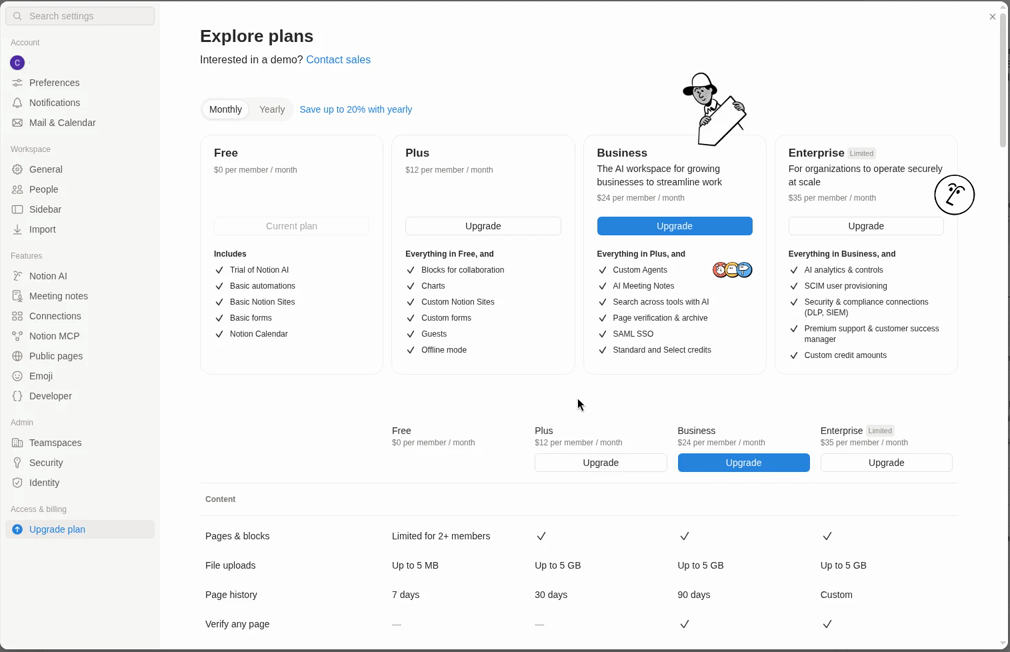
I also checked notion.com/pricing the same day. The yearly Plus and Business prices matched the in-app page, and the public page also lists a Trial of Notion AI on Plus. It listed Enterprise as custom pricing. In the app, Enterprise showed $35 a month, or $28 a month billed yearly.
I did not start a Business trial or enter a card, so I cannot report how those 1,500 Standard and 500 Select credits hold up over a real month of work. I can tell you where the wall appeared on day one.
Is it worth paying for?
If you want a content calendar with a table and a month view, the free plan is enough. I built one in about 25 minutes, and I would start there.
If you want to try Notion AI, start on Free and use the trial. In this test, brainstorm, an outline written into a page, a one-row summary, and a calendar question all ran without a card. That is enough to see whether the results suit you.
I would not upgrade to Plus just for AI. Plus still lists Notion AI as a limited trial. The honest reason to pay, if AI is the thing you want, is Business, at $24 a month, or $20 a month billed yearly, per seat. That is the plan I would look at if I wanted autofill to run across the whole calendar, or if I wanted Custom Agents and a recurring credit allowance.
Is that worth it on day one, for a single person with a modest calendar? Not from what I saw. The free calendar already works, and the trial already showed me what the AI can do. I would pay when the trial is no longer enough and I actually need AI to work across every row, not because the plan page looks complete.
If you want more of the same kind of test, I reviewed Kit's free plan and MailerLite's free plan, and I tested Canva AI for YouTube thumbnails on its Free plan. The rest of the lineup is on our Tools page.
All pricing as of November 22, 2026, from notion.com/pricing and the in-app Explore plans page. The public page listed Enterprise as custom pricing; the in-app page listed $35 a month, or $28 a month billed yearly.
Disclosure: We don't have an affiliate relationship with Notion, so we don't earn a commission from the Notion links on this page. If that changes, we'll update this disclosure. We only recommend tools we have personally tested or thoroughly researched. Our opinions are our own.
