This post contains affiliate links. Full disclosure at the bottom.
Short version: If your Systeme.io thank-you page shows up blank, the step almost certainly has no content on it yet. Open the step, click "Edit page," add a headline, a line of text, and a button, then save. Our fix took about three minutes. Just change the button's default "Submit form" action to "Open URL" first, and read the five gotchas below before you call your first funnel done.
Try Systeme.io free (no card needed) →
Our first Systeme.io funnel is a simple one: a sign-up page for a Free Teacher Productivity Checklist, followed by a thank-you page. When we first built it on October 25, 2026, the sign-up page was live in about four minutes. The thank-you page was another story. It was empty by default, and after a test sign-up, the visitor landed on a page that said "This page is displayed because a thank you page was not defined."
This morning, October 30, we went back in to rebuild the problem on purpose so we could show you exactly what it looks like and how to fix it. You can read how the rest of the account held up in our full Systeme.io review.
What a blank Systeme.io thank-you page looks like
To recreate the problem, we added a brand-new step to our funnel. In the funnel's Steps list, we clicked "+ Add step," named it, picked a thank-you page type, and chose "Start from scratch" instead of a template. Systeme.io created it right away. Then we opened its live URL.

That's it. A completely white page with nothing on it but the "Powered by systeme.io" badge in the corner. No placeholder text, no warning. If a new subscriber lands here, they have no idea whether the sign-up worked.
A from-scratch step isn't the only way to end up here, either. Our real thank-you step from October 25 had no template applied at first, which is why the opt-in fell back to that "thank you page was not defined" message.
The fix: add content and a button that goes somewhere
Here's the path we used. From the dashboard, go to Sites, then Funnels, and open your funnel. In the Steps list on the left, click your thank-you step, then click "Edit page" in the top right. Give it a moment. The editor took about 5 to 9 seconds to show up for us, and it's a white screen until it does.
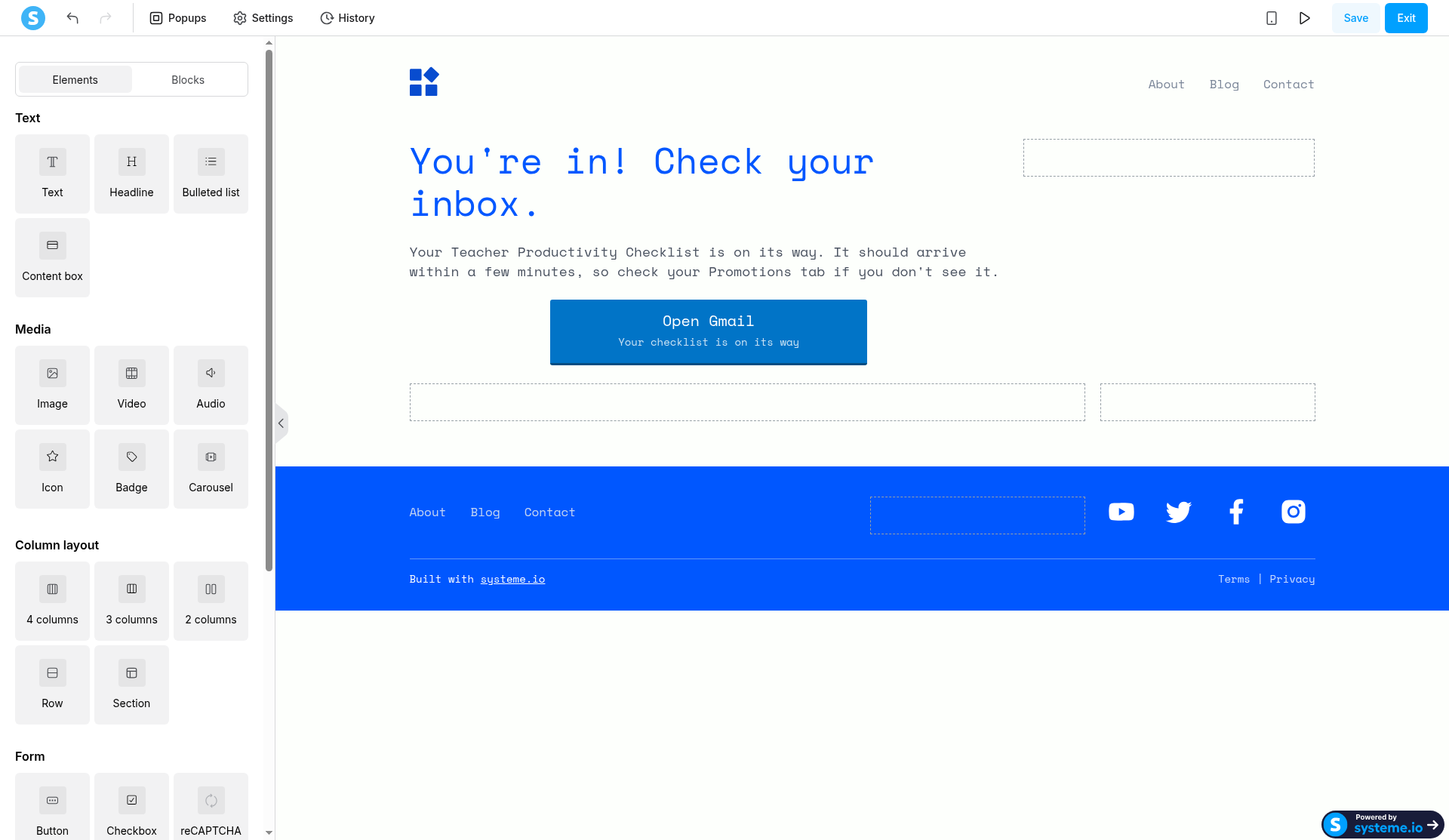
If the page is empty, the canvas says "Drag and drop your first element here." On October 25, we skipped the blank canvas by applying Systeme.io's "Thank you!" template and editing the words, which took about three minutes. Today our page already had a headline, "You're in! Check your inbox.," and a short paragraph, but no button, so we added one. From the Elements panel, under Form, we dragged "Button" onto the page.
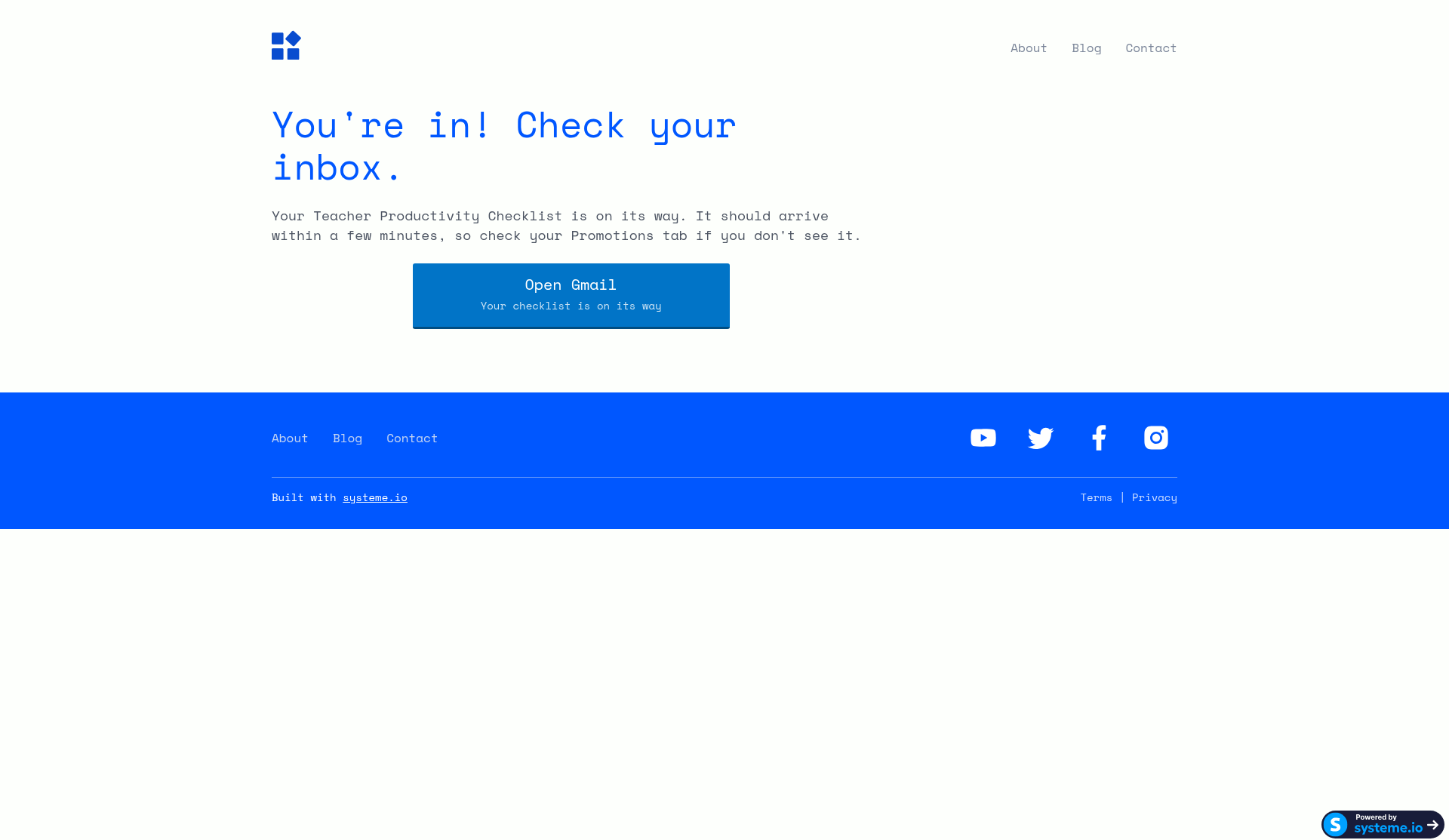
The new button says "Click here" with "Subtext here" under it. More importantly, when you click it on the canvas, the setting "Action when button clicked" is set to "Submit form." That makes sense on a sign-up page but not on a thank-you page, where there's no form to submit. The other choices are Show popup, Open URL, Next step URL, and Download file. "Download file" is the obvious pick for a freebie, but it needs a file uploaded first, and we didn't have one in the account yet. So we chose "Open URL," pointed it at Gmail, and changed the text to "Open Gmail" with the subtext "Your checklist is on its way." Then Save, then Exit.
Then we did a real test. We signed up on our live opt-in page with a fresh Gmail address at 10:01:45 AM Eastern. The thank-you text showed up about 2.2 seconds after we clicked "Send Me the Checklist," and it worked on the first click this time. On October 25 the opt-in button had needed a second click.
5 first-funnel gotchas we hit
The blank page was the big one, but these are the smaller things that tripped us up along the way:
- The default button is wrong for a thank-you page. It says "Click here / Subtext here" and its action is "Submit form." Change the text, and switch the action to "Open URL" (or "Download file" if you've uploaded your freebie).
- Drag-and-drop lands in odd places. Our first drop put the button above the headline. Dropping it onto the lower half of the paragraph put it underneath, where we wanted it. The Undo arrow in the top left cleaned up the bad drop.
- The editor is slow to open. Expect 5 to 9 seconds of white screen after clicking "Edit page." It isn't broken. Wait before you click again.
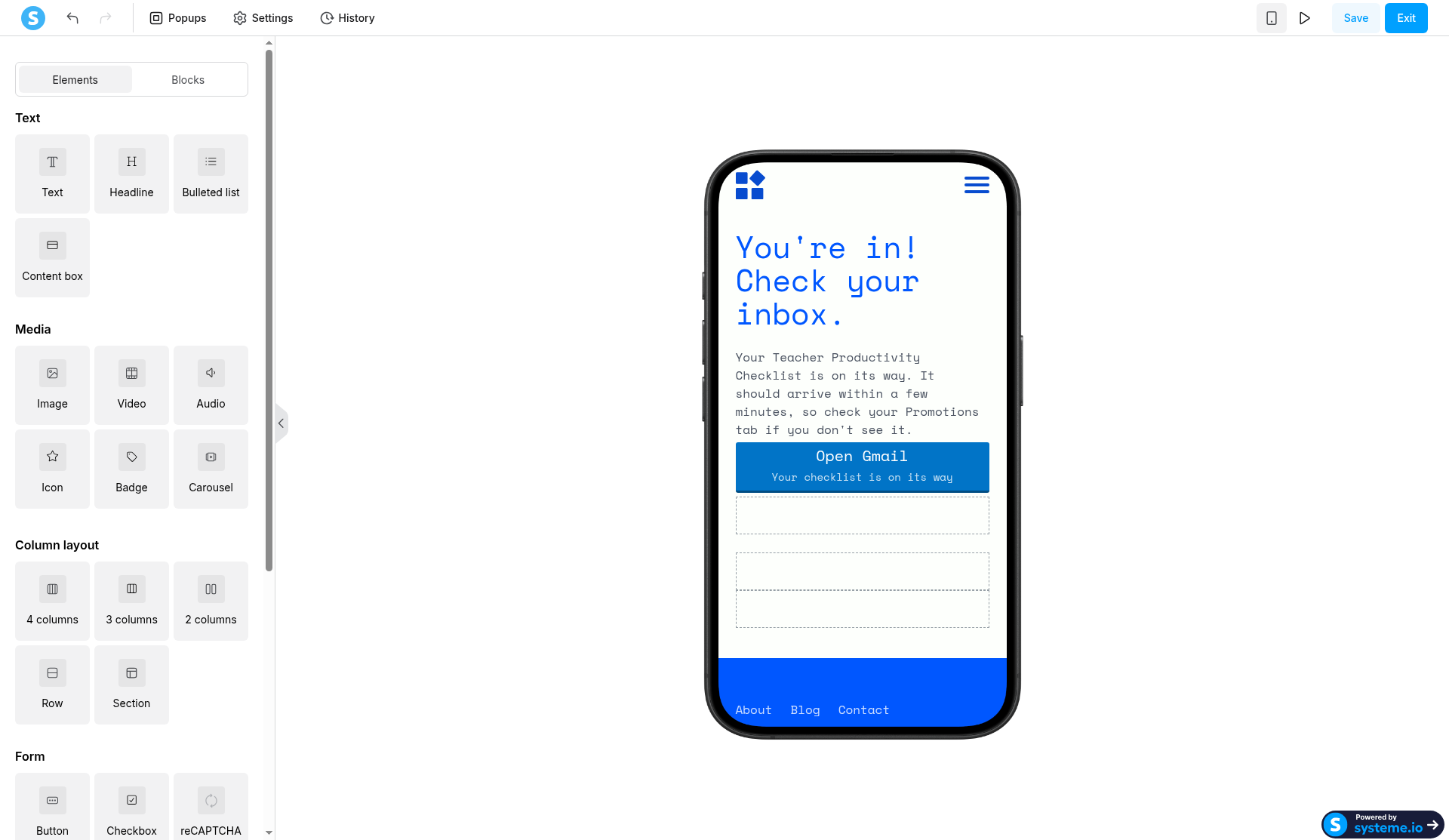
- Mobile view shows empty rows. The phone icon in the top right shows a mobile preview. Our button looked fine there and filled the width, but empty dotted placeholder rows sat underneath it. They didn't appear on our live desktop page, but they make the editor look unfinished.
- The welcome email went to spam. Our 10:01:45 AM test sign-up got its welcome email about three seconds later, at 10:01:48 AM, but Gmail put it in Spam. On October 25 the same email landed in Promotions. Our domain doesn't have Google's SPF and DKIM records set up yet, which is the likely cause, though we haven't proven it. Our custom domain email guide covers that setup.
Check where your opt-in sends people
One more thing worth a look. Systeme.io's button settings include an option called "Do you want to redirect users after contact registration?", with "To the next step" as a choice. On your opt-in button, that's what sends a new subscriber from the sign-up page to the thank-you step. We didn't reopen that setting on our opt-in today, but our live sign-up landed on the right page, so it's doing its job. If yours lands somewhere else, that's the first place to check.
That matters if you make test steps like we did. A new step goes to the end of your Steps list, and adding ours didn't change where the opt-in sends people. Just don't forget to delete the test step afterward. Ours is still sitting in the funnel as a live blank page, and it's on our cleanup list.
If you're working on the free plan, it also helps to know where the limits are before you build more. We wrote those up in Systeme.io free plan limits.
Is it worth the trouble?
For us, yes. The blank thank-you page looks alarming, but the fix is quick once you know the page simply has nothing on it. Between the October 25 build and today's test, a working sign-up page and thank-you page took us less time than a planning period. If you've been putting off a first freebie, Systeme.io's free plan is a reasonable place to start.
Start your free Systeme.io account →
Disclosure: Some of the links on this page are affiliate links. This means if you click and make a purchase, we may earn a commission at no extra cost to you. We only recommend tools we have personally tested or thoroughly researched. Our opinions are our own.
